Back to Blog
Guides
Suciu DanLast updated on May 13, 202610 min read

Best Node.js Web Scrapers in 2026: 6 Libraries Compared

Best Node.js Web Scrapers in 2026: 6 Libraries Compared
TL;DR: The best Node.js web scrapers in 2026 split into two camps: HTTP clients like Axios and Superagent for static pages, and headless browsers like Puppeteer and Playwright for JavaScript-heavy sites. Pick by workflow, not popularity, and offload rendering to a managed scraping API once anti-bot defenses or scale start eating your engineering time.

When developers ask which are the best Node.js web scrapers right now, they usually want one thing: a shortlist they can adopt without burning a sprint on dead ends. This guide gives you that shortlist, but it also does something most listicles skip: it starts with the workflow, not the library.

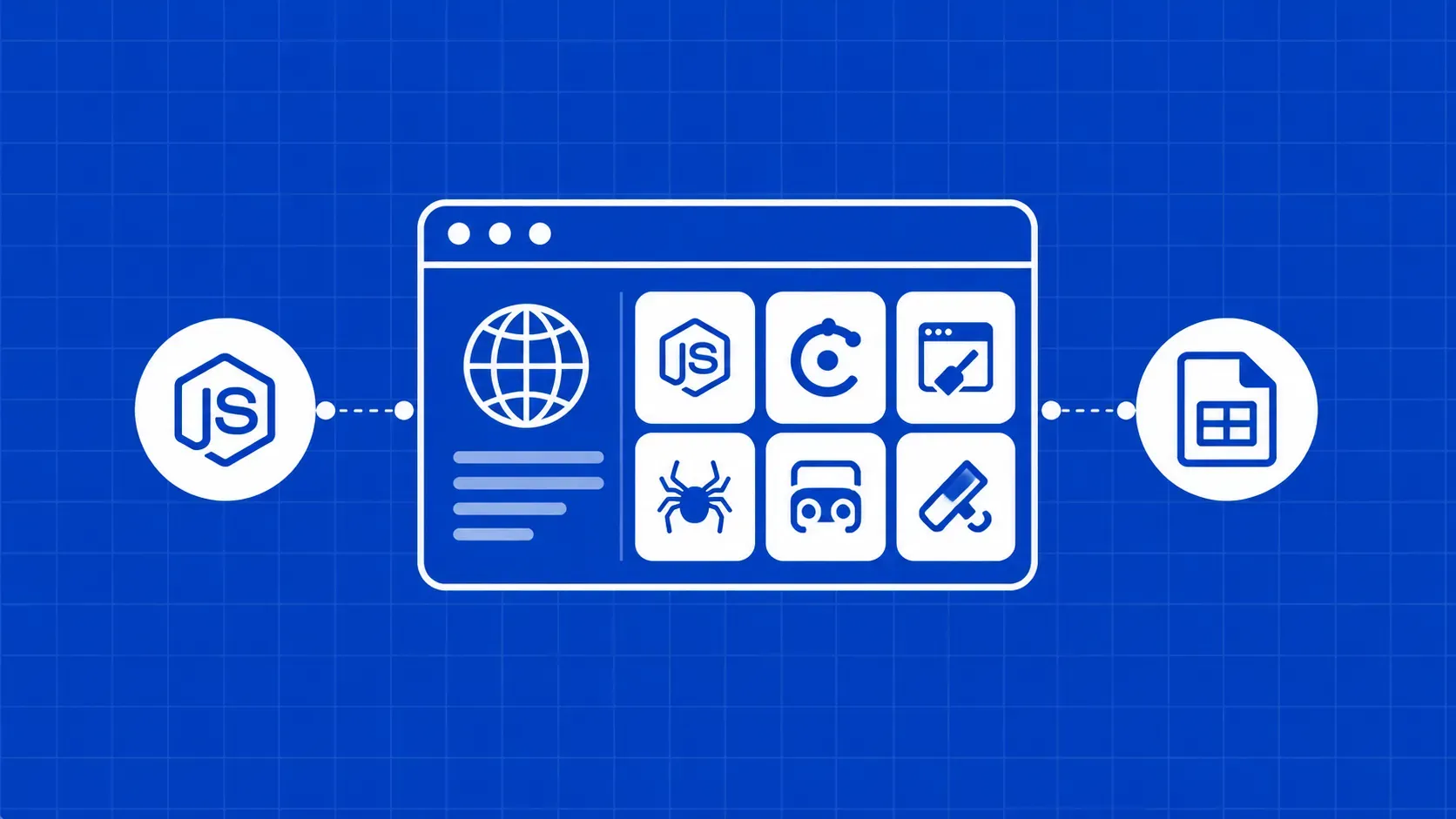
A Node.js web scraper is any script that uses the Node runtime to fetch web pages and extract structured data from them, either by hitting the network directly or by driving a real browser. The best Node.js web scrapers of 2026 fall into both buckets, and the right pick depends on whether your target renders on the server, in the browser, or behind a wall of anti-bot checks.

We will compare six libraries side by side, show runnable snippets, flag which ones are aging out of active maintenance, and give you a five-question decision checklist at the end. We will also cover anti-blocking patterns in actual Node code and the legal guardrails you should be honoring before any of this hits production.

Why Node.js still dominates web scraping in 2026

Node stays at the top of the scraping stack for three structural reasons. The event loop handles thousands of concurrent HTTP calls without thread overhead, which matters when you crawl at scale. The npm ecosystem already has parsers, HTTP clients, and browser-control libraries that talk to each other natively. And JavaScript is the same language target pages are written in, so debugging selectors and reasoning about client-side rendering is one mental model instead of two.

Requests vs. real browsers: pick the right workflow first

Before picking a library, answer three questions. Is the data in the initial HTML? Open DevTools, disable JavaScript, reload. If the fields are still there, you do not need a browser. Do you have to click, scroll, or wait for XHR calls? Then you need real browser automation. Are you crawling at scale or behind aggressive anti-bot defenses? Then your bottleneck is the request layer, not the parser.

Request-first tools win on speed and cost. Real browsers win on coverage. Most production scrapers end up using both, plus a managed proxy or rendering layer for the hard pages.

At a glance: comparison table of the 6 best Node.js web scrapers

Here is how the 6 best Node.js web scrapers compare on what actually decides a library choice: what it is for, whether it renders JavaScript, throughput on a single Node process, learning curve, and current maintenance signal.

Tool

Best for

Handles JS

Throughput

Learning curve

Maintenance

Axios + Cheerio

Static HTML, JSON APIs, price feeds

No

High

Easy

Active

Superagent

Lean stacks, simple GET/POST scrapes

No

High

Easy

Active

Puppeteer

Chromium dynamic pages, PDFs, screenshots

Yes

Medium

Medium

Active

Playwright

Multi-browser, infinite scroll, flaky sites

Yes

Medium

Medium

Active

X-Ray

Declarative pagination over static pages

Limited

High

Easy

Stale (verify on npm)

Osmosis

Chainable crawl + follow-link pipelines

Limited

Medium

Medium

Stale (verify on npm)

Axios + Cheerio: fast static-page scraping and JSON APIs

Axios is a promise-based HTTP client. Cheerio is the parser you bolt on top of it. Cheerio itself is not an HTTP client, it just takes an HTML string and gives you a jQuery-style API to query it. That distinction trips up beginners: you need both packages, one to fetch bytes, the other to extract fields. Our deeper guide to scraping with Cheerio covers selectors and edge cases.

npm install axios cheerio
import axios from 'axios';
import * as cheerio from 'cheerio';

const { data: html } = await axios.get('https://example.com/products', { timeout: 10_000 });
const $ = cheerio.load(html);
const items = $('.product-card').map((_, el) => ({
  title: $(el).find('h2').text().trim(),
  price: $(el).find('.price').text().trim(),
})).get();

This pairing is the right default for JSON APIs and server-rendered listings. It fails the moment data is injected by client-side JavaScript, because Axios never executes scripts.

Superagent: a fluent, lightweight HTTP client for lean stacks

Superagent solves the same problem as Axios but with a chainable API. It is smaller, has been around longer, and is a sensible pick when you do not want another full-featured client.

import request from 'superagent';
import * as cheerio from 'cheerio';

try {
  const res = await request
    .get('https://example.com/jobs')
    .set('User-Agent', 'Mozilla/5.0 (compatible; collector/1.0)')
    .timeout({ response: 5_000, deadline: 15_000 });
  const $ = cheerio.load(res.text);
  const jobs = $('article.job h3').map((_, el) => $(el).text().trim()).get();
} catch (err) {
  console.error('scrape failed', err.status, err.message);
}

Ergonomics are the main difference: Superagent feels procedural, Axios feels functional. Like Axios, Superagent cannot run JavaScript, so it is unsuitable on its own for SPA targets or pages that hydrate fields after load.

Puppeteer: full Chromium automation for dynamic pages

Puppeteer is a Node library that drives Chromium over the Chrome DevTools Protocol. You get the whole browser: cookies, redirects, JavaScript execution, network interception, screenshots, PDF export. According to the official Puppeteer documentation, it runs Chromium headless by default and supports WebDriver BiDi for cross-browser scenarios.

import puppeteer from 'puppeteer';

const browser = await puppeteer.launch({ headless: 'new' });
const page = await browser.newPage();
await page.goto('https://example.com/spa', { waitUntil: 'networkidle2', timeout: 20_000 });
const titles = await page.$$eval('.card h2', els => els.map(e => e.textContent.trim()));
await browser.close();

Puppeteer shines on dynamic pages, login flows, and anything that needs real UI interaction. The tradeoffs are real: each tab eats meaningful RAM, cold starts hurt throughput, and default Chromium fingerprints are easy for anti-bot vendors to flag. Treat headless browsers as a last resort, not your first instinct. Our deeper Puppeteer and Node.js scraping guide covers stealth tweaks and request interception.

Playwright: cross-browser reliability for JS-heavy sites

Playwright was built for end-to-end testing, and that lineage shows up everywhere in the scraping experience. It ships a single API across Chromium, Firefox, and WebKit, with aggressive auto-waiting baked into the locator API, which means fewer arbitrary setTimeout calls in your scraper.

import { chromium } from 'playwright';

const browser = await chromium.launch();
const page = await browser.newContext({
  userAgent: 'Mozilla/5.0 (compatible; collector/1.0)',
}).then(c => c.newPage());
await page.goto('https://example.com/feed');
for (let i = 0; i < 5; i++) {
  await page.mouse.wheel(0, 4000);
  await page.waitForLoadState('networkidle');
}
const posts = await page.locator('article').allInnerTexts();
await browser.close();

Puppeteer vs. Playwright in practice: Puppeteer is Chromium-first and gives raw CDP access, useful for low-level network interception. Playwright wins on flaky targets, infinite scroll, browser-context isolation, and auto-waiting selectors. If your targets are JS-heavy without a Chrome-only reason, default to Playwright; the official Playwright docs cover locators and tracing in depth.

X-Ray: declarative extraction across many pages

X-Ray is a minimalist scraper built around CSS selectors and schema-style extraction. You describe the shape of data you want, point it at a URL, and X-Ray handles pagination and concurrency for you.

import Xray from 'x-ray';
const x = Xray();
x('https://example.com/articles', '.post', [{ title: 'h2', link: 'a@href' }])
  .paginate('.next@href').limit(10)((err, data) => console.log(data));

The catch: at the time of writing, the X-Ray npm package has gone long stretches without a release. Check its npm page before adopting it for production. It still works for structured, static pages, but it has no story for JavaScript rendering or modern anti-bot defenses. Treat it as a quick tool for crawl jobs that fit its shape.

Osmosis takes a different shape: you build crawls as a chain of .get(), .find(), .set(), .follow(), and .data(). The style is satisfying when your scraper is mostly "open this page, grab a link, follow it, extract fields."

import osmosis from 'osmosis';
osmosis.get('https://example.com/categories')
  .find('a.category').follow('@href')
  .set({ name: 'h1', price: '.price' })
  .data(item => console.log(item));

Osmosis supports HTML, XML, and JSON extraction and includes retries and pagination helpers. Same caveat as X-Ray: at the time of writing, the package has not seen active maintenance for a long stretch, and it cannot reliably handle modern JS-heavy UIs. For anything dynamic, prefer Playwright or a managed API.

Anti-blocking essentials every Node.js scraper needs

No library will save you if your request layer screams "bot" on the wire. A few patterns belong in every production scraper, regardless of which of the best Node.js web scrapers you pick:

  • Rotate residential or mobile IPs. Datacenter ranges get flagged on sight. Plug a proxy URL into Axios via httpsAgent, or pass --proxy-server to Puppeteer/Playwright launch options. Our Axios proxy setup guide covers auth and rotation.
  • Send a realistic header set. Match Accept, Accept-Language, and sec-ch-ua-* to a real Chrome session, not just User-Agent.
  • Throttle and back off. Cap concurrency per host, randomize delays, and use exponential backoff on 429 and 503 responses.
  • Reuse sessions. Keep cookies and HTTP/2 connections alive so traffic looks like a returning visitor.
  • Patch headless fingerprints. Default Puppeteer leaks navigator.webdriver; a stealth plugin closes the obvious gaps.

A Chromium tab under Puppeteer or Playwright typically lands in the 150-300 MB range with CPU spikes during render, so plan container sizing accordingly.

When to skip libraries and offload to a managed scraping API

There is a point where running your own browsers and proxy pool stops being engineering and starts being plumbing. The signal: you are spending more time fixing blocks and tuning concurrency than extracting fields. A managed scraping API hides all of that behind one endpoint, returning rendered HTML or parsed JSON. Reach for one when you need geo-targeted residential IPs, CAPTCHA handling, JS rendering at scale, or predictable time-to-data on hostile targets.

Decision checklist: matching the tool to your target site

Run these five questions on every new target:

  1. Data in the initial HTML? Use Axios + Cheerio, or Superagent.
  2. SPA or hydrated after load? Use Playwright (Puppeteer if you are Chrome-only).
  3. Many similar pages with pagination? Use X-Ray or Osmosis for static, Playwright for dynamic.
  4. Hitting CAPTCHAs or IP blocks? Add residential proxies, or offload to a managed scraping API.
  5. Scaling past a few hundred RPM? Move rendering and proxies off your servers.

Key Takeaways

  • The best Node.js web scrapers in 2026 are a small set: Axios + Cheerio and Superagent for static pages, Puppeteer and Playwright for dynamic pages, with X-Ray and Osmosis as legacy options for simple pipelines.
  • Pick the workflow before the library. If data is in the initial HTML, do not launch a browser.
  • Playwright beats Puppeteer for flaky, multi-browser, or infinite-scroll targets. Puppeteer wins when you need raw CDP access in a Chrome-only world.
  • Verify X-Ray and Osmosis maintenance status on npm before depending on either in production.
  • Anti-blocking is a request-layer problem, not a parser problem. Proxies, realistic headers, session reuse, and backoff matter more than which library parses the HTML.

FAQ

Do I need Cheerio if I already use Axios or Superagent in my scraper?

Yes, unless the response is already JSON. Axios and Superagent fetch raw HTML, but neither parses it into something queryable. Cheerio takes that HTML string and gives you a jQuery-style API for selectors, attributes, and traversal. If you are scraping a REST endpoint that returns JSON, you can skip Cheerio entirely and work with the response object.

How much RAM and CPU does a Puppeteer or Playwright scraper need in production?

Budget around 200-400 MB of RAM per concurrent browser tab on average pages, with spikes higher on script-heavy sites. Render bursts will pin a CPU core. A 1 vCPU, 1 GB container usually handles one or two concurrent pages; anything serious wants 2 vCPU and 2-4 GB RAM, and you should reuse browser contexts rather than relaunching.

Scraping public data is generally legal in most jurisdictions, but terms of service, copyright, and privacy laws like GDPR and CCPA still apply. Read the site's robots.txt to see which paths are off-limits, avoid logged-in or personal data without consent, prefer official APIs when offered, and rate-limit your requests so you do not degrade the target.

Should I scrape Google search results directly with Puppeteer or use a SERP API?

Use a dedicated SERP API. Google aggressively detects headless browsers on search pages, and any scraper you build will spend more time fighting CAPTCHAs than parsing results. A SERP API returns structured JSON in roughly a second per query and absorbs the block-and-retry game on its side, which is almost always cheaper than your engineering time.

Can I run Puppeteer or Playwright inside a serverless function like AWS Lambda?

Yes, but it is fiddly. Lambda's 250 MB unzipped layer limit and ephemeral filesystem make bundling Chromium painful. Use a slimmed build such as @sparticuz/chromium for Puppeteer, or run Playwright via the official Lambda container image. Expect cold starts of several seconds, and budget memory at 1024 MB or higher for stability.

Conclusion

The best Node.js web scrapers in 2026 are not a single winner, they are a matched set. Axios with Cheerio and Superagent handle static HTML and JSON faster and cheaper than any browser-based option. Puppeteer and Playwright take over the moment JavaScript rendering, logins, or complex interaction enter the picture, with Playwright as the safer default for flaky or multi-browser targets. X-Ray and Osmosis still have a place for simple, declarative crawls, but treat their maintenance status as a known risk.

The hard part of scraping in 2026 is rarely the parser. It is everything underneath: proxies, headers, retries, browser fingerprints, and the steady drip of anti-bot updates. If you would rather spend that time extracting fields, our team at WebScrapingAPI runs the request layer for you, with rotating residential proxies, JS rendering, and CAPTCHA handling behind a single endpoint, so your Node code stays small and your data keeps flowing. Pair it with whichever library on this list fits your workflow, and ship.

About the Author
Suciu Dan, Co-founder @ WebScrapingAPI
Suciu DanCo-founder

Suciu Dan is the co-founder of WebScrapingAPI and writes practical, developer-focused guides on Python web scraping, Ruby web scraping, and proxy infrastructure.

Start Building

Ready to Scale Your Data Collection?

Join 2,000+ companies using WebScrapingAPI to extract web data at enterprise scale with zero infrastructure overhead.