A common situation in web scraping is when the parsing result list is very long and contains mixed information.
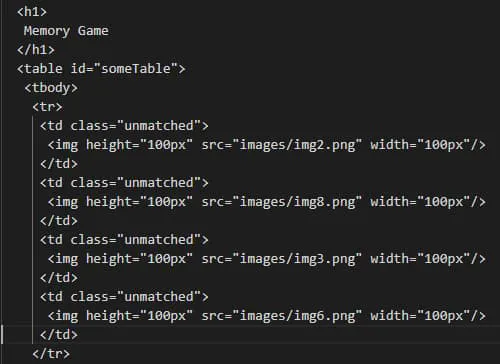
For example, you may have noticed that our previous images may or may not contain an alt attribute.
Or imagine we would extract all the links from the article. We all know that a Wikipedia article has A LOT of links, and we may not want a complete list of them. The result will have external and internal links, references, and citations, so we need to classify them into multiple categories.
To solve this problem, we are going to use a lambda function. Basically, the lambda will take as a parameter each element from the result list and apply the condition we define, just like using a filter.
For a practical example, let’s suppose we need to extract all the internal links, access their article, and make a summary of each. Considering that one of Python’s use cases is Artificial Intelligence, this example could be an excellent application to obtain training data.
First of all, we will need to install the NLTK library because computing a summary implies processing the human language.
pip install -U nltk
And, of course, to import it in our code:
import re
import nltk
import heapq
# need to download only for the first execution
# warning: the size of the dataset is big; hence it will take time
nltk.download()
Note: if you are a macOS user, you may get an “SSL: certificate verify failed” error. The cause may be that Python3.6 uses an embedded version of OpenSSL. All you have to do is to open the location where you installed Python and run this file:
/Your/Path/Here/Python 3.6/Install Certificates.command
As you can see, we also imported the re library, used for operations with regular expressions and heapq, an implementation of heap queue.
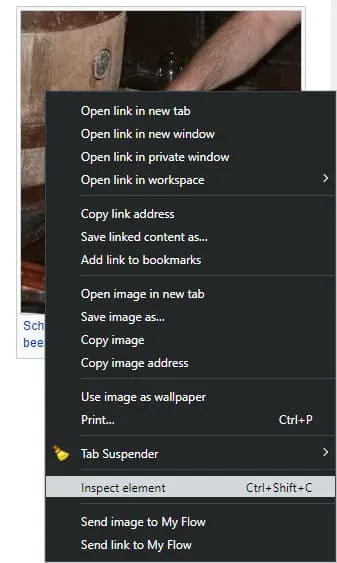
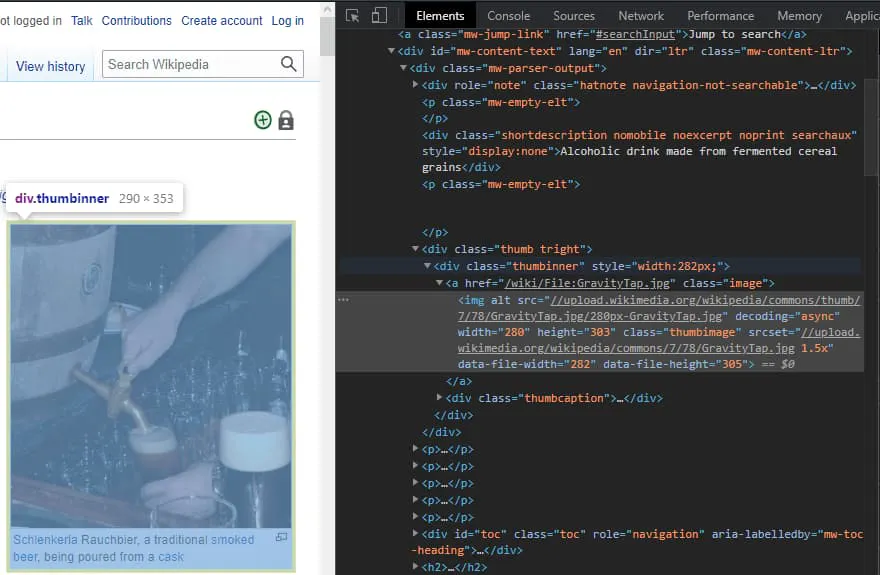
Good, we have all we need to start writing the code. Let’s begin by extracting the internal links. If you go back to the browser, you will notice a few things about the elements we are interested in.
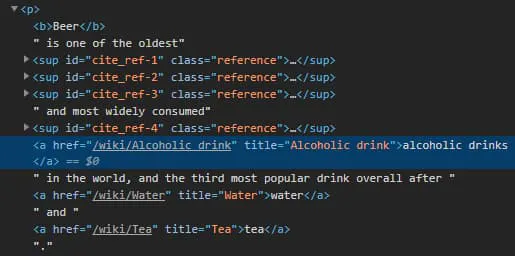
Those things would be:
- The href attribute has a value;
- The href value begins with “/wiki/”;
- The link’s parent is a <;p> tag;
These characteristics will help us to differentiate the links we need from all the others.
Now that we know how to find the links let’s see how we can extract them.
count = 0

def can_do_summary(tag):
    global count
    if count > 10: return False

    # Reject if parent is not a paragraph
    if not tag.parent.name == 'p': return False

    href = tag.get('href')
    # Reject if href is not set
    if href is None: return False

    # Reject is href value does not start with /wiki/
    if not href.startswith('/wiki/'): return False

    compute_summary(href)
    return True


def extract_links(soup):
    soup.find_all(lambda tag: tag.name == 'a' and can_do_summary(tag))

def main():
    URL = 'https://en.wikipedia.org/wiki/Beer'
    page = requests.get(URL)
    soup = BeautifulSoup(page.content, 'html.parser')

    extract_links(soup)

main()
Alright, so what happened here? Looking at the extract_links() function, we can see that instead of a tag’s name, we passed a lambda function as a parameter to the .find_all() method. That means that we pick only the ones that match our condition from all the HTML document’s tags.
As you can see, a tag’s condition is to be a link and to be accepted by the can_do_summary() function defined above. Over there, we reject everything that does not match the characteristics observed earlier. Also, we used a global variable to limit the number of extracted links to 10. If you need all of them, feel free to remove the count variable.
In the end, we call the compute_summary() function for the newfound link. That is where the article is summarized.
def compute_summary(href):
    global count
    full_link = 'https://en.wikipedia.org' + href
    page = requests.get(full_link)
    soup = BeautifulSoup(page.content, 'html.parser')

    # Concatenate article paragraphs
    paragraphs = soup.find_all('p')
    article_text = ""
    for p in paragraphs:
        article_text += p.text

    # Removing Square Bracket, extra spaces, special characters and digits
    article_text = re.sub(r'\[[0-9]*\]', ' ', article_text)
    article_text = re.sub(r'\s+', ' ', article_text)
    formatted_article_text = re.sub('[^a-zA-Z]', ' ', article_text)
    formatted_article_text = re.sub(r'\s+', ' ', formatted_article_text)

    # Converting text to sentences
    sentence_list = nltk.sent_tokenize(article_text)

    # Find frequency of occurrence of each word
    stopwords = nltk.corpus.stopwords.words('english')

    word_frequencies = {}
    for word in nltk.word_tokenize(formatted_article_text):
        if word not in stopwords:
            if word not in word_frequencies.keys():
                word_frequencies[word] = 1
            else:
                word_frequencies[word] += 1

    maximum_frequency = max(word_frequencies.values())

    for word in word_frequencies.keys():
        word_frequencies[word] = (word_frequencies[word] / maximum_frequency)

    # Calculate the score of each sentence
    sentence_scores = {}
    for sent in sentence_list:
        for word in nltk.word_tokenize(sent.lower()):
            if word in word_frequencies.keys():
                if len(sent.split(' ')) < 30:
                    if sent not in sentence_scores.keys():
                        sentence_scores[sent] = word_frequencies[word]
                    else:
                        sentence_scores[sent] += word_frequencies[word]

    # Pick top 7 sentences with highest score
    summary_sentences = heapq.nlargest(7, sentence_scores, key=sentence_scores.get)
    summary = '\n'.join(summary_sentences)
    count += 1
Long story short, we make an HTTP request to the newfound URL and convert the result to a BeautifulSoup object, just like we did at the beginning of the article.
To compute a summary, we extract all the paragraphs from the article and concatenate them together. After that, we remove all the special characters that could interfere with the calculations.
In simple terms, a summary is made by calculating the most frequent words and giving each sentence a score based on how frequent their words are. In the end, we pick the top 7 sentences with the highest score.
This is not the subject of our article, but you can read more here if you are curious or even passionate about Natural Language Processing.