TL;DR: Modern blocks happen across four layers, network, request signature, browser, and behavior. Diagnose the layer first using status codes and challenge pages, then fix it with the right combination of rotating residential proxies, browser-grade headers, TLS impersonation, stealth browsers, and human-like timing. When volume or anti-bot sophistication makes DIY uneconomical, offload the request layer to a managed API.
Introduction
Web scraping without getting blocked is no longer a matter of swapping a User-Agent string and adding a one-second delay. In 2026, well-defended targets stack IP reputation, TLS fingerprinting, header analysis, JavaScript challenges, browser fingerprint surfaces, and behavioral models on top of each other, and any one of those layers can silently kill your pipeline. If you operate production scrapers behind Cloudflare, Akamai, DataDome, or Human (ex PerimeterX), you have probably seen this firsthand: the same scraper that ran for months suddenly returns 403s, CAPTCHA pages, or, worse, plausible-looking fake data.
This guide is the playbook we wish existed when we were first scaling scrapers against modern anti-bot stacks. It uses a four-layer mental model so every technique maps back to a specific detection surface, gives you a triage flow before you reach for tools, and ends with an honest decision framework for when to keep building in-house versus offload to a managed scraping API. Code patterns are in Python, but the ideas translate directly to Node.js, Go, and anything else that speaks HTTP.
Why web scraping without getting blocked is harder in 2026
Anti-bot defense has become a layered product category, not a feature. A single page request now passes through IP reputation scoring, TLS fingerprint matching, header normalization, JavaScript challenge evaluation, and behavioral analytics before a byte of real HTML is returned. Most anti-bot systems detect and block scrapers automatically, which is why so many projects that worked last quarter quietly stop returning data this quarter.
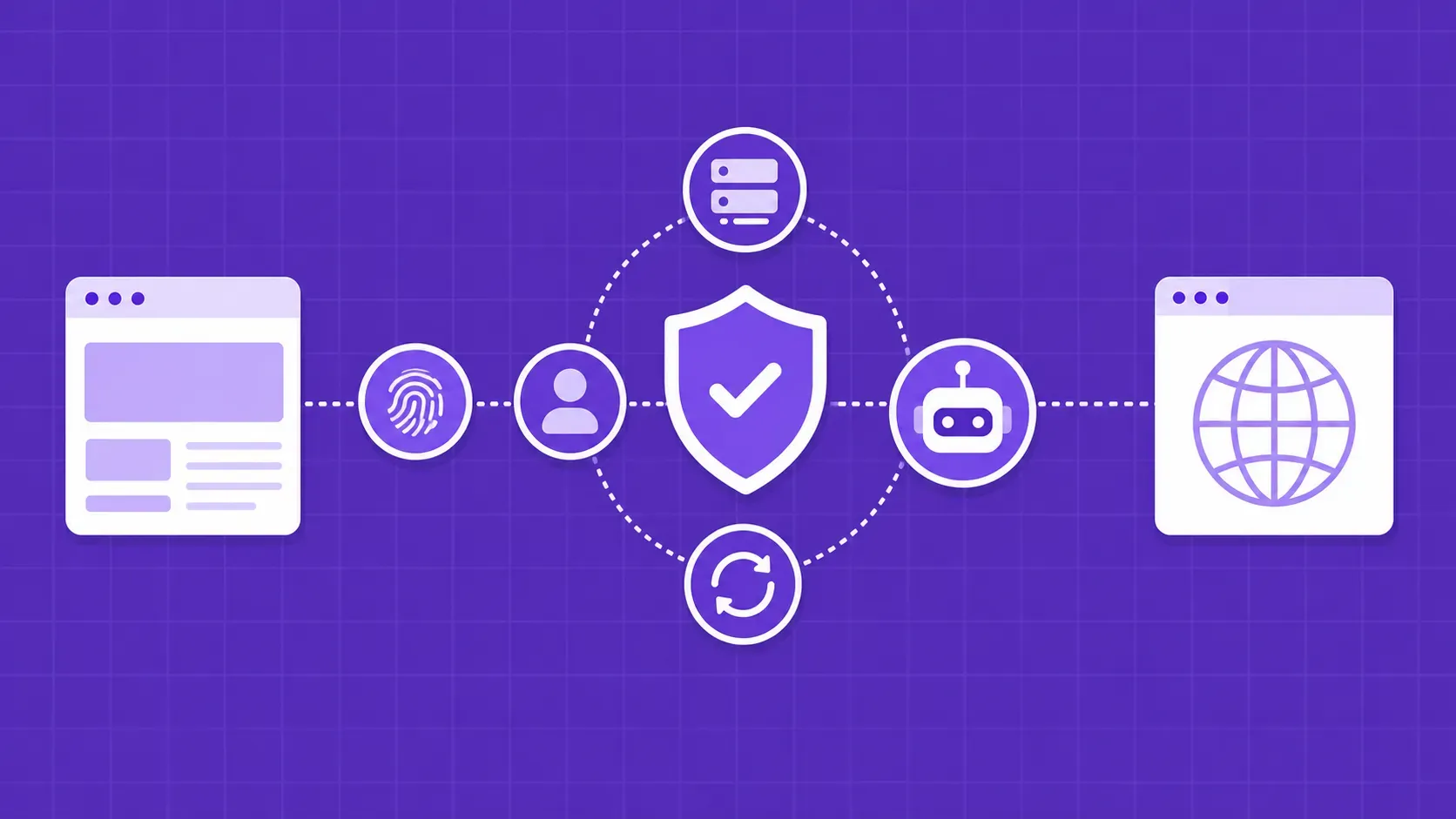
The useful way to think about web scraping without getting blocked is to picture a stack of four detection layers. Every block has a root cause in exactly one of them, and every technique we will cover plugs into exactly one of them.
- Layer 1, network: the IP address you connect from, its ASN, its abuse history, its geolocation, and how often a single IP sends requests. Sites flag IPs by examining how an address behaves, looking for impossible request frequencies, suspicious patterns, or known datacenter ranges.
- Layer 2, request signature: how your client identifies itself at the HTTP and TLS level. This includes the User-Agent string, the full set of headers and their order, client hints, the JA3 or JA4 TLS fingerprint, and the HTTP/2 SETTINGS frame. Real browsers send a whole set of consistent headers; missing or contradictory ones are a giveaway.
- Layer 3, browser: the JavaScript execution surface a real browser exposes. Canvas, WebGL, AudioContext, font enumeration, the
navigatorobject, available plugins, timezone, and locale. A headless Chrome with default options leaks dozens of bot signals through this surface. - Layer 4, behavior: how requests are spaced, whether the mouse moves, whether scroll depth varies, and whether the order of clicks resembles a real human reading a page. A scraper that fires exactly one request per second around the clock is trivially detectable.
Defenders cross-check signals between layers. A residential IP from Brazil paired with a Chrome/120 User-Agent and an en-US Accept-Language header is internally inconsistent, and that mismatch alone is enough to fail a challenge. The rest of this guide unpacks each layer in turn, then ties them back together in a vendor-specific playbook.
Diagnose your block before changing anything
The single biggest mistake we see in web scraping without getting blocked is jumping straight to tools. Engineers swap proxy providers, install a stealth plugin, increase delays, and end up with a Frankenstein scraper that still fails because the actual block was at a different layer. Diagnose first.
Start by capturing a full request and response, status code, response headers, body, and any redirect chain. Then map what you see to the most likely detection layer:
|
Symptom |
Likely layer |
First thing to investigate |
|---|---|---|
|
HTTP 403 with no body or a tiny JSON error |
Layer 1 or 2 |
IP reputation, missing headers, TLS fingerprint mismatch |
|
HTTP 429 plus |
Layer 4 |
Concurrency too high or fixed-cadence requests |
|
HTTP 503 with a Cloudflare or DataDome interstitial |
Layer 2 or 3 |
JavaScript challenge requires a real browser; HTTP client cannot pass |
|
Redirect loop to |
Layer 2 or 3 |
Cookie/session not persisted, or JS challenge unsolved |
|
HTTP 200 with empty list, fake products, or shuffled prices |
Layer 1 or 4 |
Honeypot data served to flagged clients; address looks suspicious |
|
CAPTCHA page (hCaptcha, reCAPTCHA, Turnstile) |
Layer 1 or 3 |
IP reputation poor, or browser fingerprint flags automation |
A few rules of thumb. A bare 403 the moment you connect almost always means Layer 1 or 2: try a fresh residential IP and a real Chrome header set before anything else. A 503 with a JS-heavy interstitial is almost always Layer 2 or 3: you need either a TLS-impersonating client or a stealth browser. Silent fake data is the worst case because it can poison your dataset for days; if your scraped values look plausible but are subtly wrong, the site is shadow-banning your fingerprint.
Always save the raw response when triaging. Diff it against a request from a real browser using DevTools, and the missing or contradictory signal is usually obvious within minutes. We keep an internal triage runbook of common cause patterns for [the most common reasons scrapers get blocked], which is the cheapest debugging investment you can make.
Layer 1: Proxy infrastructure
If you only fix one thing about your approach to web scraping without getting blocked, fix your IPs. The most common reason scrapers get blocked is bad IP reputation, and no amount of header tuning or browser stealth will save you from a datacenter range that is already on every blocklist. A proxy is an intermediary between your scraper and the target that makes each request appear to come from a different network location, which is the foundation of web scraping without getting blocked at scale.
Two questions decide the right proxy strategy: what kind of IP does your target tolerate, and how should you rotate through your pool. Get those wrong and every other layer becomes harder. Get them right and Layers 2 through 4 become much more forgiving. The next two subsections walk through both choices in detail.
Datacenter, residential, ISP, and mobile proxies compared
The four practical proxy types differ in where the IP comes from, how it appears to the target, how much it costs, and how often it gets blocked.
|
Proxy type |
Where it comes from |
Typical use |
Block resistance |
|---|---|---|---|
|
Datacenter |
Cloud and hosting providers |
Lightly-defended targets, internal tools, public APIs |
Low against major anti-bot vendors; entire ASNs are often blocklisted |
|
ISP (static residential) |
Real ISP-allocated ranges hosted in datacenters |
Persistent sessions, account-based scraping |
Moderate; better than datacenter but still flaggable |
|
Residential (rotating) |
Real broadband connections via consented peer networks |
E-commerce, travel, social, most well-defended targets |
High; traffic looks indistinguishable from regular users |
|
Mobile (3G/4G/5G) |
Carrier-allocated mobile IPs |
Mobile-first sites, sites that rate-limit by IP very aggressively |
Very high; carrier NAT means many real users share each IP |
A practical heuristic. If your target is a small site without a named anti-bot vendor, datacenter IPs are usually fine and dramatically cheaper. If you see a Cloudflare, Akamai, DataDome, or PerimeterX challenge in the response, escalate straight to rotating residential, since datacenter IPs will burn money for weeks before working consistently. Mobile IPs are reserved for the hardest targets and the highest budgets because they are the most expensive proxy class and capacity is genuinely scarce.
Free proxy lists tell on you almost immediately. Their pools are tiny, their IPs are shared with every other scraper using the same list, and they are often already in commercial blocklists before you find them. They are fine for a quick experiment, never for production.
For most engineers, the right answer in 2026 is a paid residential proxy network with country-level targeting and a healthy IP pool. Pricing is per-gigabyte rather than per-IP, so [planning your residential proxy budget] is mostly about estimating bandwidth, not address counts.
Rotation strategies, sticky sessions, and geo-targeting
Owning a big proxy pool does nothing if you use it wrong. Three settings drive whether IP rotation actually helps or quietly hurts: rotation cadence, session stickiness, and geo-targeting.
Rotation cadence. Round-robin through the pool with a fresh IP per request is the safest default for stateless scraping such as product listings or search results. The advantage is that no single IP ever sends enough volume to look anomalous. The downside is that any flow that depends on a cookie, a cart, or a logged-in session breaks immediately because the server sees a different client on every hop.
Sticky sessions. For multi-step flows, login, pagination with server-side cursors, anything that uses cookies or CSRF tokens, you want a sticky IP that persists for some configurable window. Most providers support windows from one minute up to thirty minutes or longer. Pick the shortest window that still completes your flow. Long sticky sessions on a hot endpoint are how a single residential IP racks up enough volume to get flagged.
Geo-targeting. Some sites restrict content or pricing by country, and many flag international traffic to local-only services. A Brazilian food-delivery site that only serves Brazil will look at a Texas residential IP and respond with a polite redirect or a flat block. Pair geo-targeted proxies with a matching Accept-Language header and a consistent timezone in any browser you spin up, otherwise you trade one inconsistency for another.
In code, this typically means parameterizing your proxy URL with country and session_id query strings:
proxy = f"http://user-country-br-session-{uuid.uuid4().hex}:{password}@proxy.example.net:7777"
Per-request rotation drops the session id; sticky rotation reuses it across calls. Both should be cheap to flip per scraper.
Layer 2: Realistic request signatures
Even a perfect residential IP will not save you if your client identifies itself as python-requests/2.x. Real browsers send a coherent set of headers in a specific order, negotiate TLS with a specific cipher list, and speak HTTP/2 with a specific SETTINGS frame. Mismatch any of those and the request is fingerprinted as automation before the response body is even composed.
This is the layer where most homegrown scrapers leak the most signal, partly because libraries default to giveaway values and partly because the easy fix, just spoofing User-Agent, is no longer enough. The next two subsections cover the two non-negotiables: building a browser-grade header set and defeating TLS plus HTTP/2 fingerprinting. Get both right and Layer 2 stops being a problem for any HTTP-only target.
Build a full browser-grade header set
The User-Agent header tells the server which browser and version is making the request, and a default cURL or python-requests agent will mark you as non-browser traffic immediately. But sending only a fake User-Agent and nothing else is almost as bad, because real browsers send a whole consistent set of headers in a specific order.
The cleanest workflow is to copy a real Chrome request from DevTools, freeze it as your template, and rotate only the values that actually vary between users. A minimum production set looks like this:
HEADERS = {
    "User-Agent": "Mozilla/5.0 (Windows NT 10.0; Win64; x64) AppleWebKit/537.36 "
                  "(KHTML, like Gecko) Chrome/124.0.0.0 Safari/537.36",
    "Accept": "text/html,application/xhtml+xml,application/xml;q=0.9,"
              "image/avif,image/webp,*/*;q=0.8",
    "Accept-Language": "en-US,en;q=0.9",
    "Accept-Encoding": "gzip, deflate, br, zstd",
    "Sec-Ch-Ua": '"Chromium";v="124", "Google Chrome";v="124", "Not.A/Brand";v="24"',
    "Sec-Ch-Ua-Mobile": "?0",
    "Sec-Ch-Ua-Platform": '"Windows"',
    "Sec-Fetch-Site": "none",
    "Sec-Fetch-Mode": "navigate",
    "Sec-Fetch-User": "?1",
    "Sec-Fetch-Dest": "document",
    "Upgrade-Insecure-Requests": "1",
}
A few rules. Keep client hints (Sec-Ch-Ua*) consistent with your User-Agent. If you advertise Chrome 124, your client hints must say Chrome 124. Do not rotate User-Agents randomly per request: a single human session uses one browser, so flipping between Chrome and Firefox between page loads is itself a bot signal. Set Referer for any non-entry page so the request looks like a click, not a teleport. Many engineers set Referer: https://www.google.com/ for the first page and the previous URL for subsequent ones.
Header order matters too. Some anti-bot systems hash the order of headers, so libraries that re-sort them alphabetically can fail even when every value is correct. This is one reason you eventually have to leave vanilla requests for [a deeper HTTP header strategy] tuned to scraping.
Defeat TLS and HTTP/2 fingerprinting
Once your headers look right, the next signal that gives you away is the TLS handshake itself. TLS fingerprinting uniquely identifies a client based on the specific values it sends during the TLS handshake, including the TLS version, the supported cipher suites, the list of extensions, and the order of all of those. Two common formats summarize this into a hash: JA3 and the newer JA4, both of which anti-bot vendors check against known browser profiles.
The problem for scrapers is that python-requests, urllib3, aiohttp, and node-fetch all produce TLS handshakes that look nothing like Chrome or Firefox. They negotiate the cipher suites that the underlying OpenSSL or BoringSSL library prefers, in the order that library prefers, and that handshake is trivially distinguishable from a real browser. Many bot detection systems block requests primarily on this signal, before they even look at headers. The Mozilla Developer Network's overview of the TLS handshake is a useful primer if you want to see exactly what each step exposes.
The fix is to use a client that impersonates a specific browser's TLS stack at the byte level. Two options are worth knowing:
curl-impersonateis a fork of cURL with patched TLS and HTTP/2 stacks that produces handshakes byte-identical to Chrome, Edge, Firefox, or Safari. You install it as a drop-incurl_chrome120binary and call it from your scraper.tls-clientis a Python (and Go) library that wraps a Go TLS implementation patched to mimic browser handshakes, with named profiles likechrome_124andfirefox_125. It is the easier path if you want to stay in pure Python.
HTTP/2 also has its own fingerprint. The SETTINGS frame, header pseudo-headers, and stream priorities differ across browsers, and modern detectors hash these values as well. Both libraries above handle the HTTP/2 layer too, so picking either gives you both fingerprints in one swap.
A practical tip: when you change the impersonation profile, also change your User-Agent to match. A request that claims to be Firefox but negotiates TLS like Chrome is a stronger bot signal than the original mismatch.
Layer 3: Stealth browsers for JavaScript-heavy targets
If your target serves a JavaScript challenge, an interactive widget, or a single-page app that builds the DOM client-side, no HTTP client will work no matter how perfect its fingerprint. You need a real browser that executes JavaScript, and increasingly that means a headless browser, an automated browser that runs without a UI and is controlled programmatically.
The trade-off is steep. A single headless Chrome instance comfortably uses several hundred megabytes of RAM, and running many in parallel on one machine quickly hits memory limits well below what an HTTP client can sustain. Spinning up browsers also takes seconds, not milliseconds, so concurrency caps and warm-pool patterns matter much more than they do for requests.
Use a stealth browser when you must, not by default. If you can reverse-engineer the JSON endpoint behind a SPA (we cover that later), prefer that. When you cannot, the next two subsections walk through the current 2026 stealth stack and how to harden mainstream automation libraries instead of fighting them.
Camoufox, Nodriver, undetected_chromedriver, and curl-impersonate
The 2026 stealth stack has shifted away from heavyweight Selenium-based wrappers toward smaller, more aggressively patched tools.
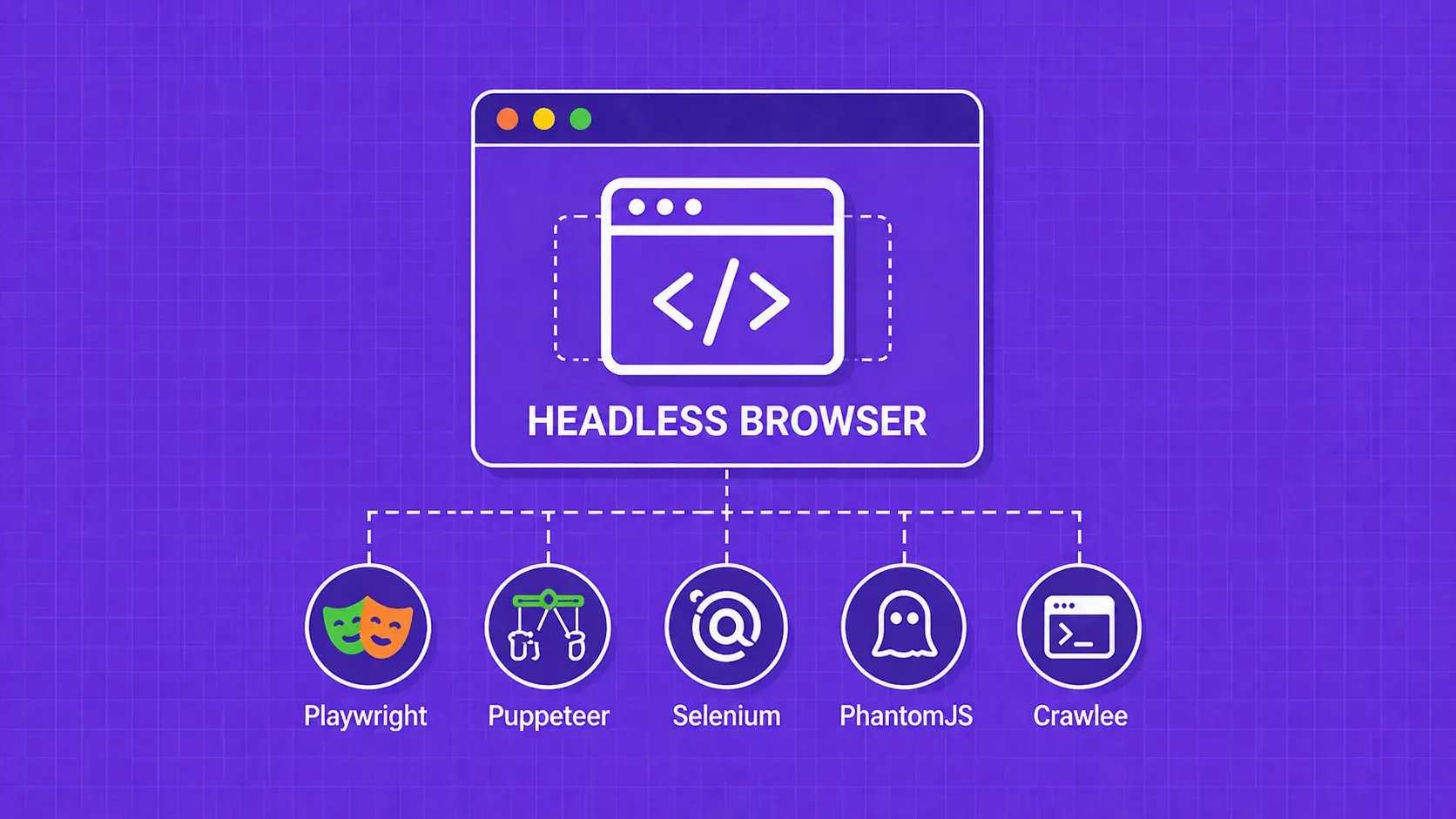
undetected_chromedriveris the elder statesman. It patches the most obvious automation tells in Chrome, removesnavigator.webdriver, and tweaks the CDP surface so it does not announce itself. It still works against many mid-tier targets, but vendors have been catching up to its patches, so treat it as a known signature rather than a silver bullet.- Nodriver is a newer Python tool that drives Chrome via the DevTools Protocol without WebDriver, which closes off an entire class of automation tells. It is a good default when you need browser-level execution but want to minimize the WebDriver surface.
- Camoufox is a custom build of Firefox tuned for scraping. According to its public positioning, it leans on Firefox's flexibility to alter fingerprint surfaces that Chromium-based tools cannot easily change, and is therefore most useful against detectors heavily tuned to Chrome. Verify its current maintenance status before adopting it for production.
curl-impersonateis not a browser at all, but it belongs in the same conversation because for a surprising number of targets, a TLS-impersonating HTTP call is enough and avoids all the cost and fragility of a real browser. Reach for it before reaching for Chrome.
How to choose. Try in this order: curl-impersonate or tls-client first; if the page genuinely needs JavaScript, escalate to Nodriver; if Chromium-based stealth is being detected, try Camoufox; if you are stuck in a legacy Selenium pipeline, harden it (next subsection) rather than rewriting from scratch. None of these tools are static targets; expect to revisit your choice every few quarters as detectors and patches evolve.
Hardening Playwright, Puppeteer, and Selenium
Most teams already have an automation stack built on Playwright, Puppeteer, or Selenium. Rather than rewrite from scratch, harden what you have.
The three plugins that do most of the work:
playwright-stealthpatches the most obvious Playwright fingerprint leaks:navigator.webdriver, plugin arrays, language settings, WebGL vendor strings.puppeteer-extra-plugin-stealthis the equivalent for Puppeteer and is actively maintained.- SeleniumBase UC mode wraps Selenium with the same patches plus undetected-chromedriver under the hood, which is the cheapest upgrade for legacy Selenium codebases.
Plugins are necessary but not sufficient. Several operational details matter just as much:
- Set a realistic viewport. Default headless dimensions like
800x600are bot signals. Use common resolutions such as1366x768or1920x1080. - Match languages, timezone, and geolocation to your proxy. A Brazilian proxy with
en-USlocale andAmerica/New_Yorktimezone is internally inconsistent. - Use a persistent user-data directory. A pristine browser profile with no history, no cookies, no extensions, and no font cache is itself a fingerprint. Reuse profiles across runs where it makes sense for the flow.
- Install fonts and plugins typical for the OS you claim. A Windows User-Agent paired with a Linux font set fails consistency checks.
- Disable automation-friendly flags you do not need.
--disable-blink-features=AutomationControlledis the canonical example.
Profiles that look "too clean" trip the same heuristics as profiles that look obviously automated. The goal is a believably mediocre real user, not a brand-new install.
Layer 4: Behavioral mimicry
Even with a clean IP, perfect headers, a real TLS fingerprint, and a hardened stealth browser, your scraper can still get flagged by behavioral signals. A real human pauses, scrolls at uneven speeds, hovers before clicking, and reads pages for variable amounts of time. A scraper that fires an identical request every 1.000 seconds for hours, or that loads a page and immediately hits a deeply nested URL no human would type, is trivially detectable on timing alone.
This layer is also the cheapest to fix, because it does not require new infrastructure. It just requires throwing away the assumption that scraping should be as fast as possible. The next two subsections cover the two patterns that matter most: jittered request rates with proper backoff, and human-like interaction patterns inside the browser. Together they close the gap between a stealth scraper and a believable user.
Randomize request rate and add exponential backoff
A scraper that sends exactly one request per second 24 hours a day is easy to detect because no real person uses a website that way. Two changes fix the worst of it.
Jittered delays. Random intervals drawn from a realistic distribution are the bedrock of web scraping without getting blocked on rate-based detectors, and they are nearly free to implement. A simple lognormal or uniform jitter avoids the obvious comb in request timestamps:
import random, time

def polite_sleep(min_s=1.5, max_s=4.5):
    time.sleep(random.uniform(min_s, max_s))
Exponential backoff on 429 and 503. Modern APIs and many web servers expose RateLimit-Limit, RateLimit-Remaining, and RateLimit-Reset headers, plus Retry-After on 429s. Read them, do not ignore them. A pragmatic loop:
def fetch_with_backoff(url, max_retries=5):
    delay = 2.0
    for attempt in range(max_retries):
        r = session.get(url, headers=HEADERS)
        if r.status_code in (429, 503):
            retry_after = float(r.headers.get("Retry-After", delay))
            time.sleep(retry_after + random.uniform(0, 1))
            delay *= 2
            continue
        return r
    raise RuntimeError(f"giving up on {url}")
Concurrency caps. Even with jitter, opening 200 parallel connections from one residential IP is unusual. Cap concurrency per IP, not just globally; a pool of fifty IPs hitting the same host with one connection each looks far more natural than one IP holding fifty open. Off-peak scheduling, for example just after midnight in the server's local time zone, also reduces the chance of being noticed at all.
Diversify crawling patterns and emulate mouse activity
For browser-driven scraping, behavioral signals extend beyond timing into the DOM itself. Modern detectors track scroll depth, mouse path geometry, dwell time on focused elements, click order, and even keystroke cadence on forms.
Three patterns are worth wiring in:
- Scroll naturally, then act. Before clicking a "load more" button or extracting data, scroll the page in two or three irregular increments rather than jumping to the bottom in one call. Tools like Playwright's
mouse.wheelmake this trivial. - Hover before click. Real users move the cursor toward a target, sometimes overshooting and correcting. Selenium's mouse-interaction API and Playwright's
mouse.moveaccept intermediate steps, so a short curved path is enough to look human. - Vary the click order. When extracting items from a list, do not always click the first card, then the second, then the third. Shuffle within reason; humans browse messily.
Equally important: do not overdo it. A scraper that scrolls 4,000 pixels, hovers for exactly 800 milliseconds, and produces millimeter-perfect Bezier mouse paths is also a fingerprint, just a more sophisticated one. Bound your randomness to realistic envelopes. If a real user takes two to ten seconds on a product page, do not introduce thirty-second pauses just because they are "more human."
Crawl pattern matters too. Vary entry points, follow links the way a curious user would (related items, breadcrumbs, search), and avoid hammering deep paginated URLs without ever touching the homepage. The shape of the session graph is itself a signal.
Counter advanced fingerprinting beyond TLS
Browser/device fingerprinting collects hardware and software details such as OS version, browser version, navigator fields, plugins, fonts, and graphics behavior to build a near-unique identifier for each visitor. TLS is the loudest single signal, but vendors stack at least six more JavaScript-side surfaces on top:
- Canvas fingerprinting. The browser renders an invisible 2D canvas with text and shapes, then hashes the resulting pixels. Tiny driver and font differences across machines make the hash stable per device.
- WebGL. Vendor and renderer strings (
UNMASKED_VENDOR_WEBGL,UNMASKED_RENDERER_WEBGL) plus precision and shader behavior identify the GPU and driver. Stealth plugins must spoof these consistently or they betray a real GPU under a fake OS. - AudioContext. Sample-rate and processing artifacts in a silent audio buffer hash differently across systems and are surprisingly stable.
- Font enumeration. The available font list is highly OS- and locale-specific. A browser claiming Windows 10 with no Windows-default fonts is suspicious.
navigatorsurface.userAgent,platform,hardwareConcurrency,deviceMemory,languages,webdriver. Defaults from a clean stealth profile often contradict each other.- Timezone, locale, and resolution.
Intl.DateTimeFormat().resolvedOptions().timeZone,navigator.language, and screen dimensions must be consistent with each other and with your IP geography.
The failure mode that catches most teams is inconsistency between signals, not any single bad signal. A US residential IP, an en-US Accept-Language, a Europe/Bucharest timezone, and a Linux WebGL renderer behind a Windows User-Agent is more suspicious than any of those individually. Treat fingerprint hardening as a consistency problem: pick a target persona (Windows 11, Chrome 124, en-US, US East timezone, GTX-class GPU strings) and make every surface tell the same story.
Off-the-shelf antidetect browsers automate this consistency for you, but verify their patches with a fingerprint-test page before trusting them in production.
Handle CAPTCHAs without burning your budget
A CAPTCHA is a puzzle, image grid, click-the-checkbox, or invisible challenge, used to distinguish humans from bots. CAPTCHAs are typically triggered when an IP looks suspicious, so the cheapest CAPTCHA strategy is prevention: better proxies, better headers, better fingerprints, and slower request rates so the trigger never fires in the first place.
When prevention fails, you have three options:
- Solve them. Services like 2Captcha, CapMonster, and Anti-Captcha accept the challenge image or token, hand it to a worker pool or ML model, and return a solution token your scraper can submit. This works, but costs and latency add up fast. A back-of-the-envelope estimate: at roughly $1 to $3 per 1,000 image solves and $1.50 to $3 per 1,000 reCAPTCHA tokens (verify current pricing before budgeting), a scraper that triggers a CAPTCHA on 5% of requests at one million requests per day is looking at meaningful daily spend on solves alone.
- Offload the request layer. A managed scraping API absorbs CAPTCHAs as part of the request and either solves them or routes around them, so you only pay for successful HTML and never see the challenge. This often comes out cheaper than a self-managed proxy plus CAPTCHA stack at scale.
- Avoid the surface. Many CAPTCHAs guard pages that are not the only path to the data. Search APIs, JSON endpoints, and product feeds often expose the same content without the challenge layer; we cover finding those next.
The right answer is usually a mix of prevention (most requests) plus solving or offload (the remainder). Solve-everything is almost always the most expensive strategy.
Avoid honeypot traps and follow robots.txt
Honeypots are links or DOM elements deliberately hidden from real users but visible to naive crawlers. Click one, and the site records your fingerprint as automated and may block the same client on every future request. The classic patterns are easy to detect in JavaScript:
function isLikelyHoneypot(el) {
  const s = getComputedStyle(el);
  if (s.display === "none" || s.visibility === "hidden") return true;
  if (parseFloat(s.opacity) === 0) return true;
  const r = el.getBoundingClientRect();
  if (r.left < -1000 || r.top < -1000) return true; // off-screen
  if (s.color === s.backgroundColor) return true;   // color-matched text
  return false;
}
When you crawl with a headless browser, run this filter before following any link. When you parse static HTML, the cheapest approximation is to read the inline style attribute for display:none, visibility:hidden, and large negative position values, and to ignore links whose text color matches the surrounding background.
robots.txt, defined in RFC 9309, is the second piece. It is a file at the root of a domain that tells crawlers which paths are off-limits and how often they may be requested. Ignoring it is one of the fastest ways to earn an instant IP ban from a site that monitors compliance, and even when it is not technically enforced, it is a clear statement of the operator's intent. Add /robots.txt to any base URL in a browser to inspect it, parse it with urllib.robotparser or a Node equivalent, and respect both Disallow rules and Crawl-delay directives. Honoring robots.txt is also a defensible position if your scraping ever gets legal scrutiny.
Reverse engineer hidden APIs and mobile endpoints
A surprisingly large share of what looks like "JavaScript-rendered" content actually arrives as JSON from an internal API the page calls in the background. Finding that API is often the single biggest unblocking move you can make, because it skips both the rendering layer and the HTML parsing layer and tends to be far less defended than the public HTML.
The workflow:
- Open Chrome DevTools, go to Network, filter by Fetch/XHR.
- Reload the page and reproduce the action (search, scroll, filter, paginate).
- Sort by response size or by domain. The API is usually a
*.jsonor/api/*URL on the same origin or a subdomain. - Right-click the call and choose Copy as cURL. This gives you the URL, headers, and body verbatim. Replay it from Python or Node and confirm you get the same JSON back.
- Strip headers one at a time to find the minimum set the server actually checks.
- If the response is paginated, look for cursor or offset parameters and write a loop.
A few traps worth knowing:
- Signed or single-use tokens. Some endpoints bake an HMAC of the request into a header or query parameter, computed by JavaScript on page load. If naive replay returns 401, search the page bundle for a function that produces that header; you usually need to either replicate the signing logic or proxy the call through a real browser context.
- Mobile apps. Mobile clients tend to obfuscate their requests more than the web app, and traffic is often signed with device-specific keys. Use a man-in-the-middle proxy such as mitmproxy or Charles with a custom CA installed on the device to capture the calls. Expect more reverse engineering than on web targets.
- CSRF and session cookies. Many internal APIs require the same cookie jar as a real browsing session. Hit the homepage first, store the cookies, and reuse them on the API call.
Hidden APIs also reduce your CAPTCHA exposure dramatically, because they are typically called from already-validated sessions and are less heavily challenged than the marketing pages around them.
Match your scraping geography to the target audience
Geography is one of the cheapest signals for a defender to check and one of the easiest for scrapers to get wrong. A Brazilian food-delivery site primarily serves Brazil, so a request from a Texas residential IP is already an outlier before the rest of the request is inspected. Many sites either redirect, return localized 404s, or show fake regional pricing to off-region traffic.
The fix is to align three things at once:
- Proxy country matches the site's primary user base. Brazilian site, Brazilian residential IP.
Accept-Languagematches that locale, for examplept-BR,pt;q=0.9rather thanen-US.- Browser timezone and locale also match, set via
Intloverrides or the launcher options of your stealth browser.
Skip any one of those and the consistency check fails. Defenders rarely block on geography alone, but they routinely use it as a tiebreaker when other signals look borderline. Treat it as table stakes whenever you scrape locale-specific content.
Use caches and web archives as a last-resort fallback
When live scraping a target is uneconomical, slow-changing data sometimes lives in a public cache. The classic Google Cache trick (prepending webcache.googleusercontent.com/search?q=cache: to a URL) has reportedly been deprecated since around 2024; verify current availability before you build a pipeline on it.
Three fallbacks worth knowing:
- The Wayback Machine. Archived snapshots from
web.archive.org, queryable via its CDX API for bulk timestamp lookups. Good for historical snapshots, not for fresh data. - Common Crawl. Massive monthly web crawls in WARC format, free to query via their indexes. Best for one-time bulk research where freshness does not matter.
- Bing cache and Brave Search snapshots. Smaller and patchier than the Wayback Machine, but occasionally have a page that the others missed.
Caches are a fallback, not a primary strategy. Be explicit with your stakeholders about staleness; a Wayback snapshot from six months ago is fine for SEO research and useless for live pricing.
Beat the big anti-bot vendors: Cloudflare, Akamai, DataDome, PerimeterX
If you see a Cloudflare, Akamai, DataDome, or PerimeterX challenge in your response, you are scraping a hard target. Each vendor weights detection layers differently, so the techniques that clear them differ too. The mapping below is a directional 2026 starting point; verify against current vendor docs and your own test traffic before committing.
|
Vendor |
Signature challenge surface |
What it weights heavily |
Typical 2026 starting stack |
|---|---|---|---|
|
Managed Challenge, Turnstile, JS interstitial reportedly running obfuscated client-side checks |
TLS/JA4 fingerprint, IP reputation, JS challenge response |
|
|
|
"sensor_data" payload posted from JS, plus telemetry beacons |
Behavioral telemetry, deep fingerprint consistency |
Stealth browser with realistic mouse/scroll behavior; very clean residential IPs; long sticky sessions |
|
|
JavaScript challenge plus device-checking script; CAPTCHA fallback |
Browser fingerprint, headless detection, IP class |
Hardened Playwright/Puppeteer with stealth plugins; residential or mobile IPs; jittered timing |
|
|
|
Behavioral signals, cookie state across navigation |
Persistent browser context; full session warm-up before target page; residential IPs |
A few cross-cutting rules. Cloudflare-protected targets are usually the easiest of the four for HTTP-only stacks because TLS impersonation alone clears many sites; only the highest sensitivity tiers force a real browser. Akamai and PerimeterX put more weight on behavior, so a stealth browser without realistic interaction will fail even with a perfect fingerprint. DataDome is the most aggressive on browser fingerprinting and tends to require a full hardened Chromium plus residential IPs.
Two more things to know. First, vendor stacks are moving targets and patches that work this quarter may not work next quarter; budget for rework. Second, do not assume one tool clears all four. Most production pipelines end up with two or three different request paths routed by target. For deeper Cloudflare-specific tactics, our [Cloudflare bypass guide] tracks current methods and tooling.
DIY vs web scraping API: a 2026 decision framework
At some point the question stops being "how do I scrape this" and starts being "should I be running this stack at all." The honest break-even depends on four inputs: monthly request volume, target sophistication, team headcount, and how much your engineers' time is worth.
Use this decision tree:
- Volume below a few hundred thousand requests per month, lightly defended targets, one or two engineers. DIY is fine. Vanilla
requests, a small datacenter or residential pool, and basic header hygiene cover it. - Volume in the millions, mixed target difficulty, small team. This is the danger zone. Self-hosting residential proxies plus stealth browsers plus CAPTCHA solving is technically possible, but the maintenance load (broken patches, rotating IPs, drifting fingerprints) tends to consume one full-time engineer. A managed API often becomes cheaper here once you price in salary, not just infrastructure.
- Volume in the tens of millions, heavily defended targets, dedicated team. A hybrid is usually right: DIY the easy 80% where you control the stack, offload the hardest 20% (Cloudflare, DataDome, PerimeterX targets) to a managed API so engineering time goes to data products instead of fingerprint plumbing.
- Anything regulated, audited, or compliance-sensitive. A managed service with documented compliance posture is almost always cheaper than building the audit trail yourself.
Rough math, with current pricing left as variables you should fill in:
- Monthly DIY cost ≈ residential proxy GB × proxy price + browser infra + CAPTCHA solves + (engineer FTE × salary share).
- Monthly API cost ≈ successful requests × API price per request.
Plug in your real numbers. The tipping point is usually lower than engineers expect because the FTE term is the largest item and is easy to under-count. Our own WebScrapingAPI Scraper API is one option in this category; the right choice for your pipeline depends on which targets dominate your volume.
Stay compliant: robots.txt, ToS, and data protection
Web scraping is legal in many jurisdictions, but "legal" is not the same as "allowed," and engineers who only see the technical side underestimate the risk surface. Public data is often still protected by copyright, by site terms of service, or by data-protection regulations, and commercial use frequently requires written authorization regardless of whether the data is reachable without a login.
The four areas that matter most:
robots.txtand ToS. HonorDisallowrules andCrawl-delay. Read the site's terms of service before scraping at scale. Anti-scraping clauses are not always enforceable, but ignoring them weakens any defense if a dispute arises.- GDPR and CCPA. If your scrape collects personal data of EU or California residents (names, emails, profile data, even arguably IP addresses), you have data-controller obligations, including a lawful basis, retention limits, and a deletion process. Avoid scraping personal data unless you genuinely need it.
- CFAA and "exceeds authorized access." In the United States, scraping behind a login or against systems that have explicitly revoked access has triggered Computer Fraud and Abuse Act claims. The 2021 Van Buren ruling narrowed the scope, but bypassing technical access controls remains risky. When in doubt, do not.
- Authentication and PII. Do not scrape from accounts you do not own, do not republish PII, and store anything you do collect with proper access controls and retention policies.
When the data is commercial-grade valuable, get written authorization. It is cheaper than a lawsuit.
Cheat sheet: which technique stops which block
Use this as a quick lookup when triaging a scraper that just stopped working. Each row connects a detection signal to the layer it lives in and the techniques that address it.
|
Detection signal |
Layer |
Techniques that fix it |
|---|---|---|
|
IP reputation / ASN block |
1 |
Rotating residential or mobile proxies; geo-targeted pools |
|
Header anomalies |
2 |
Browser-grade header set; consistent client hints; preserved order |
|
TLS / JA3 / JA4 fingerprint |
2 |
|
|
JavaScript challenge |
3 |
Hardened Playwright/Puppeteer, Nodriver, Camoufox, undetected-chromedriver |
|
Behavioral analytics |
4 |
Jittered delays, exponential backoff, realistic scroll/hover/click |
|
CAPTCHA |
1 + 3 |
Better proxies and fingerprints first; solver service or managed API as fallback |
|
Geo / locale mismatch |
1 + 2 |
Country-matched proxy + Accept-Language + timezone |
|
Honeypot links |
3 |
DOM filters for hidden, off-screen, and color-matched anchors |
Final takeaways for unblocking your scraper
The shortest viable stack for web scraping without getting blocked in 2026 looks like this: rotating residential proxies for Layer 1, a TLS-impersonating client (curl-impersonate or tls-client) plus a copied Chrome header set for Layer 2, a hardened stealth browser only when JavaScript truly requires it for Layer 3, and jittered timing with exponential backoff for Layer 4. Layer the four together, then add fingerprint consistency and geo-matching on top. Diagnose blocks before changing tools, prefer hidden APIs to rendered pages whenever possible, and respect robots.txt and the data-protection rules that apply to your scrape. Caches and archives are fallbacks, not strategies. The rest of the work is keeping each layer aligned with the next, which is where most pipelines drift.
Key Takeaways
- Diagnose the layer before reaching for tools. Use status codes, challenge pages, and silent fake data to localize a block to network, request signature, browser, or behavior; then fix only that layer.
- Rotating residential IPs plus a real Chrome header set plus TLS impersonation clear most non-vendor targets. Save stealth browsers for genuinely JavaScript-bound pages.
- Fingerprint failures are usually consistency failures, not single bad signals. Pick a persona (OS, browser, locale, timezone, GPU) and make every surface tell the same story.
- CAPTCHAs are cheaper to prevent than to solve. Better proxies and fingerprints reduce the trigger rate; offload the rest to a service or a managed API instead of solving everything.
- DIY versus managed API is mostly an FTE-cost question. Once a full-time engineer is babysitting fingerprints and proxies, a managed API is usually cheaper, especially against Cloudflare, Akamai, DataDome, and PerimeterX.
FAQ
How do I tell which anti-bot system (Cloudflare, Akamai, DataDome, PerimeterX) is blocking me?
Inspect the response. Cloudflare leaves cf-ray and server: cloudflare headers and often a JS interstitial. Akamai sets akamai-* headers and posts a sensor_data payload. DataDome injects x-datadome headers and a clear branded challenge page. PerimeterX (now HUMAN) sets a _px3 cookie and references px-captcha. The HTML body and cookies usually identify the vendor within seconds.
Are residential proxies always better than datacenter proxies for scraping?
No. Residential IPs are harder to block, but they are slower, more expensive per gigabyte, and overkill for lightly defended targets. For internal tools, public APIs, and small sites without a named anti-bot vendor, datacenter proxies are faster, cheaper, and perfectly sufficient. Escalate to residential or mobile only when datacenter IPs start failing or when the target is behind a major anti-bot stack.
What HTTP status codes usually mean an anti-bot block versus a real server error?
A bare 403 right after a TCP handshake almost always means an anti-bot block, especially with no body or a tiny JSON error. 429 with a Retry-After header is genuine rate limiting and should be honored. 503 with an HTML interstitial referencing Cloudflare, DataDome, or a CAPTCHA is a challenge page, not an outage. True server errors usually carry detailed bodies and lack vendor-specific headers or cookies.
Do I still need a headless browser if my target serves static HTML?
Usually no. If the data you want is in the initial HTML response, a TLS-impersonating HTTP client like curl-impersonate or tls-client paired with a real browser header set is dramatically faster and cheaper than spinning up Chrome. Reach for a headless browser when JavaScript builds the DOM, when the site requires solving a JS challenge, or when behavioral telemetry must be produced.
When does it make sense to switch from a self-built scraper to a managed web scraping API?
Switch when the maintenance load on your DIY stack consistently consumes more engineering time than the data is worth, when one or more targets force you into proxy plus stealth browser plus CAPTCHA layers you cannot keep stable, or when compliance and audit requirements make a documented vendor relationship cheaper than building your own audit trail. The break-even is usually an FTE-cost calculation, not an infrastructure one.
Conclusion
Web scraping without getting blocked in 2026 is less about clever tricks and more about disciplined consistency across four layers. Rotating residential proxies handle the network layer. A copied Chrome header set plus TLS and HTTP/2 impersonation handle the request signature layer. A hardened stealth browser, used only when truly required, handles JavaScript challenges. Jittered timing, realistic interaction, and respect for robots.txt handle the behavioral layer. The teams that win at scraping pick a believable persona, align every signal to it, and diagnose blocks at the right layer before changing tools.
If you are tired of patching fingerprints, rotating IPs, and chasing Cloudflare or DataDome rule changes every few weeks, it may be time to offload the request layer entirely. WebScrapingAPI gives you a single endpoint that handles proxy rotation, TLS impersonation, JavaScript rendering, and CAPTCHA bypass behind the scenes, so your engineers can focus on parsing and analytics instead of stealth plumbing. Spin it up against your hardest targets first, keep DIY for the easy 80%, and let the math decide where the line should be.