Back to Blog
Science of Web Scraping
Robert SfichiLast updated on May 13, 202612 min read

The Best JavaScript Libraries For Web Scraping in 2026

The Best JavaScript Libraries For Web Scraping in 2026
TL;DR: Picking the right JavaScript libraries for web scraping in 2026 is mostly a matching exercise: static HTML wants an HTTP client plus Cheerio, JS-rendered SPAs want Playwright or Puppeteer, anti-bot targets want a stealth layer or a managed API, and production crawls want Crawlee on top. This guide gives you a decision framework, an at-a-glance comparison table, working snippets, and an honest take on when to stop writing scraper code altogether.

You can scrape almost anything in JavaScript today, but the wrong choice of library will quietly drain hours of debugging time. This guide walks through the JavaScript libraries for web scraping that actually matter in 2026, with a bias toward what you would ship on a Monday rather than what looks clever in a benchmark.

In short: web scraping is the programmatic extraction of structured data from web pages, and a JavaScript scraping library is the layer that turns an HTTP response or a live browser into something your code can query. We will start with a decision framework you can apply in two minutes, then walk through HTTP clients, parsers, headless browsers, stealth tooling, crawling frameworks, and when a managed API is the rational choice.

The audience here is a mid-level Node.js developer or data engineer evaluating tools for a real project under real constraints. If you already know what scraping is and just need to pick a stack, you are in the right place.

Why your JavaScript scraping stack matters in 2026

Modern sites fall on a spectrum: server-rendered HTML on one end, React or Next.js single-page apps in the middle, and heavily protected pages behind WAFs like Cloudflare or DataDome on the other. Each segment has a different cost profile, and a tool that is overkill for one tier is underpowered for the next. Spinning up a headless browser to grab a static product feed is wasted CPU; firing raw HTTP at a SPA gets you an empty <div id="root">. Treat the choice of JavaScript libraries for web scraping as an architectural decision, not a npm install reflex, and the rest of the project gets cheaper.

How to choose JavaScript Libraries For Web Scraping

Before you install anything, score the target along five axes. This is the framework we will keep referring back to throughout the article.

  1. Page type. Open DevTools, disable JavaScript, and reload. If the data is in the initial HTML, you do not need a browser. If the page is blank or partial, you do.
  2. Scale. A one-off pull of 200 URLs is different from a recurring 5M-page crawl. Frameworks earn their weight only when you need queues, retries, and concurrency control.
  3. Anti-bot exposure. Check for cf-ray headers, __cf_chl_ cookies, or DataDome challenges. These shift you toward stealth tooling, residential IPs, or a managed API.
  4. Maintenance and community. Stars are noisy; recent commits, issue throughput, and active releases are not. Pick libraries the maintainers still answer issues on.
  5. Team skill. Playwright is friendlier than raw Selenium WebDriver. Cheerio is friendlier than JSDOM. Match the API to the team you have, not the team you wish you had.

Combine the answers and the shortlist usually collapses to two or three candidates. The comparison table below speeds up the rest.

Comparison table: JavaScript Libraries For Web Scraping at a glance

Pick the row that matches your page type and anti-bot exposure, then read only the matching sections below.

Library

Category

JS rendering

Anti-bot fit

Typical use case

Axios / Superagent / node-fetch

HTTP client

No

Low

Static pages, APIs, paired with a parser

Cheerio

HTML parser

No

Low

jQuery-style queries on static HTML

JSDOM

DOM emulator

Limited

Low

Server-side DOM APIs without a browser

htmlparser2

Streaming parser

No

Low

High-volume, low-memory HTML/XML parsing

Puppeteer

Headless browser

Yes (Chromium)

Limited without stealth

SPA scraping, screenshots, PDF

Playwright

Headless browser

Yes (Chromium/Firefox/WebKit)

Limited without stealth

Cross-browser SPA scraping and automation

Selenium WebDriver

Headless browser

Yes (broad)

Limited

Polyglot teams, legacy automation

puppeteer-extra + stealth / rebrowser-patches

Stealth layer

Inherits

Higher

Cloudflare, DataDome, fingerprint-sensitive targets

Crawlee

Crawling framework

Yes (via Puppeteer/Playwright)

Higher (sessions, proxies)

Production-scale crawls

Node-crawler

Crawler over Cheerio

No

Low

High-volume static sweeps

Managed scraping API

SaaS

Yes

High

Unblocking, CAPTCHAs, geo-targeting at scale

HTTP clients: Axios, Superagent, and node-fetch

For any static or near-static page, the cheapest stack is an HTTP client plus a parser. You skip a browser entirely, which means lower latency, lower memory, and far fewer moving parts.

Axios is the default for most teams: a promise-based client that works in Node and the browser, supports GET/POST/PUT/DELETE, and is easy to configure with custom headers, timeouts, and proxies. Pair it with Cheerio for static HTML, or JSDOM when you need real DOM APIs server-side. Five minutes tuning User-Agent, Accept-Language, and a referer header buys real reliability.

Superagent covers similar ground with a fluent, chainable API and built-in retry helpers. Good fit if you prefer middleware over a configuration object.

node-fetch (or the native global fetch on modern Node) is the minimal option when you do not want a dependency. It handles the request layer; you handle the rest.

import axios from 'axios';
import * as cheerio from 'cheerio';

const { data } = await axios.get('https://example.com', {
  headers: { 'User-Agent': 'Mozilla/5.0 (compatible; scraper/1.0)' },
  timeout: 10_000,
});
const $ = cheerio.load(data);
console.log($('h1').first().text());

None of these clients render JavaScript, and none have meaningful anti-bot defenses on their own. They are the request layer, not the strategy.

Cheerio: jQuery-style parsing for static HTML

Cheerio is the parser most teams reach for after Axios. It loads an HTML string, builds an internal tree, and gives you a familiar $-style selector API to walk it. No browser, no DOM, no JavaScript execution: just fast structural queries.

Install and use it in two lines plus a request:

import * as cheerio from 'cheerio';
import axios from 'axios';

const { data } = await axios.get('https://example.com/products');
const $ = cheerio.load(data);
const titles = $('.product .title').map((_, el) => $(el).text().trim()).get();

Pros: lightweight, blazing fast on static pages, syntax most front-end devs already know. Cons: does not execute JavaScript, so it cannot see content rendered client-side. If the data only appears after a fetch() call inside the page, Cheerio will not help you.

For a deeper walkthrough including pagination patterns, see our Cheerio scraping guide.

JSDOM: a Node-side DOM without a browser

JSDOM is a pure-JavaScript implementation of the DOM and HTML standards. It gives you document, querySelector, MutationObserver, and friends inside Node, without launching Chromium. That makes it the right pick when you are porting browser code, running snippets that expect real DOM APIs, or want to feed jQuery a DOM in a Node script.

import { JSDOM } from 'jsdom';
const dom = new JSDOM(html, { runScripts: 'outside-only' });
const price = dom.window.document.querySelector('[data-price]')?.textContent;

It is heavier than Cheerio because it actually constructs a DOM, and it is not a full JS executor in the way Chromium is. Treat it as a richer parser, not a headless browser.

htmlparser2: low-level speed for large HTML/XML streams

htmlparser2 is a fast, SAX-style streaming parser for HTML and XML. Instead of building a full tree up front, it emits events as it walks the document, which keeps memory flat even on multi-megabyte pages or live feeds. If you need a DOM, parseDocument() and the DomUtils helpers give you one ad hoc.

It is what Cheerio uses under the hood and what you reach for when you are parsing tens of thousands of pages, RSS dumps, or sitemap XML and the parser itself starts showing up in your profiler. Trade-off: the API is lower-level than jQuery, so quick interactive queries are less ergonomic.

Puppeteer: Chrome automation by the DevTools team

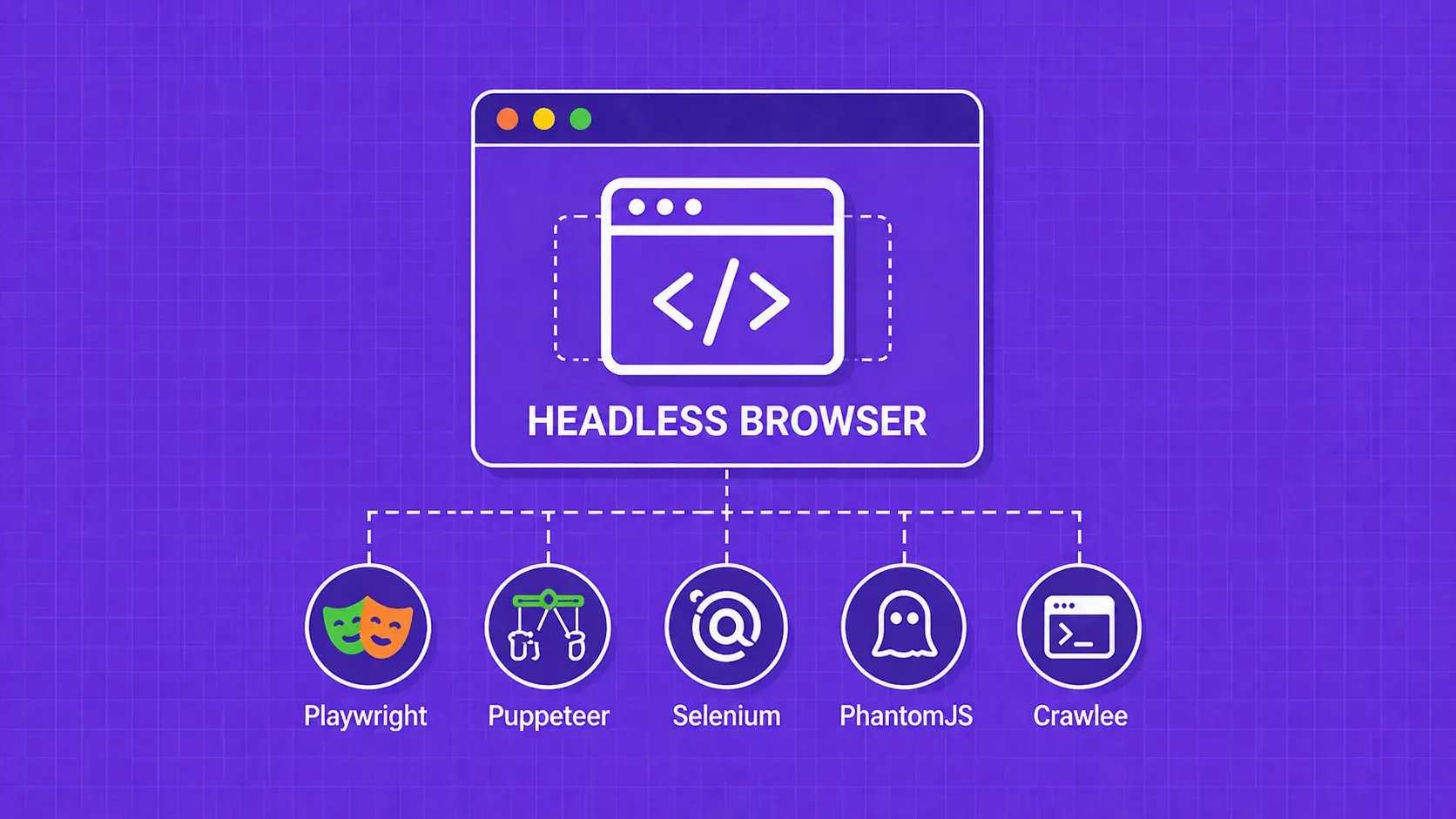
Puppeteer is a Node library, maintained by Google's Chrome team, that drives Chromium over the DevTools Protocol. It executes JavaScript, waits for network idle, clicks buttons, fills forms, captures screenshots and PDFs, and renders single-page apps the way a user sees them.

import puppeteer from 'puppeteer';

const browser = await puppeteer.launch({ headless: 'new' });
const page = await browser.newPage();
await page.goto('https://example.com', { waitUntil: 'networkidle2' });
const html = await page.content();
await browser.close();

It is the right tool for JS-heavy pages, login flows, infinite scroll, and anything where you need a real rendering engine. The honest caveat: stock Puppeteer leaks signals like navigator.webdriver, predictable CDP traffic, and Chromium fingerprints that protected sites pick up immediately. Without a stealth layer it will trip Cloudflare and similar systems on the first hit. It is also Chromium-only, so if you need WebKit or Firefox parity, look at Playwright.

Playwright: cross-browser automation with auto-wait

Playwright is a Node library from Microsoft that exposes a single API across Chromium, Firefox, and WebKit. According to the Playwright documentation, bindings are available for JavaScript, TypeScript, Python, Java, and .NET, which makes it the practical default for teams that need cross-browser parity or polyglot CI.

What makes it pleasant for scraping in 2026 is the boring stuff: auto-waiting on selectors, isolated browser contexts (cheap parallelism without spawning new processes), built-in tracing, and codegen to record interactions into runnable scripts.

import { chromium } from 'playwright';

const browser = await chromium.launch();
const context = await browser.newContext({ userAgent: 'Mozilla/5.0 ...' });
const page = await context.newPage();
await page.goto('https://example.com');
await page.waitForSelector('.product');
const html = await page.content();
await browser.close();

Pick Playwright when the target is a real SPA, when you want to test across browsers, or when you have been fighting Puppeteer's wait logic. Like Puppeteer, it still needs a stealth layer for the harder anti-bot targets.

Selenium WebDriver in Node.js

Selenium WebDriver is the veteran of the category. It speaks the W3C WebDriver protocol, drives Chrome, Firefox, Edge, Safari, and Internet Explorer, and has the broadest language ecosystem of any browser-automation tool. Selenium Grid lets you fan runs across machines for parallel execution.

import { Builder, By } from 'selenium-webdriver';
import chrome from 'selenium-webdriver/chrome.js';

const opts = new chrome.Options().addArguments('--headless=new');
const driver = await new Builder().forBrowser('chrome').setChromeOptions(opts).build();
await driver.get('https://example.com');
const html = await driver.getPageSource();
await driver.quit();

It is slower and more verbose than Playwright or Puppeteer for Node-only projects, but if you already have Java or Python test infrastructure, sharing it across stacks has real value. For greenfield Node scraping work, Playwright is usually the lower-friction pick.

Stealth toolkit: puppeteer-extra and rebrowser-patches

Once you hit a target behind Cloudflare, DataDome, PerimeterX, or similar, vanilla Puppeteer and Playwright start failing fast. The browser is detectable, not because of how you wrote the script, but because of the automation framework's own fingerprints.

puppeteer-extra is a plugin wrapper around Puppeteer. The most-used plugin, puppeteer-extra-plugin-stealth, patches a long list of giveaways: navigator.webdriver, missing plugins, Chrome runtime mismatches, WebGL vendor strings, and so on. It is the lowest-effort way to make a Puppeteer script less obviously a bot.

import puppeteer from 'puppeteer-extra';
import StealthPlugin from 'puppeteer-extra-plugin-stealth';
puppeteer.use(StealthPlugin());
const browser = await puppeteer.launch({ headless: 'new' });

rebrowser-patches goes deeper: a community-maintained patch set for Puppeteer and Playwright that closes lower-level leaks like suspicious CDP usage and unique injected script tags. It moves quickly, so check recent commit history before pinning a version.

Stealth is a moving target. Plan to patch and re-test, or offload the problem to infrastructure that maintains the cat-and-mouse for you.

Crawlee and the Apify SDK: scaling beyond a single script

At some point your scraper stops being a script and becomes a system: thousands of URLs, retries, deduplication, rotating proxies, persisted state. That is where a crawling framework earns its keep.

Crawlee is the modern, actively maintained option. Per the Crawlee documentation, it exposes a unified API for plain HTTP and headless crawling (Puppeteer or Playwright), with a persistent request queue, pluggable storage, autoscaling, and built-in session and proxy rotation. You write per-page handlers; the framework handles the rest.

import { PlaywrightCrawler } from 'crawlee';

const crawler = new PlaywrightCrawler({
  async requestHandler({ page, enqueueLinks, pushData }) {
    const title = await page.title();
    await pushData({ url: page.url(), title });
    await enqueueLinks({ selector: 'a.next' });
  },
  maxConcurrency: 10,
});
await crawler.run(['https://example.com']);

Apify SDK is the older toolkit that Crawlee effectively supersedes for new projects. If you are starting today, default to Crawlee; if you are maintaining an Apify SDK codebase, the migration path is documented and incremental.

<!-- Additional research needed: Reconfirm Crawlee's currently advertised feature surface and the 'modern successor to Apify SDK' positioning against the latest official docs before publishing. -->

Node-crawler for high-volume static crawls

Node-crawler is a lightweight crawler that wraps Cheerio with a request queue, rate limiting, and automatic retries. It is the sweet spot when you want more than a for loop around Axios but do not want to adopt a full framework. Version 2 uses ESM and requires Node.js 18 or newer.

import Crawler from 'crawler';
const c = new Crawler({
  maxConnections: 10,
  callback: (err, res, done) => { if (!err) console.log(res.$('title').text()); done(); },
});
c.queue(['https://example.com', 'https://example.org']);

Nightmare is a high-level, Electron-based browser automation library with a chainable API that was widely used for light scraping and UI testing. It is no longer actively maintained and lacks modern features like stealth plugins or robust SPA waits. For new projects in 2026, default to Playwright or Puppeteer instead.

When a managed scraping API beats writing a library

Honest tradeoff: every minute spent maintaining proxy pools, solving CAPTCHAs, patching fingerprints, and chasing Cloudflare changes is a minute not spent on the actual data product. For some teams that is core engineering. For most, it is undifferentiated heavy lifting.

A managed scraping API is the right call when you face several of these at once: aggressive anti-bot protection, large residential-proxy needs, geo-targeted collection across countries, unpredictable retry spend, or a team that does not want to be on call for fingerprinting changes. You keep your parsing logic (Cheerio, JSDOM, whatever you like) and offload only the request and unblocking layer.

Flip side: it is per-request spend, and for very large mostly-static crawls, self-hosted Crawlee plus residential proxies can be cheaper. Run the math on both before committing.

Key Takeaways

  • Match the tool to the page, not the trend. Static HTML wants an HTTP client plus Cheerio. JS-rendered SPAs want Playwright or Puppeteer. Heavy anti-bot targets want stealth tooling or a managed API.
  • Decide in five axes, not fifty. Page type, scale, anti-bot exposure, maintenance health, and team skill collapse most shortlists to two candidates in under two minutes.
  • Pair libraries, do not stack them. Recipes beat tools: HTTP client + parser for static pages, headless + stealth for protected pages, headless + Crawlee for production crawls.
  • Stealth is a moving target. puppeteer-extra-stealth and rebrowser-patches help, but bet on patching and re-testing, or offload the problem to infrastructure that does.
  • Know when to stop writing scraper code. For CAPTCHAs, residential proxies, and large geo-targeted runs, a managed API is often cheaper than the engineering hours you would otherwise burn.

FAQ: JavaScript web scraping libraries

Should I use an HTTP client like Axios or a headless browser like Playwright?

Start with the HTTP client. Disable JavaScript in DevTools and reload the target page. If the data is in the HTML, Axios plus Cheerio is faster, cheaper, and easier to deploy. Only escalate to Playwright or Puppeteer when content is injected client-side or you need real user interactions like clicks, scrolling, or logins.

Which JavaScript scraping library is the best fit for large-scale crawls?

Crawlee is the strongest default for production crawls in 2026. It unifies plain-HTTP and headless modes, persists a request queue, autoscales concurrency, and ships built-in session and proxy rotation. For very large static sweeps without anti-bot exposure, Node-crawler over Cheerio is a lighter alternative.

Can JavaScript scraping libraries bypass Cloudflare or DataDome protections?

Not reliably on their own. Vanilla Puppeteer, Playwright, and Selenium leak automation signals that modern WAFs detect. Stealth layers like puppeteer-extra-stealth and rebrowser-patches close many of those gaps, but coverage shifts as detectors update. For sustained access to heavily protected targets, residential proxies or a managed unblocking API are usually more durable than DIY stealth.

Do these JavaScript scraping libraries work with TypeScript?

Yes. Axios, Cheerio, Playwright, Puppeteer, Crawlee, JSDOM, and Selenium WebDriver all ship first-party TypeScript types or have well-maintained @types/* packages. Most modern guides and templates assume a TypeScript project, so you get full autocomplete and type-checked selectors without any extra wiring.

Do I have to use Node.js, or can I scrape directly from the browser?

You can scrape from the browser for client-side experiments (a DevTools console snippet, a userscript, a Chrome extension), but you will hit CORS, storage, and rate-limit walls fast. For anything that needs scheduled runs, proxies, persistence, or scale, Node.js on a server is the practical baseline.

Picking the right JavaScript scraping library

Re-anchor on the framework: classify the page, estimate scale, audit anti-bot exposure, check library health, and respect your team's skill curve. For static pages, default to Axios plus Cheerio. For JS-rendered SPAs, default to Playwright, with Puppeteer as a close second when you only need Chromium. For protected targets, add a stealth layer or move the unblocking out of your codebase. For production-scale crawls, wrap whichever runtime you picked in Crawlee.

If you would rather not maintain proxies, CAPTCHA solving, and browser fingerprints in-house, the Scraper API from WebScrapingAPI returns rendered HTML behind a single endpoint and pairs cleanly with the Cheerio or JSDOM parsing you already wrote. Use it where unblocking matters, keep your library code where it does not, and ship the data product instead of the infrastructure.

About the Author
Robert Sfichi, Full-Stack Developer @ WebScrapingAPI
Robert SfichiFull-Stack Developer

Robert Sfichi is a team member at WebScrapingAPI, contributing to the product and helping build reliable solutions that support the platform and its users.

Start Building

Ready to Scale Your Data Collection?

Join 2,000+ companies using WebScrapingAPI to extract web data at enterprise scale with zero infrastructure overhead.