Back to Blog
Guides
Mihnea-Octavian ManolacheLast updated on Apr 30, 202616 min read

Bypass Cloudflare with Selenium: 5 Python Methods (2026)

Bypass Cloudflare with Selenium: 5 Python Methods (2026)
TL;DR: Cloudflare blocks vanilla Selenium by fingerprinting the browser, inspecting headers, and analyzing behavioral signals. This guide walks through five practical bypass methods (Undetected ChromeDriver, Selenium Stealth, SeleniumBase UC mode, CAPTCHA-solver integration, and scraping APIs), complete with Python code, a comparison table, and a troubleshooting runbook so you can pick the right approach for your scale and budget.

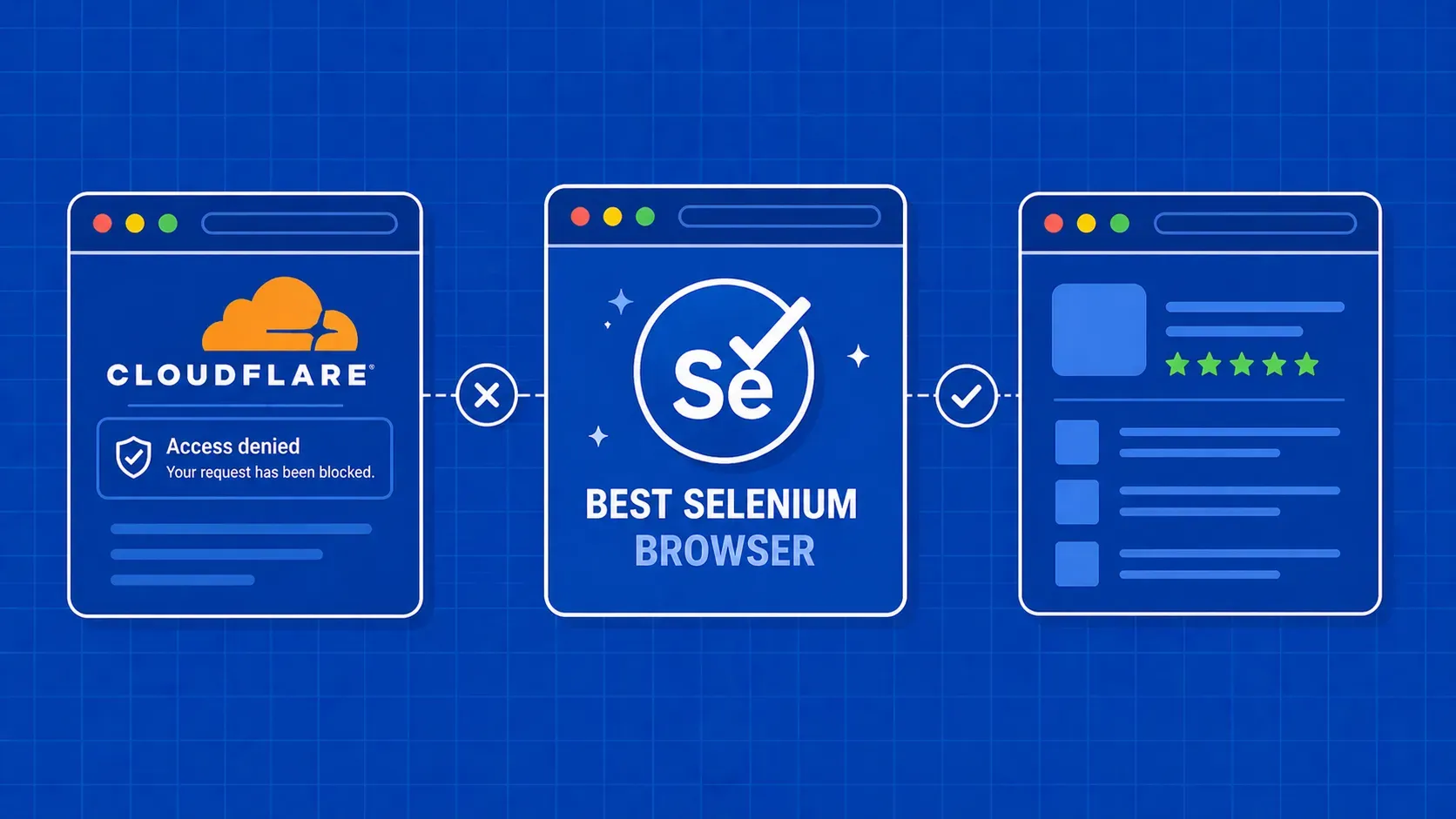
If you've tried to scrape or automate a Cloudflare-protected site with Selenium, you've probably hit the "Checking your browser" interstitial, a 403 wall, or an infinite challenge loop. Cloudflare is a content delivery network and security layer that sits between the origin server and every visitor, actively filtering automated traffic. To bypass Cloudflare with Selenium you need to understand what Cloudflare inspects, then pick a tool or technique that addresses those detection vectors.

In this guide we break down the main ways Cloudflare spots bots, then walk through five distinct bypass strategies in Python, each with working code. We also include a method comparison table, cross-cutting hardening tips (proxies, headers, browser profiles), and a troubleshooting section for the most common failure modes. Whether you're running a handful of QA checks or scraping thousands of pages, you'll find a method here that fits your situation and budget.

Why Cloudflare Blocks Selenium (and What It Checks)

Cloudflare acts as both a CDN and a security gateway. It proxies traffic to the origin server, running every request through a multi-layered detection pipeline before the page ever loads. When your Selenium script trips that pipeline, you get a challenge page, a CAPTCHA, or a hard block. Understanding what Cloudflare inspects is the first step toward choosing the right bypass approach.

Header and User-Agent Inspection

Every HTTP request carries headers. Cloudflare scrutinizes them for mismatches: a missing Accept-Language, a stale or generic user-agent string, or a header ordering that doesn't match any real browser build. Vanilla Selenium often sends headers in a subtly different order than a manual Chrome session, and that discrepancy alone can trigger a challenge. Browser fingerprinting at this layer examines not just the user-agent string but the entire header set as a cohesive signature.

IP Reputation and Rate Analysis

Cloudflare maintains a reputation database for IP addresses. Known datacenter ranges, addresses associated with previous abuse, and IPs generating abnormal request volumes all score poorly. If your Selenium script runs from a cloud VM without a residential proxy layer, it may be flagged before the browser even renders the page. This is why proxy rotation and IP hygiene are critical for anyone trying to bypass Cloudflare with Selenium at any meaningful volume.

TLS and HTTP/2 Fingerprinting

When the browser opens an HTTPS connection, the TLS handshake advertises cipher suites and extensions in a specific order. Cloudflare compares that fingerprint against a database of known browser builds. A stock ChromeDriver build can expose a TLS fingerprint that diverges from what a regular Chrome installation produces. This is a passive, network-level signal that no amount of JavaScript patching can address on its own. Mitigating it requires using a driver that closely matches a real browser's TLS stack, or offloading the connection layer to a service that handles it for you.

JavaScript Challenges, Canvas Fingerprinting, and Behavioral Signals

Cloudflare injects JavaScript that probes the browser environment. The most well-known check targets the navigator.webdriver property, which Selenium sets to true by default. But the scripts go further: they evaluate automation-specific DOM properties (document.$cdc_), Chrome DevTools protocol artifacts, and inconsistencies in window.chrome. Canvas fingerprinting asks the browser to render a hidden image and hashes the pixel output, which differs between headless and real user sessions. On top of all this, Cloudflare monitors mouse movements, scroll events, and timing patterns to build a behavioral profile. Approximately six distinct detection categories work in concert, though Cloudflare continuously evolves these checks so the exact count may shift over time.

Quick-Start: Testing Your Detection Status

Before you try any bypass technique, confirm that your Selenium setup is actually being detected. Several public bot-check pages exist for this purpose. Two widely used options are CreepJS and the Incolumitas bot detection test. Open these pages with your Selenium script and examine the output.

from selenium import webdriver

options = webdriver.ChromeOptions()
driver = webdriver.Chrome(options=options)
driver.get("https://abrahamjuliot.github.io/creepjs/")
# Inspect the trust score and fingerprint details in the rendered page
input("Check the results, then press Enter to close...")
driver.quit()

If CreepJS reports a low trust score or flags webdriver: true, your setup is leaking automation signals. Note your baseline score, then re-run the same test after applying each method below. This gives you a measurable before-and-after comparison so you're not guessing whether a patch actually helped.

You should also verify your IP reputation independently by checking it against a service like IPQualityScore. If your IP is flagged as a datacenter address, even the best browser patches won't fully compensate. This detection-testing workflow is something you should repeat every time you change your proxy provider, driver version, or stealth configuration. It takes two minutes and will save you hours of blind debugging down the line.

Method 1: Undetected ChromeDriver

Undetected ChromeDriver is a drop-in replacement for the standard chromedriver binary. It patches the ChromeDriver executable at runtime to remove known automation markers (the $cdc_ variable, navigator.webdriver flag, and DevTools protocol artifacts), making it one of the most popular tools to bypass Cloudflare with Selenium in Python.

Installation and Basic Usage

pip install undetected-chromedriver
import undetected_chromedriver as uc

options = uc.ChromeOptions()
options.add_argument("--disable-blink-features=AutomationControlled")
driver = uc.Chrome(options=options)

driver.get("https://target-cloudflare-site.com")
print(driver.title)
driver.quit()

The library downloads and patches a matching ChromeDriver version on first run. You don't need to manage driver binaries yourself.

Adding Proxy Support and User-Agent Rotation

To avoid IP-based blocks when trying to get past Cloudflare, feed a residential proxy through Chrome's launch flag or use an authentication extension:

options.add_argument("--proxy-server=http://user:pass@proxy-host:port")

For user-agent rotation, pick from a pool of current Chrome UA strings and set them per session:

options.add_argument("--user-agent=Mozilla/5.0 (Windows NT 10.0; Win64; x64) ...")

Rotate user-agent strings among modern, legitimate values and ensure your Accept, Accept-Language, and Referer headers are consistent with the chosen UA. A Chrome 120 user-agent paired with Firefox-style headers is an immediate giveaway.

Limitations

Undetected ChromeDriver is community-maintained and can lag behind Cloudflare updates by days or weeks. On heavily protected sites or after repeated requests from the same IP, challenge loops can reappear. It also doesn't solve CAPTCHAs on its own, so if the target site presents a Turnstile challenge, you'll need a complementary tool. Think of it as a strong first layer that covers the browser-binary and JS-level detection vectors, but not a complete solution for every Cloudflare configuration you might encounter. For sites with aggressive bot management, consider pairing it with residential proxies and one of the additional methods below.

Method 2: Selenium Stealth

Where Undetected ChromeDriver patches the binary, selenium-stealth works purely at the JavaScript level. It injects scripts into every page load that override navigator.webdriver, fake the window.chrome object, fix missing navigator.plugins entries, and normalize navigator.languages. The result is a standard Selenium WebDriver session that presents a much more convincing browser fingerprint to Cloudflare's detection scripts.

Setup

pip install selenium-stealth
from selenium import webdriver
from selenium_stealth import stealth

options = webdriver.ChromeOptions()
options.add_argument("--disable-blink-features=AutomationControlled")
options.add_experimental_option("excludeSwitches", ["enable-automation"])

driver = webdriver.Chrome(options=options)

stealth(driver,
        languages=["en-US", "en"],
        vendor="Google Inc.",
        platform="Win32",
        webgl_vendor="Intel Inc.",
        renderer="Intel Iris OpenGL Engine",
        fix_hairline=True)

driver.get("target-cloudflare-site.com")
print(driver.page_source[:500])
driver.quit()

What It Patches (and What It Doesn't)

Selenium-stealth handles the JavaScript-layer fingerprint: navigator properties, plugin arrays, WebGL strings, and the chrome.runtime object. However, it does not modify the TLS fingerprint, the ChromeDriver binary, or HTTP headers at the network level. Sites employing deep TLS fingerprinting or binary-level detection may still flag your sessions even with stealth applied.

Combining selenium-stealth with a residential proxy layer and consistent headers (Accept, Accept-Encoding, Accept-Language matching your user-agent) significantly broadens your coverage against Cloudflare's detection surface. You can also layer it on top of Undetected ChromeDriver for a belt-and-suspenders approach, patching both the binary and the JS layer simultaneously. Still, for sites that aggressively fingerprint beyond JavaScript (particularly at the TLS and network levels), selenium-stealth alone may not be enough to reliably bypass Cloudflare with Selenium across every session. It's a lightweight, easy-to-add tool, but it addresses only one slice of the detection stack.

Method 3: SeleniumBase UC Mode

SeleniumBase is a Python test-automation framework that includes its own integration with Undetected ChromeDriver, called UC mode. According to its documentation, UC mode layers additional browser patches on top of the base Undetected ChromeDriver library, addressing more detection vectors in a single API call. The project's maintainers describe these patches as more actively kept in sync with Chrome releases than the standalone undetected-chromedriver package. Independent benchmarks are scarce, so treat comparative efficiency claims with appropriate caution.

Getting Started

pip install seleniumbase
from seleniumbase import SB

with SB(uc=True) as sb:
    sb.open("target-cloudflare-site.com")
    sb.sleep(3)  # allow challenge to resolve
    print(sb.get_page_source()[:500])

The uc=True flag activates Undetected ChromeDriver mode. SeleniumBase handles driver downloads, patching, and cleanup automatically, reducing the boilerplate you would otherwise manage by hand.

Headed Mode and Display Requirements

By default, UC mode runs in headed (visible window) mode. Some Cloudflare challenge flows, particularly Turnstile widgets, rely on rendering a visible checkbox that the challenge script monitors. As of recent releases, SeleniumBase does offer a uc_cdp headless variant, but its reliability against Cloudflare challenges varies by site. If your environment supports a display (or a virtual framebuffer like Xvfb on Linux), headed mode remains the safer bet for consistent results when trying to bypass Cloudflare with Selenium via SeleniumBase.

When to Choose SeleniumBase Over Standalone Undetected ChromeDriver

SeleniumBase is a good fit when you already use it for test automation or when you want a single dependency that bundles driver management, stealth patches, and a higher-level API with built-in waits, element actions, and screenshot helpers. The framework also includes built-in pytest integration, which is helpful if your scraping pipelines already live alongside a test suite.

The trade-off is a larger dependency footprint and less granular control over individual patches compared to configuring undetected-chromedriver directly. If you need to pin a specific ChromeDriver version or customize exactly which patches apply, the standalone library gives you that flexibility.

Method 4: Solving Cloudflare Turnstile with a CAPTCHA Service

When Cloudflare escalates from a JavaScript challenge to a full CAPTCHA, browser patches alone won't help. Cloudflare Turnstile is Cloudflare's current CAPTCHA product. Unlike a simple checkbox, Turnstile analyzes multiple bot signals under the hood and requires a valid solution token before granting access to the protected page.

The General Workflow

  1. Extract the site key. Inspect the page source for the data-sitekey attribute on the Turnstile widget, or intercept it in a network request to Cloudflare's challenge endpoint.
  2. Submit to a CAPTCHA-solving service. Send the site key, page URL, and challenge type to a solver API (such as 2Captcha or CapSolver). The service uses human workers or ML models to produce a valid token.
  3. Inject the token. Once you receive the token, inject it into the page's callback or hidden form field:
token = "RECEIVED_TOKEN_FROM_SOLVER"
driver.execute_script(
    f'document.querySelector("[name=cf-turnstile-response]").value = "{token}";'
)
# Trigger the callback if one exists
driver.execute_script(
    "window.__cfTurnstileCallback && window.__cfTurnstileCallback(arguments[0]);",
    token
)

Cost, Latency, and Scale Considerations

CAPTCHA-solving services charge per solution, typically $2 to $5 per thousand solves. Turnstile solutions also introduce latency of 5 to 30 seconds per challenge depending on service load and queue depth. At scale, these costs compound quickly. This method works best as a targeted fallback for pages where other approaches fail, not as your primary bypass strategy for every single request.

Headless Caveat

Many CAPTCHA services require a visible browser window to render the challenge widget before token extraction. If you're running headless, you may need to switch to headed mode (or use Xvfb) for the CAPTCHA-solving step. This is one of the scenarios where your choice of headed versus headless mode directly determines whether you can successfully bypass Cloudflare with Selenium on CAPTCHA-protected pages.

Method 5: Bypass Cloudflare with Selenium Alternatives: Web Scraping APIs

If you'd rather not maintain browser patches, proxy pools, and CAPTCHA integrations yourself, the fifth option is to offload the entire anti-bot layer to a dedicated web scraping API. These services handle proxy rotation, CAPTCHA solving, browser fingerprint management, and retry logic behind a single HTTP endpoint. You send a URL, the service returns the rendered HTML.

Integration Pattern

The typical integration replaces (or supplements) your Selenium request layer. Instead of navigating Selenium to the target URL directly, you call the API and feed the returned HTML into your parsing pipeline:

import requests

api_url = "api.example.com/scrape"
params = {
    "url": "target-cloudflare-site.com",
    "render_js": "true"
}
headers = {"Authorization": "Bearer YOUR_API_KEY"}

response = requests.get(api_url, params=params, headers=headers)
html = response.text
# Parse with BeautifulSoup, lxml, or pass to your existing pipeline

You can also route an API-based proxy service through Selenium itself when you need browser interaction (clicks, form fills, scrolling) after getting past the initial Cloudflare challenge.

Trade-offs: Reliability vs. Cost

This is the most reliable approach at scale. You don't chase Cloudflare detection updates, you don't debug TLS fingerprint mismatches, and you don't manage CAPTCHA solver integrations. The provider handles all of that centrally and adapts faster than open-source projects typically can.

The downsides are per-request cost and vendor dependency. You're paying for each successful response, and you're limited to the features the service exposes. For high-volume production scraping where uptime and data quality matter more than per-request cost, this approach is typically the pragmatic choice. It's also worth noting that some services charge only for successful data extraction, so failed requests don't eat into your budget.

For teams with limited engineering bandwidth or strict uptime requirements, an API approach eliminates an entire category of maintenance work: monitoring ChromeDriver compatibility, updating stealth patches after Cloudflare changes, and debugging intermittent failures across different target sites.

Comparing Bypass Methods: Reliability, Scale, and Cost

Choosing the right approach depends on your volume, budget, and tolerance for ongoing maintenance. The table below rates each method across four dimensions to help you decide how to bypass Cloudflare with Selenium for your specific use case.

Method

Setup Difficulty

Reliability

Scalability

Cost

Undetected ChromeDriver

Low (pip install)

Medium: works on most sites, can fail on aggressive configs

Medium: one browser per session

Free (open source)

Selenium Stealth

Low (pip install)

Low to Medium: JS-only patches miss TLS-layer checks

Medium: same browser-per-session constraint

Free (open source)

SeleniumBase UC Mode

Low (pip install)

Medium to High: broader patches, active maintenance

Medium: browser-bound

Free (open source)

CAPTCHA Solver Service

Medium (API keys + token injection code)

High for CAPTCHA-gated pages specifically

Low to Medium: cost and latency scale linearly

~$2-5 per 1,000 solves

Web Scraping API

Low (single HTTP call)

High: provider handles the detection arms race

High: built for volume

Pay per successful request

Open-source tools cover low-to-medium volume effectively. Once you're making thousands of daily requests or targeting heavily protected sites, the maintenance burden of DIY solutions grows and managed services start paying for themselves in saved engineering time. Many teams use a hybrid approach: open-source methods for the majority of targets, with an API fallback for the most aggressively protected domains.

Strengthening Any Method: Proxies, Headers, and Browser Profiles

Regardless of which bypass method you choose, a few cross-cutting techniques significantly reduce your detection surface.

Residential and mobile proxies. Cloudflare's IP reputation system treats datacenter IPs with suspicion. Routing traffic throuxgh residential or mobile IP addresses makes requests look like normal consumer traffic. Rotate IPs across sessions, but maintain session affinity within a single page load so cookies and Cloudflare clearance tokens stay consistent.

Header consistency. Your Accept, Accept-Language, Accept-Encoding, and Referer headers must match the user-agent you set. A Chrome 120 user-agent paired with Firefox-style accept headers is a dead giveaway. Build a header profile object and apply it uniformly across every request in a session.

Persistent browser profiles and cookie reuse. Instead of launching a fresh Chrome profile every run, create and reuse a persistent profile directory. This preserves cookies (including Cloudflare's cf_clearance cookie), cached fonts, and local storage. After clearing a Cloudflare challenge once, subsequent visits from the same profile often pass without being re-challenged, at least until the clearance cookie expires.

options.add_argument("--user-data-dir=/path/to/persistent-profile")

Proxy health monitoring. Track response codes and latency per proxy address. Retire IPs that start returning 403s or elevated challenge rates. Distributing requests evenly prevents any single address from burning out.

Headless vs. Headed Mode: When Each Works

Running headless is convenient for CI pipelines and server environments, but it introduces additional detection risk. Headless Chrome historically leaked signals like a missing window.outerHeight, a zero-sized viewport, or the HeadlessChrome substring in the user-agent. Modern patches address most of these tells, but some Cloudflare configurations and most CAPTCHA flows still require a visible window.

If you must run headless, apply stealth patches, set realistic viewport dimensions, and strip any headless indicators from the user-agent. For CAPTCHA-heavy workflows, use Xvfb (X Virtual Framebuffer) on Linux to simulate a display without a physical monitor. This gives you headed-mode behavior in a server environment without needing a desktop.

Troubleshooting Common Failures

Even with the right tools, things break. Here is a diagnostic checklist for the most common Cloudflare bypass failures.

Infinite challenge loops. The page keeps reloading the "Checking your browser" screen. This usually means your clearance cookie isn't being stored, or your IP flipped mid-session. Ensure you're using explicit waits (not fixed time.sleep calls) and that your proxy maintains session affinity throughout the entire challenge flow.

403 after initial pass. You cleared the challenge on the first page, but deeper pages return 403. Cloudflare sometimes re-validates on navigation. Carry the cf_clearance cookie across all requests in the same session and avoid switching IPs between page loads.

Repeated CAPTCHAs on every page. If every page presents a Turnstile widget, your browser fingerprint is likely flagged at a deeper level. Re-test on a bot-check page to identify which signal is leaking. Common culprits include a missing plugins array, a mismatched WebGL renderer, or a datacenter IP that Cloudflare has already blacklisted.

Timeout errors. The challenge page loads but never resolves. Increase your explicit wait timeout and verify that Cloudflare's challenge JavaScript is executing properly. Some Chrome flags (--disable-gpu, aggressive content-security-policy overrides) can prevent challenge scripts from completing.

Proxy misconfiguration. Always test your proxy with a plain requests.get("httpbin.org/ip") call before wiring it into Selenium. Confirm the egress IP matches what you expect, that authentication is working, and that the proxy supports HTTPS CONNECT tunneling.

Bypassing Cloudflare protections raises real legal and ethical questions that deserve honest consideration. Before deploying any method from this guide, check the target site's robots.txt and terms of service. Many sites explicitly prohibit automated access.

Rate-limit your requests. Hammering a site with parallel Selenium sessions doesn't just risk blocking; it degrades performance for real users. Treat these bypass techniques as tools for authorized testing, research, and data collection that respects the site's infrastructure. When structured data is available through an official API, prefer that path. It's faster, more reliable, and removes legal ambiguity entirely.

Key Takeaways

  • Cloudflare uses layered detection (IP reputation, TLS fingerprints, JS challenges, behavioral analysis), so a single patch rarely covers every vector. Layer your defenses accordingly.
  • Undetected ChromeDriver and SeleniumBase UC mode are the strongest free options for low-to-medium volume work. Selenium Stealth covers only the JavaScript layer and may not suffice alone.
  • CAPTCHA-solver services handle Turnstile challenges but add cost and latency, making them best suited as a targeted fallback rather than a blanket strategy.
  • Always test your setup against a public bot-check page (like CreepJS) before deploying against real targets. This saves hours of blind debugging.
  • At production scale, API-based services trade per-request cost for engineering reliability, eliminating the need to chase Cloudflare's constantly evolving detection updates.

FAQ

Can vanilla Selenium bypass Cloudflare without extra libraries?

No. Out-of-the-box Selenium exposes the navigator.webdriver flag, leaks ChromeDriver-specific DOM variables, and sends default headers that Cloudflare's detection pipeline catches immediately. You need at minimum a stealth patch or an undetected driver variant to pass even basic JavaScript challenges.

What is the difference between Selenium Stealth and SeleniumBase UC mode?

Selenium Stealth injects JavaScript overrides into each page to mask properties like navigator.webdriver and window.chrome. SeleniumBase UC mode goes further: it patches the ChromeDriver binary itself, manages driver versioning automatically, and applies additional anti-fingerprinting fixes at the browser level rather than only at the JavaScript layer.

Can Selenium run in headless mode and still bypass Cloudflare?

Sometimes. Modern stealth patches mitigate many headless fingerprints, but some Cloudflare configurations and CAPTCHA flows still require a visible browser window. On headless servers, use a virtual framebuffer (Xvfb) to simulate a display, which gives you headed-mode behavior without a physical monitor.

How often does Cloudflare update its bot detection, and how does that affect these methods?

Cloudflare pushes detection updates continuously, with notable changes roughly every few weeks. Open-source tools like Undetected ChromeDriver typically lag by days or weeks after a major update, causing temporary breakage. Managed scraping services adapt faster because their teams update infrastructure centrally and can respond within hours.

Conclusion

Getting past Cloudflare's bot detection with Selenium is a layered problem that calls for a layered solution. Start by understanding what Cloudflare actually checks (TLS fingerprints, JavaScript probes, IP reputation, behavioral patterns), then pick the bypass method that matches your scale and maintenance appetite.

For quick, low-volume jobs, Undetected ChromeDriver or SeleniumBase UC mode will get you through most challenges with minimal setup. When Turnstile CAPTCHAs appear, a solver service fills the gap. And for production workloads where reliability and uptime matter more than per-request cost, offloading the entire anti-bot layer to a managed service is the pragmatic move.

Whichever method you choose, pair it with residential proxies, consistent headers, and a persistent browser profile. Test your setup against a bot-check page before deploying, and re-test whenever your success rate drops.

If you'd rather skip the cat-and-mouse game entirely, WebScrapingAPI handles proxy rotation, CAPTCHA solving, and fingerprint management behind a single endpoint, so you can focus on what you actually care about: the data.

About the Author
Mihnea-Octavian Manolache, Full Stack Developer @ WebScrapingAPI
Mihnea-Octavian ManolacheFull Stack Developer

Mihnea-Octavian Manolache is a Full Stack and DevOps Engineer at WebScrapingAPI, building product features and maintaining the infrastructure that keeps the platform running smoothly.

Start Building

Ready to Scale Your Data Collection?

Join 2,000+ companies using WebScrapingAPI to extract web data at enterprise scale with zero infrastructure overhead.