TL;DR: To use a proxy with HttpClient in C#, build aWebProxy, attach it to anHttpClientHandler(orSocketsHttpHandler), and pass that handler to theHttpClientconstructor. For production, swap manual loops forIHttpClientFactory, addNetworkCredentialfor authenticated proxies, and wrap calls in retries with Polly so dead IPs do not take your worker down.
Introduction
If you have ever tried to scrape a site, hit a region-locked API, or stress-test a service from multiple egress IPs, you already know why we are here. This guide walks through how to use a proxy with HttpClient in C#, from a five-line WebProxy setup to a rotation pool that does not leak sockets.
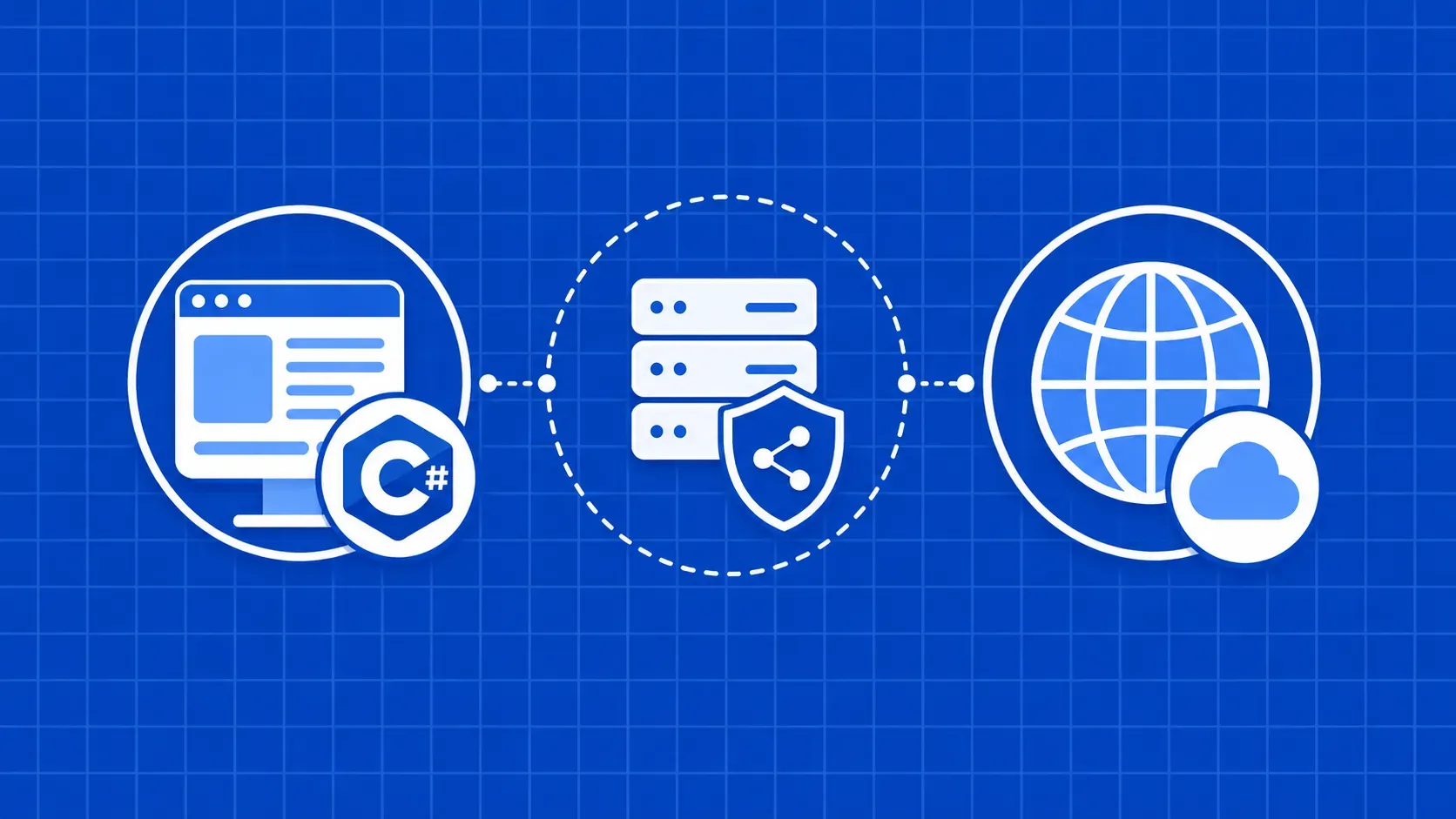
An HttpClient proxy is just an HttpClient whose handler is configured with a WebProxy, so outbound requests are tunneled through an intermediary IP instead of going straight to the target. That is the whole abstraction. Everything else, authentication, SOCKS5, SSL validation, rotation, retries, is configuration around that core idea.
We will assume you are comfortable with async/await and the dotnet CLI on a recent .NET version. We will not assume you have read the source code of SocketsHttpHandler. By the end you will have copy-pasteable patterns for unauthenticated proxies, authenticated proxies, SOCKS5, rotation with IHttpClientFactory, safe TLS validation when a proxy is in the path, and a troubleshooting table for the errors you will inevitably see in production. There is also a decision matrix at the end so you can stop maintaining your own pool when it is no longer worth the effort. If you are looking for the broader scraping picture, our intro guide on building a web scraper with C# pairs nicely with this one.
A mental model for how to use a proxy with HttpClient in C#
Before any code, get the layering right. HttpClient is a thin wrapper. The actual transport, including proxy resolution, lives on its handler. On modern .NET, that is either HttpClientHandler (the legacy-friendly facade) or SocketsHttpHandler (the underlying engine). Both expose a Proxy property of type IWebProxy, and the built-in implementation is WebProxy.
The flow looks like this:
HttpClient
   |
   v
HttpMessageHandler  (HttpClientHandler / SocketsHttpHandler)
   |  Proxy = IWebProxy
   v
WebProxy  ->  proxy server  ->  upstream target
Two consequences fall out of this layering. First, the proxy is bound to the handler, not to the client. You cannot mutate HttpClient.Proxy, because there is no such property. If you want a different proxy, you need a different handler, and therefore a different HttpClient (or, better, a factory that hands them out for you).
Second, if you do not assign a handler, .NET will fall back to the system's default proxy resolution, including environment variables like HTTPS_PROXY. That is convenient on a developer laptop and surprising in a container, so we will come back to opting out. The same is true if a colleague sets HttpClient.DefaultProxy somewhere in shared startup code: every client built afterwards inherits it unless you override the handler.
Throughout this article we treat any working proxy as http://host:port, with optional credentials. Whenever you see how to use a proxy with HttpClient in C# below, that is the pattern we are configuring around.
Setting up a minimal C# project for proxy testing
Confirm your toolchain, then scaffold a console app. We are running everything on a recent LTS .NET SDK (the examples were written against .NET 8 and behave the same on later versions at the time of writing).
dotnet --version          # expect 8.x or newer
mkdir httpclient-proxy && cd httpclient-proxy
dotnet new console
Open the folder in any editor. We are going to keep things in Program.cs for clarity. Make Main async so we can await HTTP calls without .Result traps:
using System.Net.Http;

static async Task Main()
{
    using var client = new HttpClient();
    var direct = await client.GetStringAsync("https://api.ipify.org");
    Console.WriteLine($"Direct IP: {direct}");
}
api.ipify.org is the cheapest IP-echo endpoint around. Run dotnet run, note the IP, and keep this baseline. Once you wire a proxy in, this same call should print the proxy's egress IP instead of yours. If it does not, you have a configuration bug, not a network bug.
Configuring an unauthenticated WebProxy with HttpClientHandler
Start with the simplest case: a free or local proxy that does not require credentials. The recipe for how to use a proxy with HttpClient in C# is three objects, in this order: WebProxy, HttpClientHandler, HttpClient.
using System.Net;
using System.Net.Http;

var proxy = new WebProxy("http://203.0.113.10:8080")
{
    BypassProxyOnLocal = true,        // skip the proxy for localhost/loopback
    UseDefaultCredentials = false     // do not silently send Windows creds
};

var handler = new HttpClientHandler
{
    Proxy = proxy,
    UseProxy = true
};

using var client = new HttpClient(handler) { Timeout = TimeSpan.FromSeconds(15) };
var ip = await client.GetStringAsync("https://api.ipify.org");
Console.WriteLine($"Proxied IP: {ip}");
A few details that are easy to miss. The WebProxy constructor accepts either a Uri or a string, and the scheme matters: http:// for HTTP and HTTPS proxies that use CONNECT, and (as we will see later) socks5:// for SOCKS. If you embed credentials in the URL, WebProxy will ignore them, so do not bother. BypassProxyOnLocal = true is a useful default; it saves you from accidentally tunneling health checks through an external IP. UseDefaultCredentials = false keeps Windows from auto-sending the current user's identity to a third-party proxy, which is the kind of bug you only catch when a security review reads your packet captures.
This is the canonical pattern. Everything else in this guide is variations on the same three-object recipe. If you want a deeper explainer on which proxy types make sense for scraping workloads specifically, the field guide on the best proxy types for web scraping is a good companion read.
Authenticating proxies: NetworkCredential, 407 errors, and PreAuthenticate
Most paid proxies require authentication. The .NET way to express that is NetworkCredential, attached to the WebProxy itself, not the handler:
var proxy = new WebProxy("http://gateway.example.com:8080")
{
    Credentials = new NetworkCredential("my-user", "my-pass")
};

var handler = new HttpClientHandler { Proxy = proxy, UseProxy = true };
using var client = new HttpClient(handler);
Two pitfalls trip up almost everyone the first time.
Do not put credentials in the URL. new WebProxy("http://user:pass@host:8080") will silently drop the user:pass portion. The userinfo segment is parsed out of the Uri but never used as proxy credentials. Always pass a NetworkCredential.
PreAuthenticate is for the target, not the proxy. When the proxy rejects you, it returns HTTP 407 Proxy Authentication Required. HttpClient surfaces that as an HttpRequestException. Toggling HttpClientHandler.PreAuthenticate = true does not change this behavior, because that flag controls whether the target server gets a preemptive Authorization header on follow-up requests. It has nothing to do with the Proxy-Authorization header, which the handler manages on its own once you set Credentials.
If you keep getting 407 with credentials that look correct, check three things in order: are you sending them to the right host (some providers split control plane vs gateway), is your password URL-encoded somewhere upstream, and is your account still in good standing. Our piece on common proxy status errors and how to identify them goes deeper if you need a walkthrough of the broader proxy error surface.
Picking a protocol: HTTP, HTTPS, and SOCKS5 proxies in C#
HttpClient does not care whether the destination is HTTP or HTTPS, but the proxy protocol matters because it changes how the connection is opened.
- HTTP proxy (
http://...): for HTTP destinations the proxy can read and rewrite the request. For HTTPS destinations the client issues aCONNECTand tunnels TLS end-to-end through the proxy. - HTTPS-terminating proxy: a special case where the proxy presents its own TLS certificate to your client and opens a separate TLS connection upstream. This is how some commercial scraping APIs work in proxy mode. We cover the SSL implications in the dedicated section below.
- SOCKS proxy (
socks5://,socks4://,socks4a://): a transport-layer tunnel that does not understand HTTP. Anything you can put on a TCP socket goes through.
On modern .NET, SocketsHttpHandler ships with built-in support for SOCKS4, SOCKS4a, and SOCKS5 (added with .NET 6, per the runtime issue tracker; verify against the SocketsHttpHandler docs if you are on a non-LTS preview). The configuration is the same WebProxy recipe, with a different scheme:
var socks = new WebProxy("socks5://socks.example.com:1080")
{
    Credentials = new NetworkCredential("u", "p")
};

var handler = new SocketsHttpHandler { Proxy = socks, UseProxy = true };
using var client = new HttpClient(handler);
If you need to use a proxy with HttpClient in C# against a SOCKS endpoint, this is the pattern. SOCKS5 with username/password auth is the de facto default for residential providers; SOCKS4 is mostly legacy.
Rotating proxies cleanly with IHttpClientFactory
Rotating IPs is where most tutorials quietly fall apart. The naive approach looks like this:
// DO NOT DO THIS in a real worker
foreach (var url in proxyUrls)
{
    var handler = new HttpClientHandler { Proxy = new WebProxy(url) };
    var client = new HttpClient(handler);   // never disposed
    var html  = await client.GetStringAsync(target);
}
That code leaks sockets. Each HttpClient keeps its handler alive, and each handler holds onto an underlying connection pool. Spin up a few thousand of those in a loop and you will exhaust ephemeral ports, which on Linux surfaces as SocketException: Address already in use and on Windows as truly creative WinHttpException traces.
The fix is IHttpClientFactory. It manages handler lifetimes for you, recycles them on a schedule, and lets you register a named or typed client per proxy. A small DI setup looks like this:
using Microsoft.Extensions.DependencyInjection;

var services = new ServiceCollection();

foreach (var p in proxyPool)
{
    services.AddHttpClient(p.Name, c => c.Timeout = TimeSpan.FromSeconds(20))
            .ConfigurePrimaryHttpMessageHandler(() => new SocketsHttpHandler
            {
                Proxy    = new WebProxy(p.Url) { Credentials = p.Creds },
                UseProxy = true,
                PooledConnectionLifetime = TimeSpan.FromMinutes(2)
            });
}

var provider = services.BuildServiceProvider();
var factory  = provider.GetRequiredService<IHttpClientFactory>();
Now you can pick a proxy per request without leaking anything:
var rng = new Random();
async Task<string> FetchAsync(string url)
{
    var pick   = proxyPool[rng.Next(proxyPool.Count)];
    var client = factory.CreateClient(pick.Name);
    return await client.GetStringAsync(url);
}
Round-robin is a one-line change: keep an Interlocked.Increment counter and modulo it against proxyPool.Count. Either way, every request hits a healthy, pooled handler, and IHttpClientFactory rotates the underlying handlers on PooledConnectionLifetime, which dodges the long-lived DNS staleness problem we will cover in the next section. If you want a wider tour of rotation patterns and when to use which, our deep dive on rotating proxies covers the algorithm side in detail. Be aware that IHttpClientFactory API specifics, including DI lifetimes and Polly integration, can shift between major versions; double-check the Microsoft Learn page on IHttpClientFactory if you are pinning an older runtime.
SocketsHttpHandler vs HttpClientHandler for production
On modern .NET (Core 2.1+ and every dotnet new project today), HttpClientHandler is mostly a compatibility shim that delegates to SocketsHttpHandler under the hood. For most demos, the two are interchangeable. For long-lived workers and scrapers, you want SocketsHttpHandler directly because it exposes the knobs that matter:
var handler = new SocketsHttpHandler
{
    Proxy                     = new WebProxy("http://proxy:8080"),
    UseProxy                  = true,
    PooledConnectionLifetime  = TimeSpan.FromMinutes(2),   // recycle TCP/TLS
    PooledConnectionIdleTimeout = TimeSpan.FromSeconds(30),
    ConnectTimeout            = TimeSpan.FromSeconds(10),  // fail fast on dead proxies
    AutomaticDecompression    = System.Net.DecompressionMethods.All
};
The two settings worth memorising:
PooledConnectionLifetimecontrols how long a connection in the pool is allowed to live before being closed. The proxy / DNS-refresh implication is the real reason you set this. A long-livedHttpClientwill hold a single TCP connection forever by default, and DNS changes on the upstream (very common for rotating residential endpoints) will never be picked up. Two minutes is a sane default for scrapers.ConnectTimeoutis a separate ceiling fromHttpClient.Timeout. The latter covers the entire request, the former covers just the TCP handshake to the proxy. Setting it tight (5 to 10 seconds) is the cheapest way to keep dead proxies from monopolising worker threads.
AutomaticDecompression is unrelated to proxies but useful enough to mention here, since most scraping endpoints will gzip responses. Property semantics around PooledConnectionLifetime and friends do drift between major runtime versions, so cross-check the docs if you are on .NET 6 or 7.
Handling SSL/TLS validation correctly when a proxy is in the path
A proxy in the request path complicates TLS, but the rule is simple: never disable validation by default. DangerousAcceptAnyServerCertificateValidator exists because Microsoft wanted to be explicit that you are accepting forged certificates if you set it. On free or shared proxies, that is a literal man-in-the-middle vulnerability waiting to be picked up by whoever runs the proxy.
There are two distinct cases to keep separate.
CONNECT and SOCKS tunnels carry your TLS bytes end-to-end. The certificate you see is the destination site's real certificate. Validation should stay on, full stop. If you get an SSL handshake failure here, the proxy is misconfigured or the upstream cert is genuinely bad. Do not paper over it.
TLS-terminating proxies (some scraping APIs run in this mode) intentionally complete the handshake themselves and present their own certificate. In that case, accepting an unknown CA is part of the contract, but only for that specific proxy. The safe pattern is a thumbprint or CA-pinned callback:
var expectedThumbprint = "AABBCCDDEEFF00112233445566778899AABBCCDD";

var handler = new SocketsHttpHandler
{
    Proxy = new WebProxy("http://tls-terminating-proxy:8080"),
    SslOptions = new System.Net.Security.SslClientAuthenticationOptions
    {
        RemoteCertificateValidationCallback = (sender, cert, chain, errors) =>
        {
            if (cert is null) return false;
            return string.Equals(cert.GetCertHashString(),
                expectedThumbprint,
                StringComparison.OrdinalIgnoreCase);
        }
    }
};
That is still a relaxation, but a scoped one: only the certificate that matches the pinned thumbprint is accepted, and the rest of the world still has to clear normal chain validation. If you are scraping at scale and need to use a proxy with HttpClient in C# against a TLS-terminating gateway, this is the production-safe shape.
Retries, timeouts, and exponential backoff with Polly
Proxies fail. Residential IPs go offline mid-session, datacenter ranges get null-routed, upstream targets rate-limit you for ten minutes and then come back. The right response is to retry with backoff, not to crash the worker.
On modern Polly (v8+), the API is ResiliencePipelineBuilder. Pair a short timeout with a small retry budget so a dead proxy fails fast and a flaky one gets a second chance:
using Polly;
using Polly.Retry;
using Polly.Timeout;

var pipeline = new ResiliencePipelineBuilder<HttpResponseMessage>()
    .AddRetry(new RetryStrategyOptions<HttpResponseMessage>
    {
        MaxRetryAttempts = 3,
        Delay            = TimeSpan.FromMilliseconds(500),
        BackoffType      = DelayBackoffType.Exponential,
        UseJitter        = true,
        ShouldHandle     = new PredicateBuilder<HttpResponseMessage>()
            .Handle<HttpRequestException>()
            .Handle<TaskCanceledException>()
            .HandleResult(r => (int)r.StatusCode >= 500 || (int)r.StatusCode == 408)
    })
    .AddTimeout(TimeSpan.FromSeconds(15))
    .Build();

var response = await pipeline.ExecuteAsync(
    async ct => await client.GetAsync(target, ct));
Three calibration tips. Keep MaxRetryAttempts small (three is plenty); a flaky proxy is rarely worth a fourth swing. UseJitter = true matters when you are running hundreds of parallel workers, otherwise they all retry in lockstep and hammer the same backend. And do not include 407 in the retryable list, because if credentials are wrong once, they will be wrong on the next attempt too, and you will just burn through your budget faster. Verify the v8 surface against the Polly docs if you are upgrading from v7, since several class names changed and the v7 Policy.HandleAsync style does not compile against the new builders.
Per-request proxy selection and bypass rules
A single static proxy works for hobby projects. The moment you start mixing internal and external traffic, or routing different domains through different egress IPs, you need per-request selection. WebProxy gives you two levers: BypassList and a custom IWebProxy implementation.
BypassList accepts regex patterns. Anything matching skips the proxy entirely, which is how you keep internal hostnames and private CIDR ranges off the external hop:
var proxy = new WebProxy("http://proxy:8080")
{
    BypassProxyOnLocal = true,
    BypassList = new[] { @"^.*\.internal\.example\.com$", @"^10\.0\.0\..*$" }
};
For real per-host routing, implement IWebProxy yourself:
sealed class HostBasedProxy : IWebProxy
{
    public ICredentials? Credentials { get; set; }
    public Uri? GetProxy(Uri destination) =>
        destination.Host.EndsWith("google.com") ? new Uri("http://us-proxy:8080")
      : destination.Host.EndsWith("yandex.ru")  ? new Uri("http://eu-proxy:8080")
      : null;
    public bool IsBypassed(Uri host) => GetProxy(host) is null;
}
That is enough to drive geo-routing from a single HttpClient. The handler calls GetProxy for every request, so the decision is dynamic and you do not need a separate client per region.
Debugging common HttpClient proxy errors
When something goes wrong, the exception is rarely self-explanatory. The fastest path to a fix is symptom-first.
|
Symptom (what you see) |
Likely cause |
One-line fix |
|---|---|---|
|
|
Missing or wrong proxy credentials |
Set |
|
Status |
Proxy is up, upstream is dead or rate-limiting you |
Retry with backoff; rotate to a different IP after the second failure |
|
|
Proxy refused |
Confirm |
|
|
TLS-terminating proxy without a pinned validator, or a genuinely bad cert |
Pin a thumbprint with |
|
|
DNS lookup failed inside the proxy or for the proxy itself |
Verify the hostname; on long-lived clients, set |
|
Request hangs until |
Dead proxy, infinite redirect, or stuck |
Set |
|
Sporadic |
Leaking handlers from new- |
Move to |
When in doubt, log the proxy URL alongside the exception. Half of all proxy bugs disappear the moment you can see which IP actually failed, instead of guessing across a pool of fifty.
Choosing the right proxy strategy for your workload
There is no universal best answer to how to use a proxy with HttpClient in C# at scale. There is only the question of how much engineering you want to spend on the proxy layer versus the data layer. Pick the lowest row that still meets your reliability bar.
|
Strategy |
Reliability |
Maintenance overhead |
Geo-targeting |
When to pick it |
|---|---|---|---|---|
|
Free public proxies |
Very low; many are honeypots |
High; constant churn |
None |
Never for production. Local experiments only. |
|
Static authenticated datacenter proxies |
Decent for benign targets |
Low |
Limited |
B2B APIs, internal tools, light geo-unblocking |
|
DIY rotation over a residential pool |
High if engineered well |
High; you own retries, health checks, sticky sessions, accounting |
Yes, if your provider exposes country tags |
Teams with the appetite to run their own pool and budget for the engineering |
|
Managed scraping/proxy API |
High; provider absorbs failures |
Low; you call one endpoint |
Yes, usually per-country |
Scraping at scale, anti-bot targets, small teams |
A useful gut check: if the proxy code in your repo is growing faster than the parsing code, you are paying engineers to be a worse version of a managed provider. Move up the stack. Conversely, if you only need a handful of static IPs to talk to a partner API, do not over-engineer it; a single authenticated WebProxy is fine.
Scaling beyond DIY: routing HttpClient through WebScrapingAPI proxy mode
When the DIY math stops adding up, the cleanest exit is to keep your HttpClient and just point it at a managed proxy endpoint. WebScrapingAPI exposes a proxy-mode gateway that takes the same WebProxy + NetworkCredential recipe you have already written, with rotation, geo-targeting, and anti-bot handling absorbed on the server side.
var proxy = new WebProxy("http://proxy.webscrapingapi.com:80")
{
    Credentials = new NetworkCredential(
        "YOUR_API_KEY",                  // username slot
        "render_js=false.country=us"     // password slot carries options
    )
};

var handler = new SocketsHttpHandler
{
    Proxy                     = proxy,
    UseProxy                  = true,
    PooledConnectionLifetime  = TimeSpan.FromMinutes(2),
    ConnectTimeout            = TimeSpan.FromSeconds(15)
};

using var client = new HttpClient(handler) { Timeout = TimeSpan.FromSeconds(60) };
var html = await client.GetStringAsync("https://example.com/product/42");
The shape is identical to the authenticated-proxy pattern from earlier in the article; the API key lives in the username slot and request options ride in the password slot. There is no rotation loop because the gateway picks a fresh egress IP per request, no retry pipeline because failed responses are not billed, and no geo logic in your code because country selection is a flag. You still get to keep your Polly pipeline if you want defence in depth, but the surface area you maintain shrinks dramatically. Treat this as one option in the matrix above, not a verdict; it is the right call when your team is small and the targets are hostile.
Key Takeaways
- Configure the handler, not the client. A proxy lives on
HttpClientHandlerorSocketsHttpHandlervia aWebProxy.HttpClientitself has noProxyproperty, which is why you cannot mutate it at runtime. - Always pass credentials via
NetworkCredential. Embeddinguser:pass@in the proxy URL is silently dropped and is the most common cause of mysterious 407 errors. - Use
IHttpClientFactoryfor rotation. Aforeachloop that news up anHttpClientper proxy will leak sockets under load. Named clients per proxy, plusPooledConnectionLifetime, fix it. - Prefer
SocketsHttpHandlerdirectly in production. It exposesConnectTimeout,PooledConnectionLifetime, and SOCKS5 support, all of which you will eventually need. - Do not turn off TLS validation. For TLS-terminating proxies, pin a thumbprint. For CONNECT or SOCKS tunnels, leave validation on; failures there are real bugs, not noise.
FAQ: HttpClient proxy questions developers actually ask
Does HttpClient pick up the system proxy or HTTPS_PROXY environment variable automatically, and how do I opt out?
Yes. With no handler assigned, HttpClient uses the system default proxy, which on .NET Core 3.1+ also reads HTTP_PROXY, HTTPS_PROXY, and NO_PROXY on Linux and macOS. To opt out, pass an explicit handler with UseProxy = false, or set HttpClient.DefaultProxy = new WebProxy() at startup.
Can I change the proxy on an existing HttpClient instance, or do I need a new one?
You need a new client. The proxy is bound to the handler at construction time, and HttpClient does not expose a Proxy setter. Use a pool of preconfigured clients handed out by IHttpClientFactory, or a custom IWebProxy whose GetProxy(Uri) decides dynamically while the handler stays the same.
Why does my request return 407 Proxy Authentication Required even though I set Credentials?
Three usual suspects: credentials embedded in the URL (silently dropped by WebProxy), a password URL-encoded twice somewhere upstream, or credentials assigned to HttpClientHandler.Credentials instead of WebProxy.Credentials. Only the latter feeds the proxy. PreAuthenticate does not help here; that flag controls the target server.
Does HttpClient support SOCKS5 proxies on .NET 6 and later?
Yes. SocketsHttpHandler added native SOCKS4, SOCKS4a, and SOCKS5 support starting with .NET 6. Use a socks5://host:port URI in your WebProxy and assign credentials via NetworkCredential if the SOCKS server requires user/password auth.
What's the right way to cancel a slow proxied request without leaking sockets?
Pass a CancellationToken from a CancellationTokenSource with a sensible timeout, and let the request unwind on OperationCanceledException. Pair the token with SocketsHttpHandler.ConnectTimeout so the TCP handshake fails fast and the socket returns to the pool instead of dangling.
Conclusion
That is most of what you need to know about how to use a proxy with HttpClient in C# without painting yourself into a corner. The shape of the solution barely changes from a five-line demo to a production worker: a WebProxy, a handler, an HttpClient. What changes is everything around it. Production code uses IHttpClientFactory so handlers are recycled, sets a tight ConnectTimeout so dead proxies fail fast, pins TLS thumbprints instead of disabling validation, and wraps requests in a Polly pipeline so transient failures do not page anyone at 3 a.m.
The decision matrix earlier in the piece is the most important takeaway. Free proxies are not free once you cost in the engineering time. Static datacenter proxies are great until your target deploys a serious anti-bot stack. DIY rotation is rewarding to build and expensive to run. Managed proxy APIs trade a credit budget for the time you would otherwise spend on health checks, retries, and abuse handling.
If your team has hit the point where the proxy layer is eating more time than the parsing layer, the WebScrapingAPI proxy endpoint slots into the same WebProxy + NetworkCredential recipe you already have, and you only pay for successful responses. Whichever path you pick, keep the abstraction clean: handler at the bottom, retries in the middle, your business logic on top. Future-you will thank present-you for the separation.