Skip to content
Start free
Back to Blog

How to Use the Amazon Scraper API: Quick Start Guide

Robert SfichiLast updated on 19 min read
How to Use the Amazon Scraper API: Quick Start Guide
TL;DR: To use the Amazon Scraper API, send a GET request to https://ecom.webscrapingapi.com/v1 with api_key, engine=amazon, a request type, and that type's input, such as an ASIN in product_id or a keyword in q. Use product for one ASIN, search for a keyword, bestsellers or todays-deals for a category ID, and seller_products or seller_feedback for a seller ID. This guide covers all nine request types, 20 marketplaces, errors, and plans.

You need Amazon product, search, ranking, review, or seller data that your code can store and compare across markets, without maintaining a scraper for every page layout. This guide uses WebScrapingAPI's Amazon API. By the end, you'll send a first request with your key in an environment variable, pick the right request type, target the right Amazon domain and delivery location, read every response shape with one parser, retry by the documented error contract, and size a plan.

Quick start

  • Endpoint: https://ecom.webscrapingapi.com/v1 (GET)
  • Required: api_key, engine=amazon, type, plus the type's own input (q, product_id, category_id, or seller_id)
  • Request types: nine, from a single product to seller reviews
  • Free trial: 100 Amazon requests

What is the Amazon Scraper API, and what does it return?

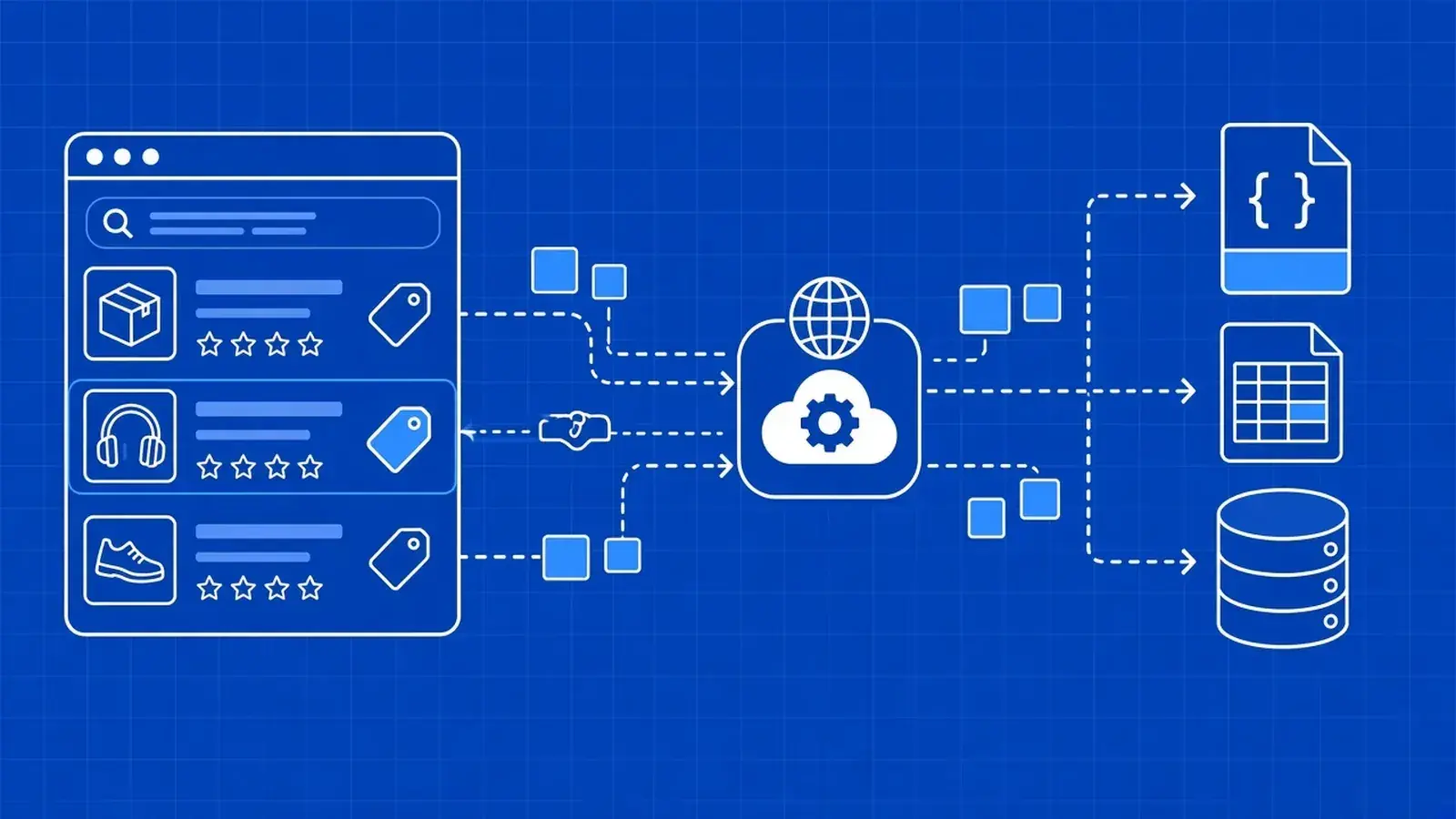
WebScrapingAPI's Amazon API is a GET endpoint that takes a request type, such as product, search, or bestsellers, plus an ASIN, keyword, category, or seller ID, and returns the matching Amazon page as structured JSON. WebScrapingAPI runs access, extraction, and parser upkeep. Your code chooses the pages, markets, and fields and stores the results.

You name the page through type and its input, and every response comes back with the same top-level layout: what you asked for, what Amazon showed, and the records on that page. You don't write selectors, and you don't rewrite them when Amazon changes its markup.

Here's who does what:

  • WebScrapingAPI operates: source access, data extraction, parser updates, and quality monitoring.
  • Your team owns: which pages and markets to collect, which fields to keep, refresh schedules and delivery, and the analysis built on top.

The API covers search and category results, product and variation pages, and merchant offer listings. Teams use them for Buy Box and offer intelligence, search and category share, and variation and review-signal analysis. Amazon is one source in the wider Data API catalog.

Each response is one observation of one page, in one market, at one moment. A price, a rank, or a review count only means something next to the settings and time that produced it.

How do you get an API key and send your first Amazon request?

Create a WebScrapingAPI account, subscribe to the Amazon API in the dashboard, and store your key in an environment variable. Then send a GET request to https://ecom.webscrapingapi.com/v1 with api_key, engine=amazon, type=search, and q set to your keyword. Let your HTTP client encode parameters, and keep the key on your server.

  1. Create an account with email and password, GitHub, or Google.
  2. Subscribe to the Amazon API in the dashboard. The Trial includes 100 Amazon requests at $0.
  3. Store the key in an environment variable, such as WSA_API_KEY, or in a secrets manager.
  4. Send the request from a terminal, Python, or Node.js.

Keep the key in server-side secrets, never in front-end code, a public repository, a log line, or a screenshot. It's tied to your account and plan allowance, so anyone who holds it spends your requests.

# Paste your key from the dashboard, or load it from your secrets manager. Never commit it.
export WSA_API_KEY="..."

curl --get "https://ecom.webscrapingapi.com/v1" \
  --max-time 130 \
  --data-urlencode "engine=amazon" \
  --data-urlencode "api_key=$WSA_API_KEY" \
  --data-urlencode "type=search" \
  --data-urlencode "q=memory card"

The rest of this guide builds on the Python client below. It reads the key from the environment, retries by the error rules covered later, and returns the parsed JSON plus the call's credit header. Install Requests with pip install requests.

# amazon_client.py
import os
import random
import time
from urllib.parse import urlencode

import requests

SCRAPER_URL = "https://ecom.webscrapingapi.com/v1"
RETRYABLE = {429, 500, 502, 503}


def redacted_url(params):
    """The request URL with the key hidden. Log this, never the real URL."""
    return f"{SCRAPER_URL}?{urlencode({'engine': 'amazon', 'api_key': '***', **params}, safe='*')}"


def amazon_get(params, retries=3, timeout=130):
    query = {"engine": "amazon", "api_key": os.environ["WSA_API_KEY"], **params}
    for attempt in range(retries + 1):
        resp = requests.get(SCRAPER_URL, params=query, timeout=timeout)
        if resp.status_code == 200:
            return resp.json(), resp.headers.get("Searchdata-Call-Credit-Usage")
        retry_422 = resp.status_code == 422 and attempt == 0  # retry a website error once
        if (resp.status_code not in RETRYABLE and not retry_422) or attempt == retries:
            raise RuntimeError(f"{resp.status_code} on {redacted_url(params)}: {resp.text[:200]}")
        wait = resp.headers.get("Retry-After", "")
        delay = int(wait) if wait.isdigit() else 2 ** attempt
        time.sleep(delay + random.random())  # exponential backoff with jitter
# first_request.py
from amazon_client import amazon_get

data, credits = amazon_get({"type": "search", "q": "memory card"})
results = data.get("search_results", {}).get("product_results", [])
print(len(results), "products; credits for this call:", credits)

The same request in Node.js 18 or later needs no dependencies:

// amazon_request.mjs — run with: node amazon_request.mjs
const params = new URLSearchParams({
  engine: "amazon",
  api_key: process.env.WSA_API_KEY,
  type: "search",
  q: "memory card",
});

const res = await fetch(`https://ecom.webscrapingapi.com/v1?${params}`, {
  signal: AbortSignal.timeout(130_000),
});
if (!res.ok) throw new Error(`${res.status}: ${await res.text()}`);

const data = await res.json();
console.log("credits for this call:", res.headers.get("searchdata-call-credit-usage"));
console.log(data.search_results?.product_results?.length, "products");

A keyword with a space, &, or + must follow the percent-encoding rules. An unencoded & silently starts a new parameter, which the API rejects with "Parameter '<name>' not allowed." curl's --data-urlencode, URLSearchParams, and Requests' params argument all encode for you. Each sample also sets a 130-second timeout, so a slow page can't hang a worker.

Sample response (copied from the API documentation, trimmed):

{
  "search_parameters": {
    "amazon_url": "https://www.amazon.com/s?k=memory+card",
    "engine": "amazon",
    "amazon_domain": "amazon.com",
    "type": "search",
    "q": "memory card"
  },
  "search_information": {
    "organic_results_state": "Results for exact spelling",
    "total_results": "5,000",
    "query_displayed": "memory card"
  },
  "search_results": {
    "product_results": [
      {
        "position": 1,
        "product_id": "B08TJRVWV1",
        "title": "Amazon Basics microSDXC Memory Card with Full Size Adapter",
        "link": "https://www.amazon.com/dp/B08TJRVWV1",
        "price": "$12.42",
        "rating": { "rating": "4.7 out of 5 stars", "total_ratings": 33500 }
      }
    ]
  }
}

Docs: Access the API

Which Amazon request types can you use?

Set type to one of nine values: product for one ASIN, search for a keyword, category, bestsellers, new-releases, or todays-deals for a category ID, and seller_products, seller_profile, or seller_feedback for a seller ID. seller_feedback is the reviews request. Each type needs its own input and returns rows in its own place.

Goal

type

Required input

Optional type inputs

Rows are in

Section

One product by ASIN (incl. rating and rating count)

product

product_id

—

product_results (object)

Product by ASIN

Keyword results

search

q

page, sort_by, filter_by

search_results.product_results

Search results

Bestseller ranking

bestsellers

category_id

parent_alias

category_results.product_results

Bestsellers

New releases

new-releases

category_id

parent_alias

category_results.product_results

New releases

Browse a category

category

category_id

page, sort_by

category_results.product_results

Category

Today's deals

todays-deals

category_id

—

category_results.product_results (adds price_raw)

Today's deals

A seller's catalog

seller_products

seller_id

page

search_results.product_results

Seller products

Seller profile

seller_profile

seller_id

—

seller_profile (no product list)

Seller profile

Reviews (buyer reviews of a seller)

seller_feedback

seller_id

page (5 per page)

seller_feedback (no product list)

Reviews

Response locations follow the documentation examples. Read them defensively. The parser below shows how.

Three details trip people up. The deals value is todays-deals, with the hyphen and the "s". The API accepts seller as an alias for seller_products, but write the full value so your logs stay readable. And parent_alias only applies to bestsellers and new-releases, where it points to a subcategory.

For reviews, use seller_feedback to collect review rows and product for an ASIN's rating and rating count.

Docs: Amazon search types

How do you scrape an Amazon product by ASIN?

Send type=product with product_id set to the ASIN, the ten-character ID after /dp/ in any Amazon product URL. The response's product_results object holds the title, price, rating, total ratings, categories, images, and attributes, plus item highlights when Amazon shows them. Add amazon_domain to read the same ASIN on another Amazon marketplace.

In https://www.amazon.com/dp/B098RNZGNW, the ASIN is B098RNZGNW. The same ASIN usually exists on several marketplaces, so one ID plus amazon_domain lets you compare a product across countries.

curl --get "https://ecom.webscrapingapi.com/v1" \
  --max-time 130 \
  --data-urlencode "engine=amazon" \
  --data-urlencode "api_key=$WSA_API_KEY" \
  --data-urlencode "type=product" \
  --data-urlencode "product_id=B098RNZGNW" \
  --data-urlencode "amazon_domain=amazon.co.uk"
import re
from amazon_client import amazon_get

url = "https://www.amazon.com/dp/B098RNZGNW"
asin = re.search(r"/dp/([A-Z0-9]{10})", url).group(1)

data, _ = amazon_get({"type": "product", "product_id": asin})
item = data.get("product_results", {})
rating = item.get("rating", {})
print(item.get("title"), item.get("price"), rating.get("rating"), rating.get("total_ratings"))

Sample response (copied from the API documentation, trimmed):

{
  "product_results": {
    "product_id": "B098RNZGNW",
    "title": "Example Amazon Product",
    "item_highlights": "Foldable card table for board games, dining, and extra seating",
    "price": "$59.99",
    "rating": { "rating": "4.6 out of 5 stars", "total_ratings": 12438 },
    "categories": ["Electronics", "Headphones"],
    "images": ["https://m.media-amazon.com/images/I/example-1.jpg"],
    "attributes": { "Brand": "Example", "Color": "Black" }
  }
}

price is a display string such as "$59.99", so keep it raw with its domain and parse the number in a separate step. rating.rating is text, while rating.total_ratings is an integer you can compare over time. It's the product-level review signal that pairs with buyer reviews of the seller. item_highlights is omitted when Amazon shows none. Set wait_for_offers=true when the offer modules matter, and wait_for_video=true for video modules.

Field coverage varies by page. Buy Box, merchant, variation, and availability details depend on what each product page shows, so check a representative sample for your own ASINs before you design a schema. That sample is also where price and Buy Box monitoring starts.

Docs: Amazon product

How do you scrape Amazon search results and paginate them?

Send type=search with q set to the keyword. Products arrive in search_results.product_results, each with a position, ASIN, title, link, price, and rating, and related_searches lists Amazon's suggestions. Request page=2, 3, and onward for deeper results, and use sort_by or filter_by=prime when you need Amazon's own sorting or Prime filter.

Amazon search results (the Amazon SERP) show who appears for a query, and in what order. position is the rank in the returned list for that keyword, domain, page, and moment. Store it with q, amazon_domain, page, sort_by, and the capture time, or rank comparisons stop meaning anything.

curl --get "https://ecom.webscrapingapi.com/v1" \
  --max-time 130 \
  --data-urlencode "engine=amazon" \
  --data-urlencode "api_key=$WSA_API_KEY" \
  --data-urlencode "type=search" \
  --data-urlencode "q=memory card" \
  --data-urlencode "page=2" \
  --data-urlencode "filter_by=prime"

To paginate, keep q, the domain, and the sort settings the same and increase page. Each page is its own request, so cap pages per keyword:

from datetime import datetime, timezone
from amazon_client import amazon_get

rows = []
for page in range(1, 4):  # page cap: three pages per keyword
    params = {"type": "search", "q": "memory card", "page": page, "amazon_domain": "amazon.com"}
    data, _ = amazon_get(params)
    found = data.get("search_results", {}).get("product_results", [])
    if not found:
        break
    captured_at = datetime.now(timezone.utc).isoformat()
    rows += [{**params, "captured_at": captured_at, "position": r.get("position"),
              "product_id": r.get("product_id"), "price_text": r.get("price")} for r in found]
print(len(rows), "rows")

Sample response (copied from the API documentation, trimmed):

{
  "related_searches": [
    { "query": "micro sd card", "link": "https://www.amazon.com/s?k=micro+sd+card" }
  ]
}

sort_by accepts featured, price-asc-rank, price-desc-rank, review-rank, date-desc-rank, and relevancerank. filter_by accepts prime and climate-friendly. Keep both fixed across runs if you track positions. Search pages can also include top_sponsored, video_sponsored, pagination, and amazon_pagination. Read them when present, and never assume them.

If you're tracking search position over time, compare these rows with Google results for the same keyword.

Docs: Amazon search

How do you scrape Amazon bestseller rankings?

Send type=bestsellers with a category_id, which can be an alias such as electronics or a numeric node ID, and add parent_alias to reach a subcategory. The keyless categories helper looks up both values from a keyword. Ranked products arrive in category_results.product_results, each with Amazon's displayed position, ASIN, title, link, and price.

Three steps get you a ranking:

  1. Look up the category with the categories helper, which needs no API key.
  2. Pass its category_id, plus parent_alias for a subcategory.
  3. Read category_results.product_results.
curl "https://amazon-helpers.webscrapingapi.com/categories?q=electronics&limit=3"

Helper response (trimmed):

[
  { "title": "Amazon Launchpad Top Electronics", "href": "/gp/new-releases/boost/23602499011", "parent_alias": "boost", "category_id": "23602499011" },
  { "title": "Electronics", "href": "/gp/new-releases/boost/21179674011", "parent_alias": "boost", "category_id": "21179674011" },
  { "title": "Electronics", "href": "/gp/new-releases/automotive/3248690011", "parent_alias": "automotive", "category_id": "3248690011" }
]

Read the helper's fields by key, since names can differ from the documentation's table. Top-level aliases such as electronics work without a lookup:

curl --get "https://ecom.webscrapingapi.com/v1" \
  --max-time 130 \
  --data-urlencode "engine=amazon" \
  --data-urlencode "api_key=$WSA_API_KEY" \
  --data-urlencode "type=bestsellers" \
  --data-urlencode "category_id=electronics"

Sample response (copied from the API documentation, trimmed):

{
  "category_results": {
    "product_results": [
      { "position": 1, "product_id": "B08C1W5N87", "title": "Fire TV Stick with Alexa Voice Remote",
        "link": "/fire-tv-stick-with-3rd-gen-alexa-voice-remote/dp/B08C1W5N87", "price": "$19.99",
        "rating": { "rating": "4.7 out of 5 stars", "total_ratings": 141438 } }
    ]
  }
}

position is Amazon's displayed rank for that category at that moment, so store the capture time and compare runs taken on the same schedule. Note the relative link: prefix such paths with the domain before you store them, which absolute_link() in the parser section does.

Docs: Amazon bestsellers

How do you get Amazon new releases for a category?

Send type=new-releases with a category_id, such as fashion, and add parent_alias for a subcategory, exactly as with bestsellers. The response lists Amazon's hot new releases for that category in category_results.product_results, with position, ASIN, title, link, and price. Run it on a schedule to see which launches enter and leave the list.

curl --get "https://ecom.webscrapingapi.com/v1" \
  --max-time 130 \
  --data-urlencode "engine=amazon" \
  --data-urlencode "api_key=$WSA_API_KEY" \
  --data-urlencode "type=new-releases" \
  --data-urlencode "category_id=fashion"

Sample response (copied from the API documentation; the ASIN is the documentation's placeholder):

{
  "category_results": {
    "product_results": [
      { "position": 1, "product_id": "B09EXAMPLE", "title": "New release product",
        "link": "https://www.amazon.com/dp/B09EXAMPLE", "price": "$29.99" }
    ]
  }
}

Find subcategory IDs and their parent_alias with the categories helper from the bestsellers section. Use this request for launch tracking: one category and market per run, the same schedule every time.

Docs: Amazon new releases

How do you scrape an Amazon category listing?

Send type=category with a category_id, either an alias such as amazon-devices or a numeric node ID. Add page for deeper results and sort_by to change the order. Products arrive in category_results.product_results with position, ASIN, title, link, price, and rating, so you can track a whole browse node rather than one keyword.

curl --get "https://ecom.webscrapingapi.com/v1" \
  --max-time 130 \
  --data-urlencode "engine=amazon" \
  --data-urlencode "api_key=$WSA_API_KEY" \
  --data-urlencode "type=category" \
  --data-urlencode "category_id=amazon-devices" \
  --data-urlencode "page=2"

Sample response (copied from the API documentation, trimmed):

{
  "category_results": {
    "product_results": [
      { "position": 1, "product_id": "B08C1W5N87", "title": "Fire TV Stick with Alexa Voice Remote",
        "link": "/fire-tv-stick-with-3rd-gen-alexa-voice-remote/dp/B08C1W5N87", "price": "$19.99",
        "rating": { "rating": "4.7 out of 5 stars", "total_ratings": 141438 } }
    ]
  }
}

A category request returns the browse listing in Amazon's chosen sort, while bestsellers returns the ranked bestseller list. page and sort_by apply here, but parent_alias doesn't. Links can be relative, as in bestsellers.

Docs: Amazon category

How do you scrape Amazon's today's deals?

Send type=todays-deals, not deals, with a category_id such as 15684181. Deal products arrive in category_results.product_results, and each row carries price, the current deal price, and price_raw, the price before the deal. Store both with the capture time, because deals change through the day and a later request can return a different list.

curl --get "https://ecom.webscrapingapi.com/v1" \
  --max-time 130 \
  --data-urlencode "engine=amazon" \
  --data-urlencode "api_key=$WSA_API_KEY" \
  --data-urlencode "type=todays-deals" \
  --data-urlencode "category_id=15684181"

Sample response (copied from the API documentation, trimmed):

{
  "category_results": {
    "product_results": [
      { "position": 1, "product_id": "B081T7N948", "title": "Cleaning Gel for Car",
        "link": "/Cleaning-Universal-Detailing-Automotive-Interior/dp/B081T7N948",
        "price": "$5.94", "currency": "$", "price_raw": "$9.99" }
    ]
  }
}

Compute the discount only on parsed numbers, after you strip that domain's currency symbol, and keep the raw strings too:

deal, before = float(row["price"].lstrip("$")), float(row["price_raw"].lstrip("$"))
discount_pct = round((before - deal) / before * 100, 1)  # 40.5 for the sample row

Deal links can be relative, so run them through absolute_link().

Docs: Amazon deals

How do you list the products a seller offers on Amazon?

Send type=seller_products with the seller's ID in seller_id. The response lists that seller's storefront products in search_results.product_results, with position, ASIN, title, link, and price, in the same shape as search. Add page for more results. The shorter alias seller also works, but write seller_products so your code stays readable.

Use the seller ID shown in the seller's storefront URL.

curl --get "https://ecom.webscrapingapi.com/v1" \
  --max-time 130 \
  --data-urlencode "engine=amazon" \
  --data-urlencode "api_key=$WSA_API_KEY" \
  --data-urlencode "type=seller_products" \
  --data-urlencode "seller_id=AAZRLVTNON75Z"

Sample response (copied from the API documentation, trimmed):

{
  "search_results": {
    "product_results": [
      { "position": 1, "product_id": "B01NGTV4J5", "title": "Cascade Platinum Dishwasher Pods",
        "link": "https://www.amazon.com/dp/B01NGTV4J5", "price": "$38.88", "currency": "$" }
    ]
  }
}

Because the rows match search results, the same parser and storage code work here. Store them per run to see which ASINs a merchant lists and at what displayed prices.

Docs: Amazon seller products

How do you get an Amazon seller's profile and rating?

Send type=seller_profile with the seller_id. The seller_profile object returns seller_details with the store name, store link, star rating, total ratings, and positive-rating percentage, plus a short list of recent feedback and a feedback summary with positive, neutral, and negative percentages. It's one request per seller, with no product list and no pagination.

curl --get "https://ecom.webscrapingapi.com/v1" \
  --max-time 130 \
  --data-urlencode "engine=amazon" \
  --data-urlencode "api_key=$WSA_API_KEY" \
  --data-urlencode "type=seller_profile" \
  --data-urlencode "seller_id=AAZRLVTNON75Z"

Sample response (copied from the API documentation, trimmed):

{
  "seller_profile": {
    "seller_details": { "name": "Triplenet Pricing INC", "store_link": "https://www.amazon.com/s?me=AAZRLVTNON75Z",
      "rating": 4, "ratings_total": 4078, "ratings_positive_percentage": 74 },
    "feedback": [ { "rating": 5, "body": "Great service", "rater": "By Sarah M. on July 24, 2023." } ],
    "feedback_summary": [ { "positive_percent": 75, "neutral_percent": 1, "negative_percent": 24, "count": 366 } ]
  }
}

Use a profile to vet the third-party sellers competing for a Buy Box, or store ratings_total and ratings_positive_percentage per run to watch a seller's standing move. The feedback list here is a short recent sample. For every review row, page through the seller feedback request below.

Docs: Amazon seller profile

How do you scrape Amazon reviews with the seller feedback request?

Send type=seller_feedback with a seller_id. It's the Amazon API's reviews request: each row is a buyer review of that seller with the rater, star rating, review text, date, and whether the seller responded. Results come five per page, so follow pagination.has_next_page and next_page until you reach a page cap you set.

curl --get "https://ecom.webscrapingapi.com/v1" \
  --max-time 130 \
  --data-urlencode "engine=amazon" \
  --data-urlencode "api_key=$WSA_API_KEY" \
  --data-urlencode "type=seller_feedback" \
  --data-urlencode "seller_id=AAZRLVTNON75Z" \
  --data-urlencode "page=2"

Sample response (copied from the API documentation, trimmed):

{
  "seller_feedback": [
    { "rater": "Sarah M.", "rating": 5, "has_response": false, "body": "Great service",
      "date": { "raw": "July 24, 2023", "utc": "2023-07-24T04:00:00.000Z" }, "position": 1 }
  ],
  "pagination": { "current_page": 1, "has_next_page": true, "next_page": 2 }
}

Each page is its own request, so a long review history adds up. This pager stops when there's no next page or when it hits max_pages:

# seller_feedback_pages.py
from amazon_client import amazon_get


def all_feedback(seller_id, max_pages=3):
    page, rows = 1, []
    while page and page <= max_pages:
        data, _ = amazon_get({"type": "seller_feedback", "seller_id": seller_id, "page": page})
        rows += data.get("seller_feedback", [])
        pagination = data.get("pagination", {})
        page = pagination.get("next_page") if pagination.get("has_next_page") else None
    return rows


reviews = all_feedback("AAZRLVTNON75Z")
print(len(reviews), "reviews")

Store seller_id and date.utc with every review and deduplicate on them between runs. date.raw follows Amazon's display format. Pair this with product data: type=product gives each ASIN's rating and total rating count, so together the two requests cover review volume, star ratings, and seller review text.

Docs: Amazon seller feedback

How do you target another Amazon domain, country, or ZIP code?

Set amazon_domain to one of twenty supported marketplaces, such as amazon.de or amazon.co.jp. The default is amazon.com. Add delivery_location with a country code like de or gb to set the default delivery country, or zip_code for a local US address. Use hl and gl for language and country, and record every setting with results.

Price, availability, and delivery promises on Amazon depend on the marketplace and the delivery address, so two calls with different settings aren't comparable. Define a small market grid (each ASIN or keyword × each domain × each delivery location) and keep it the same between runs.

Region

Domains

Americas

amazon.com, amazon.ca, amazon.com.mx, amazon.com.br

Europe

amazon.co.uk, amazon.de, amazon.fr, amazon.it, amazon.es, amazon.nl, amazon.pl, amazon.se, amazon.com.tr

Middle East and Africa

amazon.ae, amazon.sa, amazon.eg

Asia-Pacific

amazon.co.jp, amazon.in, amazon.sg, amazon.com.au

All of these general parameters are optional:

Parameter

What it does

Values

amazon_domain

Which Amazon marketplace to read

One of the 20 domains above; default amazon.com

delivery_location

Default delivery country

us, de, gb, ca, fr, jp, cn, au, es, br, in, mx

zip_code

Local delivery address context

A ZIP code

hl / gl

Language / country

Language and country codes

page

Result page

Integer

sort_by

Sort search or category results

featured, price-asc-rank, price-desc-rank, review-rank, date-desc-rank, relevancerank

filter_by

Filter results

prime, climate-friendly

scroll_to_bottom

Full page scroll before extraction

true / false (false is faster)

wait_bottom_carousel

Wait for the bottom carousel

true / false (false is faster)

lazy_loading

Extra wait after the page loads

Milliseconds

wait_for_offers / wait_for_video

Wait for offer or video modules on product pages

true / false

delivery_location accepts only the twelve codes listed, so not every domain has a matching value. There's no it or nl, for example. When you don't need lower-page modules, set scroll_to_bottom=false and wait_bottom_carousel=false for faster responses. Use lazy_loading when a page needs more time after it loads.

In Node.js, market settings are more keys in URLSearchParams:

const params = new URLSearchParams({
  engine: "amazon",
  api_key: process.env.WSA_API_KEY,
  type: "search",
  q: "memory card",
  amazon_domain: "amazon.de",
  delivery_location: "de",
});

Docs: Supported domains

How do you read and store the JSON response?

Start with search_parameters, which echoes your request and the Amazon URL fetched, and search_information. Then read the rows from search_results, category_results, the single product_results object, seller_profile, or seller_feedback, depending on the type. Treat every other module as optional, keep raw price strings with their domain, and store each row with its request settings.

The documentation's descriptions and examples sometimes place products under different keys. The category page text says product_results, while its example nests that under category_results, and the seller products page text names seller_results, while its example uses search_results. So the parser checks every documented location and returns an empty list instead of crashing. Add it to amazon_client.py:

def product_rows(data):
    """Return the product list wherever this request type puts it."""
    for container in ("search_results", "category_results"):
        rows = (data.get(container) or {}).get("product_results")
        if isinstance(rows, list):
            return rows
    single = data.get("product_results")
    return [single] if isinstance(single, dict) else []


def absolute_link(link, amazon_domain="amazon.com"):
    """Category-style responses can return relative links such as /Item/dp/ASIN."""
    if not link or link.startswith("http"):
        return link
    return f"https://www.{amazon_domain}{link}"

product_rows() returns rows for all seven product-bearing types. Read seller_profile and seller_feedback by their own keys, as in their sections. Then flatten each product into one storage row:

# store.py
from datetime import datetime, timezone
from amazon_client import absolute_link, product_rows


def to_records(data, request):
    """One flat row per product, with the request settings that produced it."""
    captured_at = datetime.now(timezone.utc).isoformat()
    domain = request.get("amazon_domain", "amazon.com")
    amazon_url = (data.get("search_parameters") or {}).get("amazon_url")
    for row in product_rows(data):
        rating = row.get("rating") or {}
        yield {
            "captured_at": captured_at,
            "type": request["type"],
            "input": request.get("q") or request.get("category_id")
                     or request.get("seller_id") or request.get("product_id"),
            "amazon_domain": domain,
            "delivery_location": request.get("delivery_location"),
            "page": request.get("page", 1),
            "position": row.get("position"),
            "product_id": row.get("product_id"),
            "title": row.get("title"),
            "price_text": row.get("price"),
            "rating_text": rating.get("rating"),
            "total_ratings": rating.get("total_ratings"),
            "link": absolute_link(row.get("link"), domain),
            "amazon_url": amazon_url,
        }

Keep the raw response too, so you can reprocess it when you add fields. Separate a request that failed (an HTTP error) from one that succeeded with an absent module (an empty list). The second is an observation, not a bug. For more patterns, see parsing JSON responses in Python.

The pricing page lists JSON, CSV, and HTML output on every plan. The Amazon documentation describes JSON responses, so this guide uses JSON throughout.

How should your code handle errors, retries, and credit usage?

Don't retry 401 or validation errors. Fix the key, the subscription, or the parameters. Retry 429, 500, 502, and 503 a few times with exponential backoff and jitter, and lower concurrency on 429. A 422 means Amazon returned an error, a challenge, or a timeout, so retry it once only when the failure looks temporary.

Status

Body or shape

Meaning

Action

401

Access denied. No key api_key provided.

No key sent

Fix the config; don't retry

401

Access denied. Invalid api_key provided. or Authentication failure: …

Bad key, or the key isn't entitled to the Amazon API

Check the key and subscription; don't retry

Validation error

Parameter '<name>' not allowed. and similar

Wrong or missing parameter for engine=amazon

Fix the request; don't retry

422

error_type: "website"

Amazon returned an error, a challenge, an invalid body, or a timeout

Retry once if transient

429

{"error":"max_concurrent_connections"}

Concurrency limit reached

Lower concurrency, back off, retry

500 / 503

Internal Server Error / other_failure

Transient API failure

Retry a few times with jittered backoff

A request with no key returns this body with HTTP 401:

{ "error": "Access denied. No key `api_key` provided." }

Other validation messages include Parameter '<name>' is required., must be a boolean, must be in range, and cannot be used with. They mean the request itself is wrong, so retrying changes nothing. If a /v1 request answers "This endpoint is deprecated. Please use /v2.", your key isn't subscribed to the Amazon API. Subscribe in the dashboard rather than switching endpoints.

amazon_get() implements this policy. It retries HTTP 429 and 5xx responses with exponential backoff plus random jitter, honors a numeric Retry-After header when one is present, retries a 422 once, and raises on everything else with the key redacted. On repeated 429s, run fewer parallel workers too.

Log two headers on every call: Searchdata-Call-Credit-Usage (credits charged for this call) and Searchdata-Current-Credit-Usage (your account's current usage). A week of that log shows which types and markets use your allowance.

Docs: Errors and headers

How much does the Amazon Scraper API cost?

As of October 2026, the Trial is $0 for 100 Amazon requests. Paid plans are monthly: Starter is $59 for 10,000 requests, Grow $375 for 250,000, Business $1,000 for 1,000,000, and Pro $2,200 for 2,500,000. Every plan covers all Amazon domains, product and reviews APIs, search and category results, and bestsellers.

Plan

Price

Amazon requests

Effective per 1,000

Trial

$0

100

—

Starter

$59/month

10,000

$5.90

Grow

$375/month

250,000

$1.50

Business

$1,000/month

1,000,000

$1.00

Pro

$2,200/month

2,500,000

$0.88

Every plan includes all Amazon domains, product and reviews APIs, search and category results, the Bestsellers API, JSON, CSV, and HTML output, and bulk processing. Prices are in USD. In this guide, the product and reviews APIs are the product and seller_feedback requests.

Size a plan from your inputs, not a guess:

requests per month = inputs (ASINs, keywords, categories, sellers) × domains × delivery locations × pages per input × runs per month, plus headroom for testing and retries

For example, 400 ASINs × 2 domains × 1 page × 4 weekly runs is 3,200 requests, which fits Starter. Add 50 keywords × 2 domains × 3 pages × 30 daily runs, or 9,000 more, and the 12,200 total outgrows Starter, so Grow is next. Prices and allowances change, so the pricing page is the source of truth. Still choosing a provider? See our guide to comparing Amazon scraping APIs.

What doesn't the Amazon API do, and when is another option better?

The Amazon API covers the nine page types in its reference, and only those. There's no Amazon async job, field coverage varies by page, and each result describes one domain, location, and moment. For other pages, other marketplaces, or ready-made datasets, use the Scraper API, another Data API source, or a managed feed.

  • Pages outside the nine types. Request a sample for them, or fetch the pages as HTML. See how to use the Scraper API.
  • You'd rather build your own. To run and maintain the scraper yourself, follow a hands-on Python Amazon scraper.
  • You want records, not requests. For prepared, recurring Amazon data, look at the Amazon products dataset.
  • You need another marketplace. The Data API covers other retailers too, such as Walmart product data.
  • No async jobs for Amazon. Every call is synchronous, so run your own job queue with the retry policy above.
  • Fields vary by page. Check a representative sample before you commit to a schema.
  • Use is governed. Collect public pages only, in line with WebScrapingAPI's Service Agreement and the requirements that apply to you.

Frequently asked questions

Is there a free Amazon scraper API trial?

Yes. As of October 2026, WebScrapingAPI's Amazon API Trial plan costs $0 and includes 100 Amazon requests, enough to test product, search, bestseller, and seller requests on your own inputs. Create an account, subscribe to the Amazon API in the dashboard, and keep the key in an environment variable while you evaluate.

What is an ASIN, and where do I find it?

An ASIN is Amazon's ten-character product identifier, and the Amazon API uses it as product_id. You'll find it in a product URL after /dp/, or in the Product Information or Additional Information section of the product page. The same ASIN can show different prices and availability on different Amazon domains.

How do I scrape Amazon bestseller rankings?

Send type=bestsellers with a category_id, such as electronics, and add parent_alias when you want a subcategory. The keyless categories helper finds both values from a keyword. Results arrive in category_results.product_results with Amazon's displayed position, ASIN, title, link, price, and rating, so store the capture time with each row.

Which Amazon marketplaces does the API support?

It supports twenty Amazon domains: the United States, Canada, Mexico, Brazil, the United Kingdom, Germany, France, Italy, Spain, the Netherlands, Poland, Sweden, Turkey, the UAE, Saudi Arabia, Egypt, Japan, India, Singapore, and Australia. Set amazon_domain to pick one, and use delivery_location or zip_code when delivery context changes what Amazon shows.

Can I call the Amazon API from browser JavaScript?

Don't. A browser request would expose your API key to anyone who opens developer tools, and the key controls your plan allowance. Call the API from a server, a serverless function, or a scheduled job, read the key from an environment variable or secrets manager, and send only the parsed results to the front end.

How do I page through Amazon search results?

Add page=2, page=3, and onward to a type=search request with the same q, domain, and sort settings. Each page is a separate request against your allowance, so set a page cap per keyword. Store the page number with every row so you can rebuild the full ranking for that keyword later.

Can the Amazon API scrape reviews?

Yes. Send type=seller_feedback with a seller_id to collect buyer reviews of a seller, five per page, each with the rater, star rating, review text, date, and whether the seller replied. For product-level review signals, type=product returns each ASIN's rating and total rating count. Follow pagination.has_next_page to read every page.

Why does my request return Parameter not allowed?

The API validates every parameter against the amazon engine, and it rejects names it doesn't accept. Common causes are a misspelled or miscapitalized parameter name, a parameter from another engine, or an unencoded ampersand in your keyword that splits it into a new parameter. Fix the request instead of retrying.

How do I know how many credits a request used?

Read the Searchdata-Call-Credit-Usage response header, which reports the credits charged for that call, and Searchdata-Current-Credit-Usage, which reports your account's current usage. Log both with the request type, input, and domain. Over a week, that log shows which request types and markets consume your allowance, and whether your plan still fits.

Can I get Amazon data without writing code?

Yes, if a prepared feed fits your needs. WebScrapingAPI can deliver Amazon records as a dataset or a managed collection on a schedule, after you review sample data for your pages, fields, and markets. The API suits teams that want to choose inputs and timing themselves, while a managed feed suits analysts who just need recurring files.

Start with 100 free Amazon requests

The Amazon Scraper API returns product, search, category, bestseller, deal, seller, and seller review pages from 20 Amazon marketplaces as structured JSON, with parser maintenance handled for you. When you know your ASINs, keywords, markets, and refresh schedule, compare Amazon API plans and pick the allowance that fits.

About the Author

Robert Sfichi, Full-Stack Developer @ WebScrapingAPI

Robert Sfichi

Full-Stack Developer

Robert Sfichi is a team member at WebScrapingAPI, contributing to the product and helping build reliable solutions that support the platform and its users.

Start Building

Ready to Scale Your Data Collection?

Join 2,000+ companies using WebScrapingAPI to extract web data at enterprise scale with zero infrastructure overhead.