3. Integrate WebScrapingAPI to your application
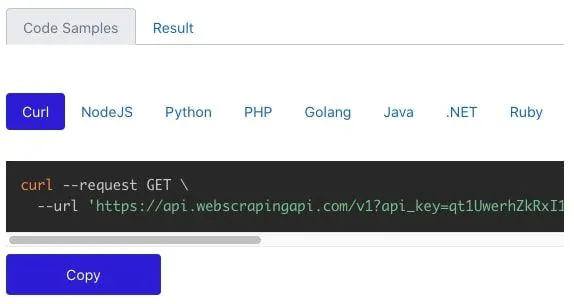
It’s quite easy. In the documentation, we will find detailed usage guides featured by code examples in different programming languages to understand the process better. Remember the Access Key we talked about earlier? Well, it’s time to put it to good use!
And don’t forget, keeping it for yourself is important. Try to store your API Access Key in a secure location and never include it in any public scripts or files!
Let’s see the basic request example presented in the documentation, using JavaScript (keep in mind you can use whatever programming language you feel comfortable with).
const got = require('got');
(async () => {
  const params = {
    api_key: 'XXXXXX',
    url: 'https://en.wikipedia.org/wiki/Mars'
  };  const response = await got('https://api.webscrapingapi.com/v1', { searchParams: params });  console.log(response.body);
})();
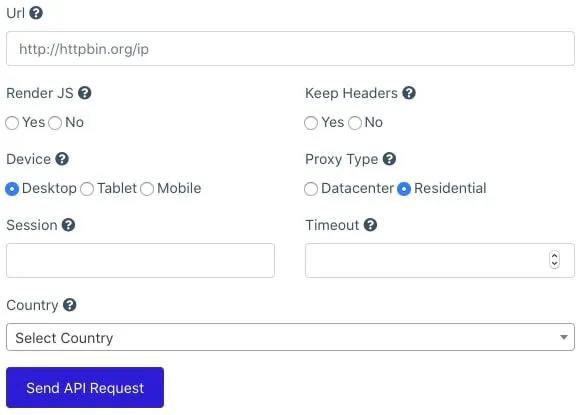
For the api_key parameter, specify your WSA Access Key, and for the url parameter, we need to specify the URL of the web page we want to scrape. In this case, we made a simple request for https://en.wikipedia.org/wiki/Mars to see the information provided about Mars on Wikipedia. As a response, we will get the whole HTML code of the scraped page to play with.
You can send different parameters as well. Here is the list of parameters accepted by WebScrapingAPI, as well as code samples to help you better understand how to use them and what they are used for.