Skip to content
Start free
Back to Blog

Premium Proxy List 2026: 9 Paid Proxy Services Ranked

Gabriel CiociLast updated on 22 min read
Premium Proxy List 2026: 9 Paid Proxy Services Ranked
TL;DR: For most scraping teams, Oxylabs and Decodo are the strongest all-round premium proxy services, Bright Data suits enterprise budgets, and Webshare is the cheapest way to start with a static list. Choose a static list when you want IPs that stay yours for the rental period, and a rotating gateway when every request or session should leave through a different IP.

The free list stopped working halfway through your scrape, or you're about to spend real money on proxies and want a short list you can trust. This premium proxy list ranks nine paid proxy services against the same five criteria. Every price comes from each provider's own pricing page, as of October 2026, and a short Python script lets you test a trial before you commit. Paid proxies come either as a static list of IP addresses you keep or as a single rotating gateway that swaps IPs for you. Knowing which one you need cuts the list in half.

What is a premium proxy list?

A premium proxy list is a set of paid, authenticated proxies that a provider assigns to you. You receive them either as a static list of IP:port entries or as one rotating gateway address. You get IPs that strangers aren't abusing, published terms, and support, instead of the open, short-lived servers that free lists collect.

A static list is a file of addresses, one per line, that stay yours for the rental period:

203.0.113.10:8000
203.0.113.11:8000
203.0.113.12:8000

A rotating gateway is a single host and port. Every request, or every sticky session, leaves through a different IP from the provider's pool:

gateway.example:7777

Vendors use "premium," "private," and "dedicated" loosely. Dedicated means one customer per IP, but private can mean a small shared group, so check users per IP on the plan page. MDN explains how a proxy relays and tunnels traffic in its guide to proxy servers and tunneling. Still deciding whether to pay at all? See our free proxy lists ranking.

Which premium proxy services are best in 2026?

For most scraping teams, Oxylabs and Decodo are the strongest all-round premium picks, and Bright Data suits enterprise budgets. Webshare is the cheapest way to start with a static list, IPRoyal suits short rentals, Proxy-Seller sells IPv4 and IPv6 lists by country, and Rayobyte, SOAX, and WebScrapingAPI fill specific needs.

#

Provider

Best for

Premium types sold

How you get proxies

Entry price (Oct 2026)

Trial / refund

1

Oxylabs

All-round premium list

Dedicated and shared datacenter, ISP, residential, mobile

Static lists + gateway

Starter plan $30/mo; dedicated datacenter $2/IP

$5 welcome credit; self-service purchases non-refundable

2

Decodo

Value across types

Shared and dedicated datacenter, ISP, residential, mobile

Static lists + gateway

Residential $4/GB pay as you go; dedicated ISP 3 IPs for $9.99

3-day residential trial (100 MB); 14-day money-back on a first purchase

3

Bright Data

Enterprise scale

Shared and dedicated datacenter and ISP, residential, mobile

Static lists + gateway

Shared datacenter 10 IPs at $1.40/IP; residential $8/GB pay as you go

Free-trial sign-up; first deposit matched up to $500; KYC for residential and mobile

4

Webshare

Cheapest start

Shared, private, and dedicated datacenter; static and rotating residential

Static lists + gateway

Free 10 proxies; 100 shared proxies for $2.99/mo

Free plan; refund within 2 days (usage limits apply)

5

IPRoyal

Short rentals

Datacenter, ISP, residential, mobile

Static lists + gateway

ISP from $1.80/proxy for 24 hours

No free trial listed

6

Proxy-Seller

IPv4 and IPv6 lists by country

IPv4, IPv6, ISP, residential, mobile

Static lists (export) + gateway

IPv6 from $0.02/IP; IPv4 from $0.49/IP

Replacement or refund within 72 hours (IPv4) or 24 hours (residential) if support confirms a fault

7

Rayobyte

Semi-dedicated IPs and a no-card trial

Static and semi-dedicated datacenter, static ISP, residential, mobile

Static lists + gateway

Semi-dedicated $1/IP a month

Free trial on self-serve products, no credit card

8

SOAX

Residential plus mobile on one rate

Residential, mobile

Gateway

Sandbox: no fee, from $5/GB (tier 1)

No free trial; payments generally non-refundable

9

WebScrapingAPI

Paying per successful page instead

Residential (published); datacenter and ISP (quote)

Gateway; datacenter and ISP provisioned to order

Residential $8.50/GB pay as you go; $52/mo for 8 GB

No proxy trial; 5,000-request Scraper API trial

Rankings use the criteria in the next section. No provider paid for placement.

How did we rank these premium proxy providers?

We scored each provider on five published facts: the premium proxy types it sells, whether pricing is self-serve and public, how you receive proxies (list, export, or gateway), its trial and refund terms, and what it says about sourcing and compliance. We didn't use vendor-claimed pool sizes, speeds, or success rates.

  1. Premium types sold. Dedicated or low-share static IPs (datacenter or ISP), rotating residential, and mobile. More choice under one account scores higher.
  2. Public, self-serve pricing. A price you can read and pay without a sales call scores higher than "contact us."
  3. Delivery. A downloadable or exportable static list, a rotating gateway, or both.
  4. Trial and refund terms. A free plan, credit, or trial, and a refund window written down on the pricing page.
  5. Sourcing and compliance. Whether the provider explains how it gets residential IPs and when it runs KYC checks.

Advertised pool sizes, uptime, and response times can't be verified from outside the provider, so they didn't move anyone up or down, and no benchmark was run for this ranking. The trial script further down checks the claims that matter for your own targets.

Which paid proxy providers made the list, and what does each cost?

Nine providers made the list: Oxylabs, Decodo, Bright Data, Webshare, IPRoyal, Proxy-Seller, Rayobyte, SOAX, and WebScrapingAPI. As of October 2026, Webshare offers a free 10-proxy plan, paid static IPs start below $0.50 each, and rotating residential traffic costs $3.50 to $8.50 per GB pay as you go.

All prices are in US dollars.

1. Oxylabs: best all-round premium list for scraping teams

Best for: teams that want static IPs and rotating residential under one bill.

What you get: dedicated and shared datacenter IPs, ISP proxies, residential and mobile gateways, with HTTP, HTTPS, and SOCKS5. One subscription covers every product: Starter $30/mo, Basic $100, Flexible $500, Enterprise from $2,500.

Entry prices: dedicated datacenter $2/IP, falling to $1.20 at 2,080+ IPs. Shared datacenter $1 to $0.60/IP. ISP $1.50 to $1.10/IP, "shared with up to 3 users." Residential $6/GB, falling to $2.50/GB at 1,000+ GB.

Trial: a one-time $5 welcome credit.

Watch out for: self-service purchases are non-refundable, VAT may apply, and some targets are restricted on ISP proxies until you pass a KYC check.

2. Decodo (formerly Smartproxy): best value across every proxy type

Best for: price-conscious teams that still want every proxy type.

What you get: residential, ISP, datacenter, and mobile proxies over HTTP(S) and SOCKS5.

Entry prices: residential pay as you go $4/GB. Monthly plans run from 3 GB at $3.75/GB ($11.25) to 100 GB at $2.75/GB, and enterprise plans from $2.50/GB down to $2/GB at 1,000 GB. Dedicated ISP costs $9.99 for 3 IPs ($3.33 each), falling to $2/IP at 2,000 IPs. Shared ISP starts at $0.27/IP or $1.30/GB.

Trial: a 3-day residential trial with 100 MB, and a 14-day money-back option on a first purchase (conditions apply, and it can't be combined with the trial).

Watch out for: prices are plus VAT. The datacenter page was running a discount in October 2026, so confirm the regular rate at checkout.

3. Bright Data: best for enterprise scale and control

Best for: larger teams that want dedicated IPs and a formal compliance process.

What you get: shared and dedicated datacenter and ISP IPs, plus residential and mobile networks.

Entry prices: shared datacenter 10 IPs at $1.40/IP ($14/mo), dedicated datacenter 10 IPs at $2.20/IP ($22/mo). Shared ISP 10 IPs at $1.80/IP ($18/mo). Residential lists at $8/GB pay as you go, with monthly plans from $499 at a $7/GB list rate. Each datacenter or ISP IP includes 100 GB of fair-use traffic a month, and extra charges may apply above it.

Trial: free-trial sign-up, and a first deposit matched up to $500.

Watch out for: a KYC review before residential or mobile access, coupon prices shown beside the regular rates (we list the regular ones), and minimum monthly commitments on some plans.

4. Webshare: best cheap premium list to start

Best for: first paid lists, small projects, and teams that want to test before spending.

What you get: shared, private, and dedicated datacenter lists, static residential (ISP) lists, and rotating residential, over HTTP and SOCKS5 with IP authorization.

Entry prices: a free plan of 10 shared proxies with 1 GB a month. Shared proxy lists cost $2.99/mo for 100. Static residential costs $6/mo for 20 IPs ($0.30 each). Dedicated datacenter costs $26.60/mo for 20 ($1.33 each). Paid list plans include 250 GB of bandwidth, upgradable to unlimited under fair use. Rotating residential runs from $3.50/GB on a 1 GB plan to $1.40/GB at 3,000 GB.

Trial: the free plan, with no card.

Watch out for: shared lists are crowded by design. Refunds need cancellation within 2 days and low usage.

5. IPRoyal: best for short rentals and non-expiring traffic

Best for: short jobs that need a static IP for a day, and residential traffic you buy once and use slowly.

What you get: dedicated datacenter, ISP, residential, and mobile proxies over HTTP(S) and SOCKS5.

Entry prices: ISP from $1.80/proxy for 24 hours, or from $2.70 (30 days), $2.55 (60), and $2.40 (90). Datacenter from $1.57/proxy for 30 days, $1.48 (60), and $1.39 (90). Residential pay as you go costs $7.35/GB at 1 GB, $6.25 at 2 GB, and $5.51 at 10 GB. Subscriptions take about 5% off ($7.00, $5.95, $5.25), and custom plans reach $1.75/GB from 10 TB.

Trial: none listed on its pricing pages.

Watch out for: per-proxy prices are "starting from" figures, so check the exact location at checkout. On the plus side, residential traffic never expires.

6. Proxy-Seller: best for static IPv4 and IPv6 lists by country

Best for: buying static IPs by country for set rental periods.

What you get: private IPv4, IPv6, ISP, residential, and mobile proxies over HTTP, HTTPS, and SOCKS5. You choose username/password or IP allowlisting per order, and you can export your list from the dashboard or pull it through the API.

Entry prices: IPv4 from $0.49/IP, IPv6 from $0.02/IP, ISP from $0.98/IP. Rentals run from 1 week to 12 months. Residential volume plans start at $1.45/GB, with a $3.50/GB test option.

Trial: no standard free trial. Replacement or refund within 72 hours for IPv4, or 24 hours for residential, if support confirms the fault.

Watch out for: many sites don't accept IPv6, and its own page says IPv4 "works where IPv6 can't." Residential traffic is valid for 30 days.

7. Rayobyte: best for semi-dedicated IPs and a no-card trial

Best for: cheap low-share static IPs, and a trial without a credit card.

What you get: semi-dedicated and static datacenter IPs, static ISP IPs, and premium residential and mobile networks.

Entry prices: semi-dedicated datacenter (shared by up to 3 users) costs $1/IP a month in the US and Canada, $1.20 elsewhere, falling 25% at 1,000+ IPs. Static datacenter is priced by country in 29 countries. Static ISP costs $5/IP a month for 5 to 99 IPs. Premium residential pay as you go costs $3.50/GB for 1 to 49 GB, down to $0.70/GB at 1,000 to 4,999 GB.

Trial: free on every self-serve product, with no credit card.

Watch out for: some cheaper plans are sold only to verified businesses after a compliance review, and per-country datacenter prices sit on a separate page.

8. SOAX: best for residential plus mobile on one rate

Best for: teams that switch between residential and mobile IPs and want one price for both.

What you get: rotating residential and mobile proxies through a gateway, with one rate per GB that depends on the exit country's tier (the US is tier 1).

Entry prices: the free Sandbox has no subscription and no included credits, and charges $5, $4, or $2 per GB for tiers 1, 2, and 3. Builder costs $200/mo at $3, $2.25, and $1.20 per GB, and Enterprise starts at $3,000/mo from $0.85, $0.55, and $0.35. Prices are plus VAT, and credits roll over for 60 days.

Trial: none. Its FAQ points to Sandbox instead.

Watch out for: payments are generally non-refundable, and there are no static IP lists.

9. WebScrapingAPI: best if you'd rather pay per successful page

Best for: teams that want proxies now and a managed scraping option later from the same vendor.

What you get: rotating residential proxies through one gateway (rotating by default, sticky sessions up to 10 minutes, HTTP, HTTPS, and SOCKS5, with credentials or a whitelisted IP). Datacenter and ISP proxies are quoted per workload.

Entry prices: residential pay as you go costs $8.50/GB for up to 50 GB. Monthly plans start at $52 for 8 GB and reach $520 for 100 GB, all with unlimited concurrent sessions and country and city targeting.

Trial: no free proxy trial.

Watch out for: it isn't the lowest price per GB on this list, and it doesn't sell self-serve static IP lists.

For deeper comparisons, see our residential proxy provider ranking, shared vs dedicated datacenter providers, and mobile proxies for web scraping.

How much do premium proxies cost?

Premium proxies are billed per IP or per GB. As of October 2026, entry prices on this list run from a few cents per shared or IPv6 address to $1.33 to $2.20 per dedicated datacenter IP a month. Rotating residential traffic costs $3.50 to $8.50 per GB pay as you go, and less on monthly plans.

Provider

Dedicated datacenter, per IP/mo

ISP / static residential, per IP

Residential per GB, pay as you go

Residential per GB at volume

Oxylabs

$2 → $1.20

$1.50 → $1.10 (up to 3 users)

$6

$2.50 (1,000+ GB)

Decodo

See note*

$3.33 (3 IPs) → $2 dedicated

$4

$2 (1,000 GB)

Bright Data

$2.20 (10 IPs) → $1.30

$1.80 shared (10 IPs)

$8

$5 ($1,999 plan, list)

Webshare

$1.33 (20 IPs) → $0.77

$0.30 (20 IPs) → $0.225

$3.50 (1 GB plan)

$1.40 (3,000 GB)

IPRoyal

From $1.57 (30 days)

From $1.80 (24 h), $2.70 (30 days)

$7.35

$1.75 (10 TB+)

Proxy-Seller

IPv4 from $0.49

From $0.98

$3.50 (test option)

From $1.45

Rayobyte

Priced by country

$5 (5–99 IPs)

$3.50

$0.70 (1,000–4,999 GB)

SOAX

—

—

$5 (tier 1, Sandbox)

From $0.85 (tier 1, Enterprise)

WebScrapingAPI

Quote

Quote

$8.50

$5.20 (Pro, 100 GB)

Prices from each provider's pricing page, October 2026. VAT may apply. Promotions and coupons are excluded. *Decodo's datacenter page showed discounted prices in October 2026, so its regular per-IP rate isn't listed here. Proxy-Seller's IPv4 figure is a private IPv4 rental, which may not match a "datacenter" label elsewhere.

Plan structures differ. Oxylabs sells credit subscriptions, Decodo and Webshare sell GB or IP bundles, and IPRoyal, Rayobyte, and WebScrapingAPI sell pay as you go traffic. The examples below show the least you'd pay for each amount.

Example 1: 20 static IPs for a month.

  • Rayobyte semi-dedicated (US): 20 × $1 = $20, shared by up to 3 users.
  • Webshare static residential: $6. Webshare dedicated datacenter: $26.60.
  • Decodo dedicated ISP: 20 IPs for $56 ($2.80 each).
  • IPRoyal ISP, 30 days: from 20 × $2.70 = $54.
  • Oxylabs dedicated datacenter: $1.75/IP is the Basic-plan rate, so 20 IPs means buying the $100 Basic subscription. The leftover credit works on other Oxylabs products.

Example 2: 10 GB of rotating residential traffic.

  • Decodo 10 GB monthly plan: $35 ($3.50/GB).
  • Rayobyte premium residential: 10 × $3.50 = $35.
  • IPRoyal pay as you go: 10 × $5.51 = $55.10.
  • Bright Data pay as you go at list price: 10 × $8 = $80.
  • WebScrapingAPI pay as you go: 10 × $8.50 = $85.
  • Oxylabs: $5/GB applies inside the $100 Basic plan, which covers up to 20 GB.

Per-IP plans often say "unlimited" bandwidth, but most sit under a fair-use policy, so read the cap. Bright Data allows 100 GB per IP per month, and Webshare's list plans start at 250 GB.

Should you buy a static proxy list or a rotating gateway?

Buy a static list (dedicated datacenter or ISP IPs) when you need the same IP for logins, carts, or long sessions, or when you're paying per IP for heavy bandwidth. Buy a rotating gateway (residential or mobile, billed per GB) when each request should look like a different visitor and targets block datacenter ranges.


Static IP list

Rotating gateway

What you receive

IP:port entries

One host:port

Billing

Per IP per month or rental period

Per GB

Same IP over time

Yes

Only within a sticky session

Best for

Logins, carts, long sessions, heavy bandwidth

Broad crawling, geographic spread, targets that block datacenter ranges

Main risk

One IP gets banned and you need a replacement

Per-GB cost on heavy pages

Providers here

Oxylabs, Decodo, Bright Data, Webshare, IPRoyal, Proxy-Seller, Rayobyte

Oxylabs, Decodo, Bright Data, Webshare, IPRoyal, Rayobyte, SOAX, WebScrapingAPI

A sticky session on a gateway keeps the same exit IP for a set window, usually a few minutes, long enough to page through search results or finish a short login flow. For more on rotation and sticky sessions, see rotating proxies explained.

Static lists reach you in one of three ways: a dashboard download, an export file, or an API that returns the proxies assigned to your account. That last one is what people mean by a "proxy list API." Proxy-Seller, for example, offers both a dashboard export and API access to your IP list.

To match the proxy type to your scraping job, use our guide to the best proxies for web scraping.

What makes a proxy "premium," and which claims can you check?

A premium proxy should be exclusive or low-share, authenticated, and covered by published terms. You can check the price, protocols, authentication options, refund window, and fair-use limits yourself. You can't check advertised pool sizes, success rates, or uptime from the outside, so treat them as marketing until your own trial confirms them.

Before you pay, confirm these six things on the provider's own pages:

  • Authentication: username and password, IP allowlisting, or both.
  • Protocols: HTTPS through the CONNECT method, and SOCKS5 if your tools need it.
  • Allocation: whether each IP is dedicated, shared by a stated number of users, or pooled.
  • Trial or refund terms, in writing, with the usage limits that void them.
  • Fair-use cap on "unlimited" plans.
  • Sourcing and KYC policy for residential and mobile IPs.

Residential and mobile IPs belong to real devices, and responsible providers explain how they get the owners' consent. Open proxies have a long record of abuse — an NDSS 2018 study of open HTTP proxies found content modification and questionable traffic on many of them. More recently, Google's threat intelligence team described disrupting malicious residential proxy networks built on devices whose owners didn't know they were taking part. Favor providers that publish a sourcing policy and run KYC checks.

Paying doesn't make traffic private. Your credentials and requests pass through the proxy, and a paid proxy can still read unencrypted HTTP. Send anything sensitive to HTTPS targets, where the proxy only tunnels encrypted bytes.

How do you test a premium proxy during its free trial?

Use the trial on a real but harmless target before you pay. Send ten requests through the proxy to an IP-echo endpoint, count unique exit IPs, check that a sticky session keeps one IP, time each request, and confirm that wrong credentials return 407. Then try a few pages from your actual target.

The script below covers the first part. It sends requests to httpbin.org's IP-echo endpoint over HTTPS, either repeatedly through one gateway or once through each entry of a static list. It needs Python 3.9 or later and pip install requests, and the Requests documentation on proxies explains how the proxies argument works.

"""Check a paid proxy plan during its trial: exit IPs, rotation, sticky sessions, latency.

Usage:
  # rotating or sticky gateway (credentials stay in the environment)
  export PROXY_URL="http://USER:PASS@gateway.example:7777"
  python check_proxy_trial.py --requests 10

  # static list from your provider dashboard, one host:port per line
  export PROXY_USER=USER PROXY_PASS=PASS
  python check_proxy_trial.py --list proxies.txt
"""
import argparse
import os
import statistics
import sys
import time

import requests

ECHO_URL = "https://httpbin.org/ip"  # returns {"origin": "<exit IP>"}


def probe(proxy_url, timeout):
    session = requests.Session()
    session.trust_env = False  # ignore any system proxy settings
    proxies = {"http": proxy_url, "https": proxy_url}
    start = time.perf_counter()
    try:
        resp = session.get(ECHO_URL, proxies=proxies, timeout=timeout)
        elapsed = time.perf_counter() - start
        ip = resp.json().get("origin") if resp.ok else None
        return {"status": resp.status_code, "ip": ip, "seconds": round(elapsed, 3)}
    except requests.RequestException as exc:
        reason = type(exc).__name__
        if "407" in str(exc):
            reason = "407 Proxy Authentication Required (check credentials or IP allowlist)"
        return {"status": None, "ip": None, "seconds": None, "error": reason}


def summarize(label, results):
    ok = [r for r in results if r["status"] == 200]
    ips = [r["ip"] for r in ok]
    times = [r["seconds"] for r in ok]
    print(f"\n{label}: {len(ok)}/{len(results)} succeeded, {len(set(ips))} unique exit IPs")
    if times:
        print(f"  latency median {statistics.median(times):.3f}s, max {max(times):.3f}s")
    failures = [r.get("error") or f"HTTP {r['status']}" for r in results if r["status"] != 200]
    for reason in sorted(set(failures)):
        print(f"  failed: {reason} x{failures.count(reason)}")
    return ips


def main():
    parser = argparse.ArgumentParser()
    parser.add_argument("--requests", type=int, default=10)
    parser.add_argument("--list", help="file with one host:port per line")
    parser.add_argument("--timeout", type=float, default=15)
    args = parser.parse_args()

    if args.list:
        user, password = os.environ.get("PROXY_USER"), os.environ.get("PROXY_PASS")
        auth = f"{user}:{password}@" if user and password else ""
        with open(args.list) as fh:
            entries = [line.strip() for line in fh if line.strip() and not line.startswith("#")]
        results = []
        for entry in entries:
            result = probe(f"http://{auth}{entry}", args.timeout)
            print(f"{entry:<24} status={result['status']} ip={result['ip']} t={result['seconds']} {result.get('error', '')}")
            results.append(result)
        ips = summarize("Static list", results)
        if len(set(ips)) < len(ips):
            print("  warning: two list entries share an exit IP")
        return

    proxy_url = os.environ.get("PROXY_URL")
    if not proxy_url:
        sys.exit("Set PROXY_URL, for example http://USER:PASS@host:port")
    results = [probe(proxy_url, args.timeout) for _ in range(args.requests)]
    for i, r in enumerate(results, 1):
        print(f"request {i:>2}: status={r['status']} ip={r['ip']} t={r['seconds']} {r.get('error', '')}")
    ips = summarize("Gateway", results)
    if len(set(ips)) == 1 and len(ips) > 1:
        print("  one exit IP for every request: sticky session or a static IP")
    elif len(set(ips)) > 1:
        print("  exit IP changed between requests: rotating session")


if __name__ == "__main__":
    main()

Set your credentials as environment variables, never in the file. For a gateway, put the whole proxy URL in PROXY_URL. For a static list, save your entries one per line in proxies.txt and set PROXY_USER and PROXY_PASS. If your provider authenticates by allowlisted IP instead, leave those two unset.

Example output (illustrative, with the exit IPs replaced by documentation addresses):

request  1: status=200 ip=198.51.100.12 t=0.13
request  2: status=200 ip=198.51.100.126 t=0.35
request  3: status=200 ip=198.51.100.124 t=0.292
request  4: status=200 ip=198.51.100.36 t=0.09
request  5: status=200 ip=198.51.100.22 t=0.098
request  6: status=200 ip=198.51.100.14 t=0.1
request  7: status=200 ip=198.51.100.124 t=0.302
request  8: status=200 ip=198.51.100.40 t=0.142
request  9: status=200 ip=198.51.100.87 t=0.141
request 10: status=200 ip=198.51.100.40 t=0.148

Gateway: 10/10 succeeded, 8 unique exit IPs
  latency median 0.141s, max 0.350s
  exit IP changed between requests: rotating session

And with a wrong password:

request  1: status=None ip=None t=None 407 Proxy Authentication Required (check credentials or IP allowlist)
request  2: status=None ip=None t=None 407 Proxy Authentication Required (check credentials or IP allowlist)

Gateway: 0/2 succeeded, 0 unique exit IPs
  failed: 407 Proxy Authentication Required (check credentials or IP allowlist) x2

Here's how to read the results:

  • 407 means the proxy rejected your credentials or your IP isn't on the allowlist. The status is defined in RFC 9110, alongside the CONNECT method that carries HTTPS through a proxy, and MDN's page on 407 Proxy Authentication Required explains the Proxy-Authenticate header that comes with it.
  • One exit IP across all requests means you have a sticky session or a static IP. That's what you want for logins, and a problem if you paid for rotation.
  • Many exit IPs means the gateway is rotating. A few repeats in a small sample are normal.
  • "two list entries share an exit IP" on a static list means two addresses you paid for leave through the same IP. Ask the provider about it.
  • Latency is a rough guide only. Compare providers from the same machine at the same time of day.

For more methods, see how to test proxies. Once you've bought a plan, our guide to proxy management for web scraping covers rotating, retiring, and monitoring a pool.

Premium proxies, free proxy lists, or a scraping API: which do you need?

Use free lists only for throwaway tests, because their servers are short-lived and untrusted. Pay for premium proxies when you run your own scraper and need stable, authenticated IPs. Choose a scraping API when you'd rather pay per successful page and let the provider handle rotation, rendering, retries, and blocks.

If you want…

Read

A vetted list of paid proxy services and prices

This page

To match a proxy type to your scraping job

Best proxies for web scraping (linked above)

The deepest rotating-residential comparison

Residential proxy provider ranking (linked above)

Shared vs dedicated datacenter IPs

Shared and dedicated datacenter providers (linked above)

Mobile proxies

Mobile proxies for web scraping (linked above)

Free lists and their risks

Free proxy lists ranking (linked above)

A ProxyScrape replacement

ProxyScrape alternatives

Proxy types explained from scratch

Web scraping proxies guide

The research isn't kind to free lists. A 30-month study, Free Proxies Unmasked, found that only a small share of listed free proxies worked on any given day, and that some tampered with the traffic passing through.

If ISP, residential, and SOCKS5 are still blurry, start with the web scraping proxies guide.

A scraping API moves proxy management to the provider. WebScrapingAPI's Scraper API takes a URL and returns the page, handling rotation and blocks for you. JavaScript rendering and geotargeting cost no extra credits, failed requests aren't billed, and the free trial includes 5,000 requests.

Frequently asked questions

What is the difference between a premium proxy and a free proxy?

A premium proxy is a paid, authenticated server that a provider assigns to you, with published terms and support. A free proxy is usually an open server anyone can use, so it is slow, short-lived, and possibly logging or altering your traffic. For scraping, premium proxies give you predictable IPs and a way to replace them.

Are premium proxies worth paying for in web scraping?

Usually, yes, once a project runs regularly. Paid proxies cut failed requests, keep sessions stable, and come with authentication, so nobody else burns your IPs. They're not worth it if a scraping API already covers your targets. In that case, paying per successful page is simpler than managing proxies yourself.

What is a private proxy?

Providers use "private proxy" loosely. Sometimes it means a dedicated IP that only you use, and sometimes an IP shared by a small group. Before buying, check the plan page for the exact number of users per IP, and whether you can replace an IP that a target has already banned.

How much do premium proxies cost?

As of October 2026, shared or IPv6 static proxies cost a few cents per IP, and dedicated datacenter IPs cost $1.33 to $2.20 each a month at entry level on this list. Rotating residential traffic costs $3.50 to $8.50 per GB pay as you go. Volume plans lower both rates.

Do premium proxy providers offer free trials?

Some do. Webshare has a free 10-proxy plan, Rayobyte offers a no-card trial on its self-serve products, Decodo has a 3-day residential trial, and Oxylabs gives a $5 welcome credit. Others rely on refunds instead, such as Decodo's 14-day money-back option. SOAX has no free trial, only a no-fee Sandbox.

What is a proxy list API?

A proxy list API is an endpoint, or a dashboard export, that returns the proxies assigned to your account, usually as IP:port lines with credentials. It lets your scraper load a fresh list automatically instead of copying it by hand. Rotating gateways don't need one, because the provider swaps IPs behind a single address.

Buying a proxy is an ordinary business purchase, but what you do through it must still follow the law and each site's terms. Choose providers that explain how they source residential IPs, keep credentials out of your code, and send sensitive traffic over HTTPS so the proxy can't read it.

What are transparent, anonymous, and elite proxies?

A transparent proxy forwards your real IP to the website. An anonymous proxy hides your IP but reveals that a proxy is in use. An elite proxy hides both. For scraping, you want elite behavior. Test any proxy yourself by checking which headers and IP address the target actually receives.

Should I pay per IP or per GB?

Pay per IP when you need fixed addresses or move a lot of data through a few IPs, because bandwidth is usually included under fair use. Pay per GB for rotating residential or mobile traffic, where you want many IPs and send lighter requests. Estimate your page size before choosing.

Do premium proxies support SOCKS5?

Most providers on this list support SOCKS5 alongside HTTP and HTTPS, including Oxylabs, Decodo, Webshare, IPRoyal, and Proxy-Seller. SOCKS5 can carry any TCP traffic, which helps with tools that aren't HTTP clients. For ordinary scraping, an HTTP proxy that supports CONNECT handles HTTPS sites just as well.

Where does WebScrapingAPI fit on a premium proxy list?

WebScrapingAPI sells residential proxies with published plans from $52 a month, plus datacenter and ISP proxies by quote, across a 195-country footprint. It isn't the cheapest per GB. Its advantage is that the same account can move hard targets to the Scraper API, where you pay for successful pages instead of traffic.

Our Residential Proxies rotate by default, hold sticky sessions for up to 10 minutes, and accept HTTP, HTTPS, and SOCKS5 with credentials or a whitelisted IP. Every residential plan includes unlimited concurrent sessions and country and city targeting. ISP Proxies give you ISP-associated residential addresses hosted on datacenter infrastructure, for workflows that need one stable identity. Datacenter Proxies suit high-volume collection on sites that accept datacenter traffic, with allocation scoped in the quote. Available countries vary by proxy service, and our proxy locations page lists them.

Want the cheapest static list? Pick one of the providers ranked higher. Want one vendor for residential traffic now and a managed path for the targets that keep blocking you? That's where we fit.

Ready to compare plans?

About the Author

Gabriel Cioci, Full-Stack Developer @ WebScrapingAPI

Gabriel Cioci

Full-Stack Developer

Gabriel Cioci is a Full Stack Developer at WebScrapingAPI, building and maintaining the websites, user panel, and the core user-facing parts of the platform.

Nodriver Python Tutorial: Stealth Browser Scraping From First Script to Production
Science of Web Scraping

Nodriver Python Tutorial: Stealth Browser Scraping From First Script to Production

TL;DR: Nodriver is an async Python library that drives Chromium over the Chrome DevTools Protocol, with no Selenium or chromedriver binary. Use it when a self-hosted stealth browser closer to a real Chrome session beats a WebDriver stack, but know it doesn't remove IP, TLS, or behavioral risk on its own. This tutorial goes from a first script to containerized production and a hosted Browser API.

Suciu Dan11 min read
Read Article
How to Handle Google /goto Redirect URLs and CAES Tokens in a SERP Scraper
Science of Web Scraping

How to Handle Google /goto Redirect URLs and CAES Tokens in a SERP Scraper

TL;DR: Google /goto URLs with a CAES token, and older /url wrappers, are redirect layers, not destinations, so a SERP scraper that treats every href as final breaks rank tracking and link stores. Prefer a structured SERP API when it returns destination links. When you must parse HTML, classify every href, dedupe redirects, and resolve them with a plain GET. Do not decrypt CAES.

Suciu Dan11 min read
Read Article
HTTP Response Headers in cURL: Every Flag and Recipe
Science of Web Scraping

HTTP Response Headers in cURL: Every Flag and Recipe

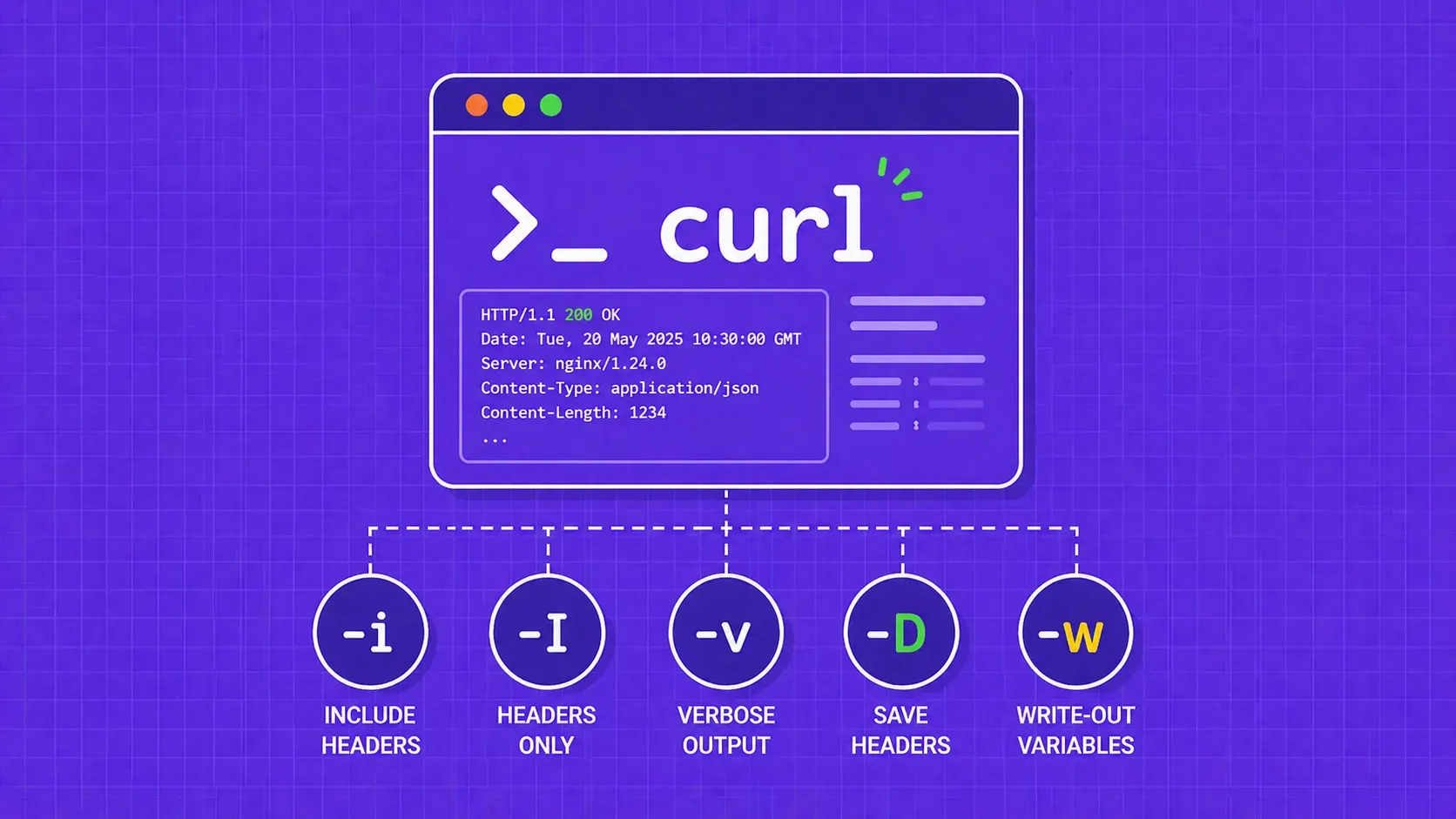
TL;DR: cURL hides response headers by default. Use -i to see headers alongside the body, -I for a HEAD request that returns headers only, -v for full request/response debugging, and -D to save headers to a file. For modern scripting, cURL 7.83+ lets you extract individual headers or dump all of them as JSON with the -w write-out option.

Suciu Dan11 min read
Read Article

Start Building

Ready to Scale Your Data Collection?

Join 2,000+ companies using WebScrapingAPI to extract web data at enterprise scale with zero infrastructure overhead.