
Back to Blog
Guides
Sorin-Gabriel MaricaLast updated on May 12, 202617 min read

BeautifulSoup Tutorial: Build a Real Python Scraper from Scratch

BeautifulSoup Tutorial: Build a Real Python Scraper from Scratch
TL;DR: This BeautifulSoup tutorial walks you through a complete Python scraper, from pip install to a hardened script that paginates Hacker News, exports to CSV and JSON, and stays polite enough not to get blocked. Every snippet is runnable, and we call out the exact moments when BeautifulSoup is the wrong tool.

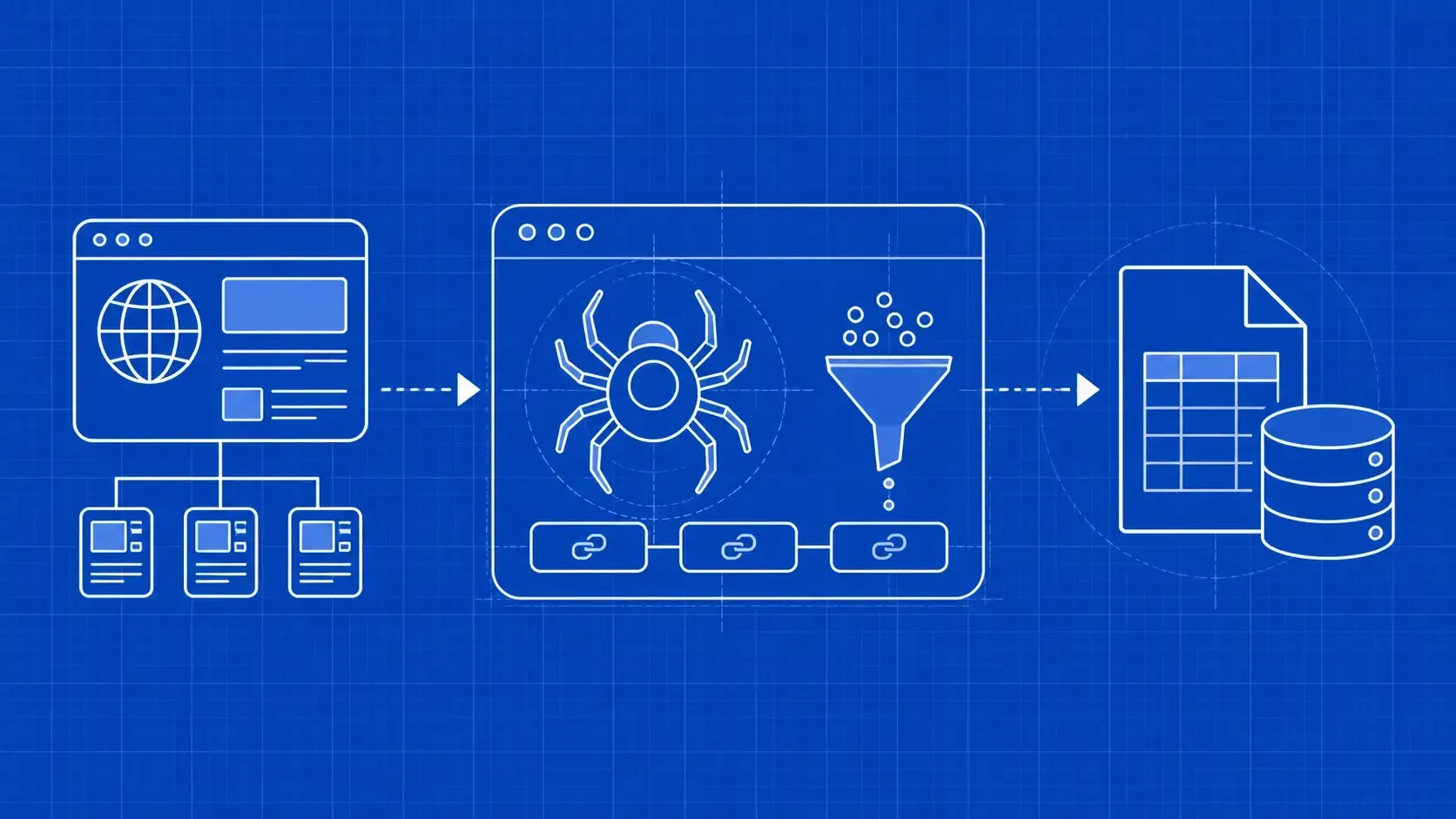
If you can write a for loop in Python and you have ever stared at a webpage thinking, "I want that data in a spreadsheet," this BeautifulSoup tutorial is built for you. Beautiful Soup is a Python library for parsing HTML and XML into a tree you can query with familiar, jQuery-style methods. It does not fetch pages, it does not run JavaScript, and it does not pretend to be a browser. It just takes raw markup and gives you a clean API to pull out the parts you care about.

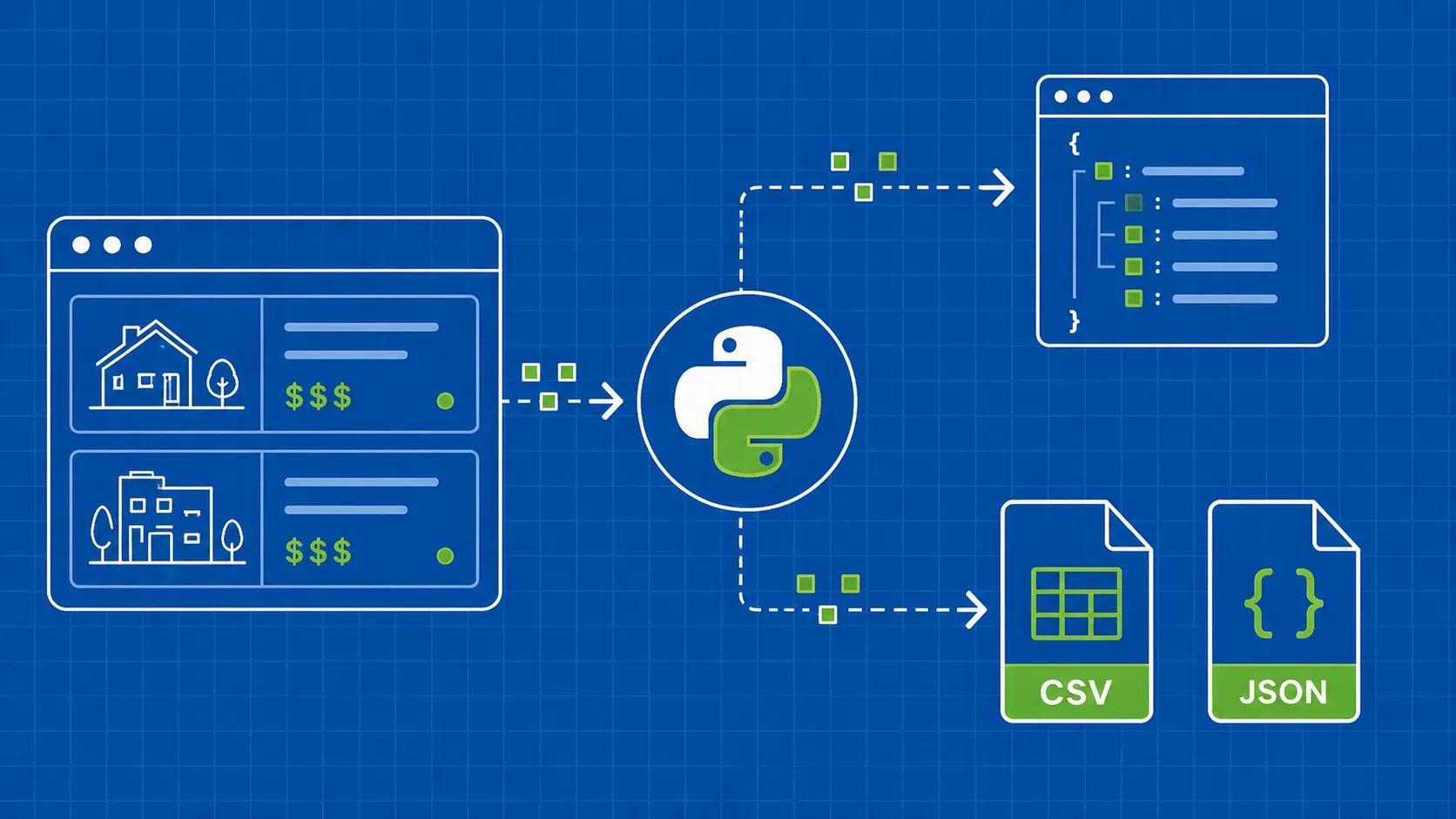
The plan is concrete. We will set up a fresh environment, fetch a real listing page with the requests library, parse it with BeautifulSoup, target elements with both find_all and CSS selectors, follow pagination across multiple pages, and write the results to CSV and JSON. Along the way we will bake in user-agent rotation, retries, and rate limiting, because a tutorial that ignores anti-bot defenses falls over the moment you point it at a real site. By the end you will have a copy-paste runnable scraper and a clear sense of when to keep using BeautifulSoup and when to graduate to a heavier tool.

What BeautifulSoup is and when to reach for it

BeautifulSoup (the bs4 package on PyPI, currently in the 4.x line) is a parsing library, not a crawler and not a browser. You hand it a string of HTML and it returns a parse tree you can navigate by tag, attribute, CSS selector, or relationship. That is the entire job. Anything about HTTP requests, cookies, sessions, JavaScript execution, or queues is somebody else's problem, and that separation is exactly why BeautifulSoup is still a default pick for static pages more than a decade after it was first released.

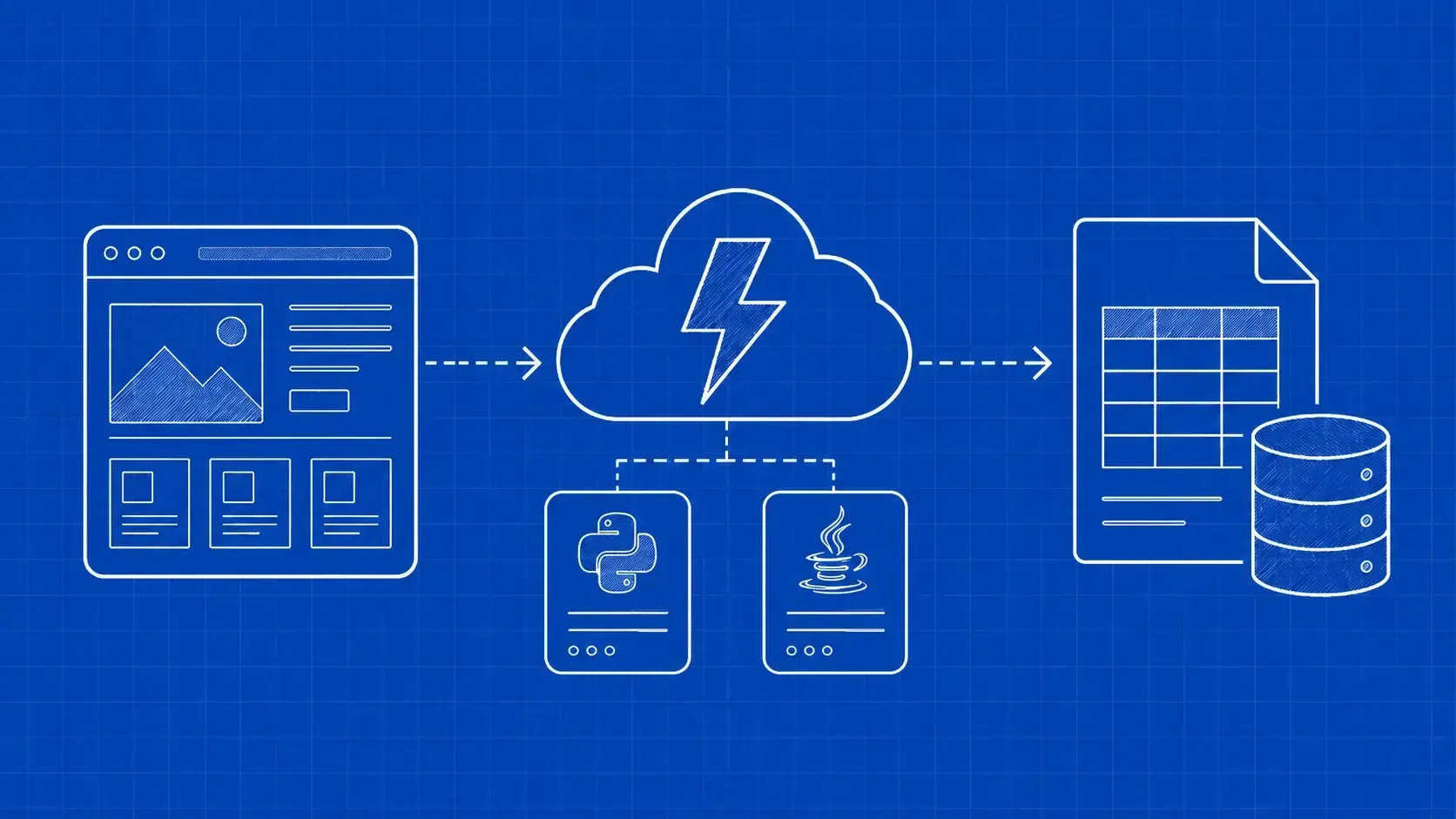
It helps to place it on a spectrum. requests plus BeautifulSoup is the lightest possible setup: it is a great fit when the data you want is already in the HTML the server returns, and you are crawling a handful of pages rather than a million. Scrapy is the right tool when you need a full crawling framework with pipelines, deduplication, and concurrency. Selenium and Playwright are the right tools when the page is a single-page app that only assembles its content after JavaScript runs. If you can curl the URL and see your data in the response body, BeautifulSoup is almost always the simplest answer.

Environment setup: Python, Requests, and BeautifulSoup4

Use a virtual environment so this project does not contaminate your global site-packages. Anything from Python 3.9 onward will work fine for this BeautifulSoup tutorial, and pinning versions keeps the snippets here reproducible.

python -m venv .venv
source .venv/bin/activate   # on Windows: .venv\Scripts\activate
pip install requests==2.32.3 beautifulsoup4==4.12.3 lxml==5.2.2

requests handles the HTTP layer, beautifulsoup4 is the parser API itself, and lxml is an optional but strongly recommended C-backed parser. BeautifulSoup falls back to the standard library's html.parser if you do not install lxml, but the C parser is meaningfully faster on large documents and more forgiving on messy markup. If you need to support Python environments where compiling C extensions is awkward, omit lxml and you will lose some speed but no functionality.

Quick smoke test in a Python REPL:

import requests, bs4
print(requests.__version__, bs4.__version__)

If both versions print without errors, you are ready. Save the rest of the code in a file called hn_scraper.py and run it with python hn_scraper.py.

Fetching HTML with Requests

BeautifulSoup needs bytes to parse. The requests library is the most ergonomic way to get them. Pick a real target you can hit politely: Hacker News is the classic choice because the front page is plain server-rendered HTML with predictable structure and very light anti-bot protection, which is ideal for learning.

import requests

URL = "https://news.ycombinator.com/news"
HEADERS = {
    "User-Agent": "Mozilla/5.0 (compatible; LearningScraper/1.0)",
    "Accept-Language": "en-US,en;q=0.9",
}

response = requests.get(URL, headers=HEADERS, timeout=15)
response.raise_for_status()        # blows up on 4xx/5xx
html_bytes = response.content      # bytes, not str

Two things worth pausing on. First, always check the status code. A silent 403 returning an "Access Denied" page will parse cleanly into a BeautifulSoup object that contains zero of the data you actually want, and you will waste an afternoon debugging selectors against the wrong page. raise_for_status() makes that failure loud.

Second, prefer response.content over response.text when feeding BeautifulSoup. .text forces a decode using the encoding requests guessed from the headers, which is sometimes wrong. .content is the raw bytes, and BeautifulSoup is much better at sniffing the actual encoding from a <meta charset> tag or the document itself. The difference rarely matters on English-only sites and matters a lot the moment you scrape anything with accented characters.

Creating a BeautifulSoup object and choosing a parser

With bytes in hand, build the parse tree by passing them to the BeautifulSoup constructor along with a parser name. The official Beautiful Soup documentation lists three parsers worth knowing.

Parser

Speed

Lenience on broken HTML

Notes

html.parser

Decent

Good

Standard library, zero install.

lxml

Fastest

Good

C extension; pip install lxml.

html5lib

Slowest

Best

Pure Python; mimics how browsers recover from broken markup.

For this BeautifulSoup tutorial we will use lxml because it is fast and ships everywhere these days. Reach for html5lib only when a site has truly malformed HTML that lxml mangles, and fall back to html.parser if you cannot install anything beyond the standard library.

from bs4 import BeautifulSoup

soup = BeautifulSoup(html_bytes, "lxml")
print(soup.title.string)            # "Hacker News"
print(soup.prettify()[:300])        # peek at the formatted DOM

soup.title.string works because BeautifulSoup exposes top-level tags as attributes. get_text(strip=True) is the safer general-purpose alternative when you do not know whether a tag contains plain text or nested children, and prettify() is invaluable during exploration because it shows you the indented tree you are actually querying.

Targeting elements: find, find_all, and select

BeautifulSoup gives you three idioms for locating nodes: find, find_all, and select. find returns the first match (or None). find_all returns a list of every match. select and select_one use CSS selector strings, which we will cover in the next subsection.

Find by tag. The simplest form. soup.find_all("a") returns every anchor on the page.

links = soup.find_all("a")
print(len(links), "anchors found")

Find by class. Use the keyword class_ with a trailing underscore, because class is a reserved word in Python. This trips up almost every beginner.

rows = soup.find_all("tr", class_="athing")          # Hacker News story rows
titles = soup.find_all("span", class_="titleline")

Find by id. Pass id= directly. Ids are supposed to be unique, so find is usually what you want.

main = soup.find(id="hnmain")

Find by attribute. Any arbitrary attribute can be passed inside an attrs dict. This is how you target data-* attributes, aria-* attributes, or anything else that is not a tag, id, or class.

rows = soup.find_all("tr", attrs={"data-row-type": "story"})

Filter by a callable. When you need logic that no keyword captures, pass a lambda. The function receives each tag and returns True to keep it.

def is_external_link(tag):
    return tag.name == "a" and tag.get("href", "").startswith("http")

external = soup.find_all(is_external_link)

You can also pass a lambda to the string argument to filter by text content. Case-insensitive substring matching is a common use case:

python_links = soup.find_all("a", string=lambda s: s and "python" in s.lower())

A pragmatic rule of thumb: use find and find_all when the lookup is one or two attributes deep. Once you need to combine a class, a parent, and a position, switch to CSS selectors. They are easier to read and easier to copy out of browser DevTools.

CSS selectors deep dive with select() and select_one()

select() accepts the same CSS selector strings you use in document.querySelectorAll. That means descendant combinators, child combinators, attribute selectors, pseudo-classes, and chained class names all work.

# Descendant: any .titleline inside a tr.athing, at any depth
titles = soup.select("tr.athing .titleline")

# Direct child: only immediate children
direct = soup.select("tr.athing > td.title > span.titleline")

# Attribute selector: links to PDFs
pdfs = soup.select("a[href$='.pdf']")

# Positional: every fifth story row
every_fifth = soup.select("tr.athing:nth-of-type(5n)")

# Multiple classes at once
emphasized = soup.select("span.titleline.featured")

Here is the practical mapping between the two APIs.

find_all form

select form

find_all("a", class_="storylink")

select("a.storylink")

find_all("div", id="main")

select("div#main")

find_all("input", attrs={"type": "hidden"})

select("input[type='hidden']")

Selectors are not a sideshow in this BeautifulSoup tutorial, they are the main maintenance strategy. The trick that keeps scrapers alive when the markup shifts is to define your selectors as named constants at the top of the module. When the site renames a class, you fix one line instead of grepping the codebase.

STORY_ROW = "tr.athing"
TITLE_LINK = "span.titleline > a"
RANK = "span.rank"

As a habit, copy a working selector out of Chrome DevTools (right-click an element, Copy > Copy selector), then prune the auto-generated chain down to the shortest version that still uniquely identifies what you want. Long selectors break first when markup shifts; short, named ones survive small redesigns.

Walking the DOM: parents, siblings, and children

Sometimes the element you can identify cleanly is not the element you actually want. A common pattern: you can target a unique <span class="rank"> easily, but the title and link live in a sibling node. Rather than write a brittle compound selector, walk the tree.

Every BeautifulSoup tag exposes navigation attributes:

  • .parent: the immediate enclosing tag.
  • .parents: a generator yielding every ancestor up to the document root.
  • .next_sibling and .previous_sibling: adjacent nodes at the same depth (may be whitespace).
  • .find_next("tag") and .find_previous("tag"): skip past whitespace nodes and find the next real tag.
  • .children and .descendants: direct children or every nested node.

A worked example. Suppose you grabbed all the .titleline spans on Hacker News and you want, for each one, the surrounding row plus the next row (which contains the score and author).

for title_span in soup.select("span.titleline"):
    row = title_span.find_parent("tr")               # the .athing row
    meta_row = row.find_next_sibling("tr")           # the subtext row
    score = meta_row.find("span", class_="score")
    print(title_span.get_text(strip=True), score.get_text() if score else "-")

The honest trade-off is readability versus robustness. A chained CSS selector is shorter, but walking the tree is often more resilient when the page wraps the same data in different containers depending on context. Reach for traversal when a single query cannot express the relationship you need.

End-to-end project: scraping Hacker News rank, title, and URL

Time to stop showing isolated snippets and build the core of the scraper. The Hacker News front page renders each story as a tr.athing row, where the rank lives in span.rank, the title and external link live inside span.titleline > a, and a sibling row carries the score and author. Our job is to turn each story into a dictionary.

Here is the first version of the parser. Notice that it does no fetching; it accepts an HTML string and returns structured records. Keeping fetch and parse separate is what lets you unit-test the parser against fixture HTML without hitting the network.

from bs4 import BeautifulSoup

def parse_stories(html: bytes) -> list[dict]:
    soup = BeautifulSoup(html, "lxml")
    stories = []
    for row in soup.select("tr.athing"):
        rank_tag = row.select_one("span.rank")
        link_tag = row.select_one("span.titleline > a")
        if not (rank_tag and link_tag):
            continue                                # skip malformed rows
        stories.append({
            "rank": rank_tag.get_text(strip=True).rstrip("."),
            "title": link_tag.get_text(strip=True),
            "url": link_tag.get("href", ""),
            "id": row.get("id"),
        })
    return stories

A few details that matter more than they look. rank_tag.get_text(strip=True).rstrip(".") handles the trailing period Hacker News shows after each rank ("1." becomes "1"). link_tag.get("href", "") returns the empty string instead of raising KeyError if the attribute is missing, which is the kind of one-character change that turns a brittle scraper into a robust one. And the early continue keeps the loop alive when the site occasionally injects an ad row or a sponsored placeholder that does not match the schema.

Glue the parser to the fetcher:

import requests

def fetch(url: str) -> bytes:
    headers = {"User-Agent": "LearningScraper/1.0"}
    response = requests.get(url, headers=headers, timeout=15)
    response.raise_for_status()
    return response.content

if __name__ == "__main__":
    stories = parse_stories(fetch("https://news.ycombinator.com/news"))
    for story in stories[:5]:
        print(story["rank"], story["title"])

Running this should print the first five ranked headlines as they appear on the page right now. You have a working single-page scraper in under thirty lines. The remaining sections of this BeautifulSoup tutorial add pagination, exports, retries, and the polish that makes the script survive being run against a real site for an hour instead of a minute.

Handling pagination and multi-page crawls

Hacker News paginates with a query parameter: ?p=2, ?p=3, and so on. At the bottom of each page sits a <a class="morelink"> anchor that points to the next page. Detecting that anchor is the cleanest stop condition because it works whether the site uses sequential pages, cursor tokens, or offset parameters.

import time
from urllib.parse import urljoin

BASE = "https://news.ycombinator.com/"

def scrape_all(start_url: str, max_pages: int = 5, delay: float = 1.5) -> list[dict]:
    url = start_url
    pages_done = 0
    all_stories: list[dict] = []

    while url and pages_done < max_pages:
        html = fetch(url)
        all_stories.extend(parse_stories(html))

        soup = BeautifulSoup(html, "lxml")
        more = soup.select_one("a.morelink")
        url = urljoin(BASE, more["href"]) if more else None

        pages_done += 1
        time.sleep(delay)
    return all_stories

Three details worth calling out. urljoin(BASE, more["href"]) is how you turn relative hrefs like news?p=2 into a real absolute URL, which requests requires. The max_pages cap is a safety net so a buggy stop condition cannot run forever. And time.sleep(delay) is the cheapest possible rate limiter; we will replace it with something smarter when we get to anti-blocking.

This pagination pattern generalizes well beyond Hacker News. Anywhere the next page is a real anchor in the markup, you can plug a different selector into select_one and the rest of the loop stays identical. For sites that paginate with infinite scroll, BeautifulSoup alone will not help, and we cover that limitation in the JavaScript section later in this BeautifulSoup tutorial.

Exporting scraped data to CSV and JSON

Once you have a list of dictionaries, dumping them to disk is mechanical. The two formats every analyst expects are CSV and JSON, and there is no reason not to produce both in the same workflow.

import csv, json
from pathlib import Path

def export(records: list[dict], out_dir: str = "out") -> None:
    out = Path(out_dir)
    out.mkdir(exist_ok=True)

    csv_path = out / "stories.csv"
    with csv_path.open("w", newline="", encoding="utf-8-sig") as f:
        writer = csv.DictWriter(f, fieldnames=["rank", "title", "url", "id"])
        writer.writeheader()
        writer.writerows(records)

    json_path = out / "stories.json"
    with json_path.open("w", encoding="utf-8") as f:
        json.dump(records, f, ensure_ascii=False, indent=2)

A few encoding gotchas earn their own callout. Use encoding="utf-8-sig" for the CSV if the data will be opened in Excel on Windows, because the BOM is what tells Excel the file is UTF-8 (without it, accented characters render as gibberish). Pass newline="" to open when writing CSV to avoid blank rows on Windows. For JSON, ensure_ascii=False keeps non-ASCII characters as themselves rather than \uXXXX escapes, which makes the output human-readable.

For analysts living in a notebook, pandas.DataFrame(records).to_csv("stories.csv", index=False) is the one-liner alternative. It is heavier but pleasant when you are about to do exploratory analysis on the same data anyway.

Common pitfalls: missing elements, encoding, and NoneType errors

The single most common bug you will hit in any BeautifulSoup tutorial code is AttributeError: 'NoneType' object has no attribute 'get_text'. That always means find or select_one returned None, and then you tried to call a method on it. The fix is to always check before chaining.

# Brittle
title = row.find("span", class_="titleline").a.get_text()

# Defensive
line = row.find("span", class_="titleline")
anchor = line.find("a") if line else None
title = anchor.get_text(strip=True) if anchor else None

Two related habits will save you hours:

  • Use .get(attr, default) instead of tag[attr]. Indexing raises KeyError when the attribute is missing, while .get quietly returns your default and lets the loop continue.
  • Always .get_text(strip=True) rather than .string. .string is None whenever a tag has multiple children, which makes it surprisingly fragile.

Encoding is the second classic trap. If you feed BeautifulSoup response.text and the site lies about its encoding in the Content-Type header, you get mojibake. Feeding it response.content (bytes) lets BeautifulSoup sniff the real encoding from the document.

Finally, write your selectors against a saved HTML fixture during development. Save the raw response.content once, and iterate locally. Your scraper is then easy to unit-test and you stop hammering the target site every time you change a selector.

Beating anti-scraping defenses while staying polite

Even a friendly target will block a scraper that hammers it with thousands of identical requests from one IP. Politeness is partly an engineering concern and partly the right thing to do. Five techniques cover most of what you will need.

1. Rotate user agents. A real browser fingerprint plus a small pool of realistic User-Agent strings is enough to make casual filters ignore you. Pick one per request.

import random
UAS = [
    "Mozilla/5.0 (Windows NT 10.0; Win64; x64) Chrome/124.0",
    "Mozilla/5.0 (Macintosh; Intel Mac OS X 13_5) Safari/17.0",
    "Mozilla/5.0 (X11; Linux x86_64) Firefox/124.0",
]
headers = {"User-Agent": random.choice(UAS)}

2. Rate-limit with jitter. A flat time.sleep(1) is a fingerprint of its own. Add a random jitter so the cadence looks human.

time.sleep(random.uniform(1.0, 2.5))

3. Retry with exponential backoff. Transient failures (5xx, connection resets, timeouts) are the norm. Wrap requests with backoff so a flake does not kill the run.

def fetch_with_retry(url, headers, attempts=4):
    for i in range(attempts):
        try:
            r = requests.get(url, headers=headers, timeout=15)
            if r.status_code == 200:
                return r.content
            if r.status_code in (429, 503):
                time.sleep(2 ** i)
                continue
            r.raise_for_status()
        except requests.RequestException:
            time.sleep(2 ** i)
    raise RuntimeError(f"giving up on {url}")

4. Rotate proxies. If you outgrow your home IP, route requests through a pool of residential or datacenter proxies. requests accepts a proxies={"http": ..., "https": ...} argument; the rotation logic lives one level up.

5. Read robots.txt and the Terms of Service. Google's robots.txt documentation is a solid primer on the protocol. Honoring Disallow directives is not legally binding everywhere, but it is the line between a polite scraper and an obnoxious one, and ignoring it is how projects end up on block lists.

When sites lean on serious anti-bot stacks (Cloudflare's bot manager, PerimeterX, DataDome), the cost of building all of this yourself overtakes the cost of using a managed unlocker. Our Scraper API handles rotation, CAPTCHAs, and retries behind one endpoint, so the BeautifulSoup parsing code in this tutorial stays exactly the same and only the fetch layer changes.

When BeautifulSoup is not enough: JavaScript-rendered pages

BeautifulSoup parses what the server sent. If the server sent an almost-empty HTML shell and the page only assembles its content after JavaScript runs in the browser, BeautifulSoup will happily parse the shell and find nothing useful. This is the single hardest limit on what this BeautifulSoup tutorial can do for you, and it is worth recognizing the symptoms.

Tell-tale signs that you are looking at a single-page app:

  • view-source: shows a tiny <div id="root"></div> and a wall of <script> tags, but the rendered page in the browser is full of content.
  • Your scraper sees a different DOM than DevTools does. DevTools shows the live DOM, which includes JS-injected nodes; requests only sees the initial response.
  • The network tab shows a flurry of XHR or fetch calls after page load.

You have three good options:

  • Find the API. Watch the network tab. If the page is fetching JSON from a backend, hit that endpoint directly with requests and skip the rendering entirely. This is usually the fastest and most stable path.
  • Drive a real browser. Use Playwright or Selenium to load the page, wait for the data, then hand the rendered HTML to BeautifulSoup for parsing.
  • Use a managed browser API. For cases where you want the browser without managing infrastructure, a cloud browser endpoint returns the rendered HTML and you continue to parse it with the same find_all/select code you already wrote.

Final script: putting fetching, parsing, pagination, and export together

Here is the consolidated version of the BeautifulSoup tutorial code. It paginates, retries, rate-limits with jitter, rotates user agents, and exports both CSV and JSON.

import csv, json, random, time
from pathlib import Path
from urllib.parse import urljoin

import requests
from bs4 import BeautifulSoup

BASE = "https://news.ycombinator.com/"
START = urljoin(BASE, "news")
UAS = [
    "Mozilla/5.0 (Windows NT 10.0; Win64; x64) Chrome/124.0",
    "Mozilla/5.0 (Macintosh; Intel Mac OS X 13_5) Safari/17.0",
]

def fetch(url, attempts=4):
    for i in range(attempts):
        try:
            r = requests.get(url, headers={"User-Agent": random.choice(UAS)}, timeout=15)
            if r.status_code == 200:
                return r.content
            if r.status_code in (429, 503):
                time.sleep(2 ** i); continue
            r.raise_for_status()
        except requests.RequestException:
            time.sleep(2 ** i)
    raise RuntimeError(f"failed: {url}")

def parse_stories(html):
    soup = BeautifulSoup(html, "lxml")
    out = []
    for row in soup.select("tr.athing"):
        rank = row.select_one("span.rank")
        link = row.select_one("span.titleline > a")
        if not (rank and link):
            continue
        out.append({
            "rank": rank.get_text(strip=True).rstrip("."),
            "title": link.get_text(strip=True),
            "url": link.get("href", ""),
            "id": row.get("id"),
        })
    return out

def next_page(html):
    soup = BeautifulSoup(html, "lxml")
    more = soup.select_one("a.morelink")
    return urljoin(BASE, more["href"]) if more else None

def crawl(start, max_pages=3):
    url, pages, rows = start, 0, []
    while url and pages < max_pages:
        html = fetch(url)
        rows.extend(parse_stories(html))
        url = next_page(html)
        pages += 1
        time.sleep(random.uniform(1.0, 2.5))
    return rows

def export(rows, out_dir="out"):
    out = Path(out_dir); out.mkdir(exist_ok=True)
    with (out / "stories.csv").open("w", newline="", encoding="utf-8-sig") as f:
        w = csv.DictWriter(f, fieldnames=["rank", "title", "url", "id"])
        w.writeheader(); w.writerows(rows)
    with (out / "stories.json").open("w", encoding="utf-8") as f:
        json.dump(rows, f, ensure_ascii=False, indent=2)

if __name__ == "__main__":
    rows = crawl(START)
    export(rows)
    print(f"saved {len(rows)} stories")

Drop that into hn_scraper.py, run python hn_scraper.py, and you should see three pages of stories written to out/stories.csv and out/stories.json.

Where to take this BeautifulSoup tutorial next

You now have a complete static-site scraper, but the same parser fits into much larger workflows. Three sensible next steps:

  • Graduate to Scrapy when you need to crawl thousands of pages, deduplicate URLs, manage concurrency, and run scheduled jobs. Scrapy uses similar selector idioms, so the mental model you built in this BeautifulSoup tutorial transfers cleanly.
  • Add a headless browser when the data lives behind JavaScript. Playwright and Selenium both let you render the page first and parse the rendered HTML with BeautifulSoup afterward, which preserves your existing parsing code and your CSS selectors.
  • Outsource the fetch layer when blocks become the bottleneck. A managed scraping API handles proxies, headers, and CAPTCHA solving so you can keep iterating on selectors instead of on fingerprinting.

Whichever direction you go, keep the parsing-versus-fetching separation you built here. It is the single design choice that lets a scraper survive the inevitable site redesign, and it is what makes the code in this guide reusable as your needs grow.

Key Takeaways

  • BeautifulSoup parses HTML, nothing more. Pair it with requests for static pages and a real browser for JavaScript-rendered ones.
  • CSS selectors scale better than chained find_all calls. Define them as named constants at the top of your module so a markup change is a one-line fix.
  • Always defend against None. Use find_parent carefully, prefer .get("attr", "") over indexing, and check before chaining method calls.
  • Pagination is a stop condition. Detect the next-page anchor, build absolute URLs with urljoin, and cap the loop with max_pages so a bug cannot run forever.
  • Politeness is engineering. UA rotation, jittered sleep, exponential backoff, and respecting robots.txt are baseline practices, not optional polish, for any BeautifulSoup tutorial you intend to run more than once.

FAQ

What is the difference between BeautifulSoup's html.parser, lxml, and html5lib?

html.parser ships with Python and needs no install, but it is the slowest of the three. lxml is a C extension that is the fastest in practice and handles most malformed HTML well; install it with pip install lxml. html5lib is pure Python and the most lenient, mimicking how a real browser recovers from broken markup, at the cost of being noticeably slower.

When should I use BeautifulSoup vs Scrapy vs Selenium or Playwright?

Use BeautifulSoup for one-off scripts and static pages where you can fetch the HTML with requests. Use Scrapy when you need a real crawler with concurrency, pipelines, and scheduling across thousands of URLs. Use Selenium or Playwright when the page depends on JavaScript to render content, then optionally hand the rendered HTML back to BeautifulSoup for parsing.

Can BeautifulSoup scrape JavaScript-rendered pages on its own?

No. BeautifulSoup only parses the HTML it receives, and requests returns the initial server response without executing JavaScript. For single-page apps or content injected after page load, you need a headless browser (Playwright, Selenium, or a cloud browser endpoint) to render the DOM first. Once rendered, you can still pass that HTML to BeautifulSoup for parsing.

How do I avoid getting my IP blocked while scraping with BeautifulSoup?

Rotate User-Agent strings, add randomized delays between requests, and retry transient errors with exponential backoff. For larger volumes, route traffic through rotating residential or datacenter proxies. Honor robots.txt and avoid scraping login-gated content. Aggressive anti-bot stacks like Cloudflare often require a managed unlocker rather than do-it-yourself header tweaks.

The library itself only parses text and is not the legal question. Whether a specific scrape is lawful generally depends on the target site's Terms of Service, applicable copyright and computer-misuse laws in your jurisdiction, and whether the data is personal under regulations like GDPR or CCPA. This is general information and not legal advice; consult a lawyer for anything that touches personal data, paywalls, or commercial redistribution.

Conclusion

You started this BeautifulSoup tutorial with pip install and finished with a scraper that paginates, retries, rotates user agents, and exports clean CSV and JSON. The shape of that script is more important than any single snippet: keep fetch separate from parse, target elements with named CSS selectors, defend every chained attribute access against None, and treat anti-block practices as part of the build rather than an afterthought. Sites will keep redesigning, parsers will keep getting blocked, and the codebases that age well are the ones that respect that separation from day one.

If the fetch layer starts eating more of your time than the parsing layer, that is the signal to offload it. WebScrapingAPI handles proxy rotation, header fingerprinting, and CAPTCHA solving behind a single endpoint, so you can keep the BeautifulSoup code you wrote here and only swap out the request that feeds it HTML. Good luck, and may your selectors stay green.

About the Author
Sorin-Gabriel Marica, Full-Stack Developer @ WebScrapingAPI
Sorin-Gabriel MaricaFull-Stack Developer

Sorin Marica is a Full Stack and DevOps Engineer at WebScrapingAPI, building product features and maintaining the infrastructure that keeps the platform running smoothly.

Start Building

Ready to Scale Your Data Collection?

Join 2,000+ companies using WebScrapingAPI to extract web data at enterprise scale with zero infrastructure overhead.