Back to Blog
Guides
Gabriel CiociLast updated on May 7, 202615 min read

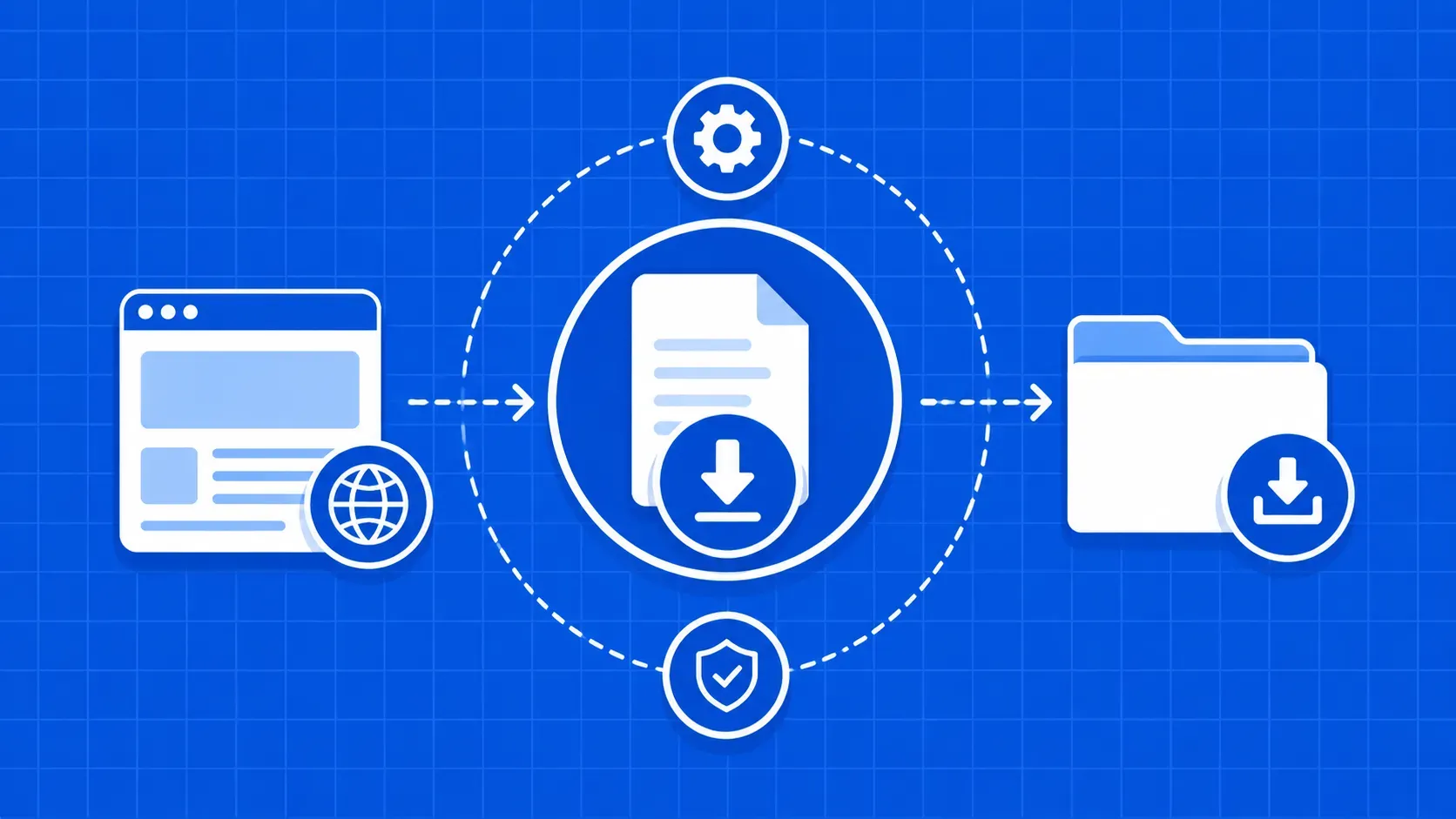
How to Download Files With Python: Playbook

How to Download Files With Python: Playbook
TL;DR: This guide shows how to download files with Python from a single one-liner up to authenticated, resumable, parallel, and async pipelines. You will learn when to reach for urllib, requests, ThreadPoolExecutor, or aiohttp, how to stream large payloads, add a real tqdm progress bar, retry with backoff, and verify integrity with checksums and Content-Length.

If you have ever scripted a backup job, scraped a dataset, or stitched together a data pipeline, you already know that figuring out how to download files with Python is one of those tasks that looks trivial until production hits. A two-line urlretrieve call works fine for a 100 KB CSV on your laptop. It falls apart the moment you need to grab a 5 GB archive over a flaky VPN, resume a half-finished transfer, or pull a thousand product images behind a login.

This article is the playbook I wish I had when I first wrote a download script that needed to keep running for a week. We will start with the simplest possible snippet, then layer in streaming, progress bars, resumable transfers, threading, async I/O, authentication, integrity checks, and retries. Every section is a runnable example you can paste into a virtualenv with Python 3.9 or newer.

By the end you should be able to look at a URL, predict the failure modes, pick the right tool, and copy a snippet that handles them.

Why Learn How to Download Files With Python (and When Not To)

curl and wget are excellent for ad-hoc downloads. So why bother learning how to download files with Python at all? Three reasons: programmability, portability, and integration. Once a download lives inside a Python script, you can chain it into pandas, attach retry logic, parse Content-Disposition headers, drop the result into S3, and run the same code on macOS, Linux, and Windows without rewriting a single line.

Python is not always the right answer. If you need a one-shot transfer in a shell pipeline, curl --fail --retry 5 is fewer keystrokes. If you are downloading hundreds of gigabytes between two servers, aria2c or rclone will saturate your link more efficiently. Python wins when the next step in the pipeline also lives in Python, or when "download" really means "fetch, validate, transform, and route."

To follow along you will need Python 3.9+, pip, and a virtualenv. We will install requests, aiohttp, and tqdm as we go.

Quickest Path: One-Line Downloads With urllib.request.urlretrieve()

The fastest way to learn how to download files with Python is to start with the standard library. urllib ships with every Python install, so there is nothing to pip install. Its highest-level helper is urlretrieve, which copies a URL straight to a local path:

from urllib.request import urlretrieve

url = "https://example.com/reports/q3.csv"
filename, headers = urlretrieve(url, "q3.csv")
print(filename, headers["Content-Type"])

The function returns a (filename, HTTPMessage) tuple. The HTTPMessage is a dict-like container with the response headers, which is handy when you want to peek at Content-Type, Content-Length, or Last-Modified without making a second request.

If you skip the second argument, Python writes to a temporary file (typically under /tmp/ on Unix or your user temp directory on Windows) and hands you back the auto-generated path. Useful for throwaway scripts, dangerous in production, where temp files get garbage-collected at unpredictable times.

The trade-offs to know:

  • No streaming. urlretrieve reads the entire body into memory before writing to disk. Anything north of a few hundred megabytes will hurt.
  • Weak error model. A 404 raises urllib.error.HTTPError, but timeouts surface as the broader URLError, and there is no built-in retry.
  • No session reuse. Every call opens a fresh TCP connection.

For tiny one-off downloads, urlretrieve is fine. Anything more demanding, and you want requests.

Downloading With the requests Library for More Control

requests is the de-facto HTTP client for Python and gives you a much richer API than urllib. Install it once:

pip install requests

The basic download pattern is three lines:

import requests

resp = requests.get("https://example.com/files/sample.pdf", timeout=30)
resp.raise_for_status()
with open("sample.pdf", "wb") as f:
    f.write(resp.content)

Three things matter here. First, always pass timeout; without it, a slow server can hang your worker indefinitely. Second, raise_for_status() turns any 4xx or 5xx response into an exception so you do not silently write an HTML error page to disk. Third, resp.content returns raw bytes, which is what you want for any binary payload. Use resp.text only when the body is text and you want it decoded with the response's charset, and resp.json() only when the server is returning JSON.

Inspecting Status Codes, Headers, and Content-Type

Before you write a single byte, check the response. A 200 means success, a 3xx should have been followed automatically by requests, and anything 4xx or 5xx is a bug or a transient outage. Read resp.headers["Content-Type"] to confirm you got the MIME type you expected, and resp.headers.get("Content-Length") to size the file. If a Content-Disposition header is present, parse it (requests.utils.parse_header_links or a small regex) to pull the server-suggested filename instead of guessing from the URL path.

Saving the Response: Text, JSON, CSV, and Binary Files

Match the write mode to the payload. Mismatched modes are the single most common reason a downloaded file looks fine in a hex dump but refuses to open.

# Binary (PDF, ZIP, image, executable): always 'wb'
with open("report.pdf", "wb") as f:
    f.write(resp.content)

# Plain text: 'w' with an explicit encoding
with open("README.md", "w", encoding="utf-8") as f:
    f.write(resp.text)

# JSON: parse, then dump with indentation for diff-friendly storage
import json
with open("payload.json", "w", encoding="utf-8") as f:
    json.dump(resp.json(), f, indent=2, ensure_ascii=False)

# CSV from a remote URL: stream into the csv module
import csv, io
reader = csv.reader(io.StringIO(resp.text))
with open("rows.csv", "w", newline="", encoding="utf-8") as f:
    csv.writer(f).writerows(reader)

Two encoding traps to watch. requests guesses the response encoding from headers, and that guess is sometimes wrong; if you see mojibake, set resp.encoding = "utf-8" explicitly before reading resp.text. And on Windows, opening a text file without newline="" will corrupt CSV files because the csv module already emits \r\n line endings.

Streaming Large Downloads in Chunks With requests

resp.content loads the whole response into RAM. That is fine for a 200 KB JSON document and a disaster for a multi-gigabyte archive. The fix is to flip on streaming and iterate. This is the workhorse pattern for how to download files with Python at any real scale:

import requests
from pathlib import Path

def download(url: str, dest: Path, chunk_size: int = 1024 * 64) -> Path:
    with requests.get(url, stream=True, timeout=(5, 30)) as resp:
        resp.raise_for_status()
        with dest.open("wb") as f:
            for chunk in resp.iter_content(chunk_size=chunk_size):
                if chunk:                # skip keep-alive empties
                    f.write(chunk)
    return dest

What changes when you pass stream=True? requests issues the GET, reads only the response headers, and leaves the connection open. iter_content then pulls bytes off the socket in chunk_size-sized buffers. Memory stays flat regardless of file size, and you can process data as it arrives instead of waiting for the full payload.

A few practical notes:

  • Pick a chunk size between 32 KB and 1 MB. Tiny chunks (1 KB) burn CPU on Python-level loop overhead; multi-megabyte chunks defeat the point of streaming. 64 KB is a safe default; 256 KB to 1 MB is faster on fast links.
  • Use a context manager. The with requests.get(...) form guarantees the underlying connection is released to the pool even if your write loop raises.
  • Do not mix iter_content and resp.content. Reading .content after streaming will buffer whatever is left into memory and erase your savings.
  • Use a tuple timeout. (connect, read) lets you fail fast on a dead host while still tolerating slow chunks.

If you do not need any per-chunk processing, shutil.copyfileobj(resp.raw, f) is even tighter, but you must pass stream=True and call resp.raw.read = functools.partial(resp.raw.read, decode_content=True) first, otherwise gzip-encoded responses are written to disk still compressed. Most teams stick with iter_content for that reason.

Adding a Progress Bar With tqdm

A streaming download with no feedback feels broken even when it is working. tqdm solves that in three extra lines. The trick is to size the bar with the server's Content-Length header and update it by the size of each chunk:

import requests
from tqdm import tqdm

def download_with_bar(url: str, dest: str) -> None:
    with requests.get(url, stream=True, timeout=(5, 30)) as resp:
        resp.raise_for_status()
        total = int(resp.headers.get("Content-Length", 0)) or None
        with open(dest, "wb") as f, tqdm(
            total=total, unit="B", unit_scale=True, unit_divisor=1024,
            desc=dest,
        ) as bar:
            for chunk in resp.iter_content(chunk_size=64 * 1024):
                f.write(chunk)
                bar.update(len(chunk))

Two details that trip people up. First, Content-Length is not mandatory. Servers using chunked transfer encoding, or proxies that re-encode the body, often omit it. The or None above tells tqdm to render an indeterminate spinner instead of crashing or showing 0%. Second, unit_divisor=1024 makes the bar print in KiB and MiB; drop it if you prefer SI units. Verify the exact tqdm keyword names against the project's documentation before pinning a version, since the kwargs have shifted across releases.

Resumable Downloads With HTTP Range Requests

Resumable downloads are the feature that quietly separates hobby scripts from production tooling. The HTTP spec defines a Range request mechanism that lets a client ask for byte N onward instead of the entire entity. If the server supports it, it answers with 206 Partial Content and the requested slice; if it does not, you get a 200 and the full body, which is your cue to start over.

import os, requests
from pathlib import Path

def download_resumable(url: str, dest: Path, chunk_size: int = 256 * 1024) -> Path:
    # Probe the server first
    head = requests.head(url, timeout=10, allow_redirects=True)
    head.raise_for_status()
    accepts_ranges = head.headers.get("Accept-Ranges", "").lower() == "bytes"
    total = int(head.headers.get("Content-Length", 0)) or None

    existing = dest.stat().st_size if dest.exists() else 0
    if total and existing == total:
        return dest                       # already complete
    if existing and not accepts_ranges:
        existing = 0                      # server cannot resume; restart
        dest.unlink(missing_ok=True)

    headers = {"Range": f"bytes={existing}-"} if existing else {}
    mode = "ab" if existing else "wb"

    with requests.get(url, headers=headers, stream=True, timeout=(5, 60)) as resp:
        if existing and resp.status_code != 206:
            raise RuntimeError("Server ignored Range header; restart from zero.")
        resp.raise_for_status()
        with dest.open(mode) as f:
            for chunk in resp.iter_content(chunk_size=chunk_size):
                f.write(chunk)
    return dest

Open the file in append-binary mode ("ab") when resuming, and check that the server actually returned 206; some misbehaving CDNs ignore the Range header and silently restart. The resume URL must be byte-for-byte identical between attempts: a different query string, a re-issued pre-signed URL, or a redirected target can all break idempotency. For mission-critical jobs, store the final file's ETag from the original response and re-validate on resume so a server-side change does not corrupt your half-downloaded blob.

Parallel Downloads With ThreadPoolExecutor and requests

When you have a list of URLs and the bottleneck is network latency rather than CPU, threading gives you a free speedup. Downloading is an I/O-bound workload, which means threads spend almost all their time blocked on a socket waiting for bytes. Despite Python's global interpreter lock, that idle time is exactly when other threads run, so a ThreadPoolExecutor with requests can fetch dozens of files concurrently.

from concurrent.futures import ThreadPoolExecutor, as_completed
import requests
from pathlib import Path

def fetch(url: str, out_dir: Path) -> Path:
    dest = out_dir / Path(url).name
    with requests.get(url, stream=True, timeout=(5, 30)) as r:
        r.raise_for_status()
        with dest.open("wb") as f:
            for chunk in r.iter_content(64 * 1024):
                f.write(chunk)
    return dest

def fetch_many(urls, out_dir, max_workers=8):
    out_dir.mkdir(parents=True, exist_ok=True)
    with ThreadPoolExecutor(max_workers=max_workers) as ex:
        futures = {ex.submit(fetch, u, out_dir): u for u in urls}
        for fut in as_completed(futures):
            try:
                yield fut.result()
            except Exception as e:
                print(f"[fail] {futures[fut]}: {e}")

Tune max_workers based on the target server, not your CPU count. 8 to 16 is a sensible default for most public APIs; many servers will start rate-limiting beyond that. If your downloads are tiny (under ~50 KB each), the per-request overhead dominates and threading buys you less than you expect.

Avoiding Common Multithreading Pitfalls

Three traps catch most teams. First, two threads writing to the same path will corrupt the file; key the destination by a hash of the URL, not just the basename. Second, share a single requests.Session across threads to reuse TCP connections, but never share a single open file handle. Third, retries belong inside the worker function, not around executor.map, so a single flaky URL does not poison the whole batch.

Asynchronous Downloads With aiohttp and asyncio

Threads scale to a few dozen concurrent transfers comfortably. Past roughly 100 in-flight connections, the per-thread memory and context-switch overhead start to hurt, and you should switch to asyncio plus aiohttp. aiohttp is built on top of asyncio and uses a single event loop with cooperative coroutines, so spinning up 500 concurrent downloads costs almost nothing.

import asyncio, aiohttp
from pathlib import Path

async def fetch(session: aiohttp.ClientSession, url: str, out_dir: Path) -> Path:
    dest = out_dir / Path(url).name
    async with session.get(url, timeout=aiohttp.ClientTimeout(total=120)) as resp:
        resp.raise_for_status()
        with dest.open("wb") as f:
            async for chunk in resp.content.iter_chunked(64 * 1024):
                f.write(chunk)
    return dest

async def download_all(urls, out_dir: Path, concurrency: int = 32):
    out_dir.mkdir(parents=True, exist_ok=True)
    sem = asyncio.Semaphore(concurrency)
    connector = aiohttp.TCPConnector(limit=concurrency)
    async with aiohttp.ClientSession(connector=connector) as session:
        async def bound_fetch(u):
            async with sem:
                return await fetch(session, u, out_dir)
        return await asyncio.gather(*(bound_fetch(u) for u in urls),
                                    return_exceptions=True)

# asyncio.run(download_all(urls, Path("downloads")))

A few rules of thumb. Reuse a single ClientSession for the entire batch; creating one per URL leaks connections and kills performance. Pair an asyncio.Semaphore with the TCPConnector(limit=...) so the polite-concurrency cap is enforced both at the application and transport layers. return_exceptions=True lets a single failed URL bubble up as a value rather than crashing the whole gather.

When does async actually beat threads? Roughly: under 50 concurrent downloads, threads are simpler and just as fast. Between 50 and a few hundred, both work and async tends to use less memory. Above that, async is the only realistic option. Verify iter_chunked and the timeout shape against the version of aiohttp you install, since both have evolved across minor releases.

Downloading Files Behind Login, Cookies, or Tokens

Plenty of real-world downloads sit behind auth. The right way to learn how to download files with Python from authenticated endpoints is to think in three layers: how the credentials get attached, how the session persists between requests, and what kind of token expiry you have to plan for.

Bearer tokens are the simplest. Most modern APIs hand you a token and expect you to send it in an Authorization header:

import requests
session = requests.Session()
session.headers["Authorization"] = f"Bearer {os.environ['API_TOKEN']}"
session.headers["User-Agent"] = "my-downloader/1.0"
resp = session.get("https://api.example.com/exports/123/data.csv", stream=True, timeout=30)

HTTP Basic auth is a one-liner: requests.get(url, auth=("user", "password")). Pull the credentials from environment variables or a secrets manager, never from a string literal in code that ships to a repo.

Cookie-based logins need a Session to remember the cookies a login response set. Post to the login form, then reuse the same session for the protected URL:

session = requests.Session()
session.post(LOGIN_URL, data={"user": user, "pass": pw}, timeout=15)
resp = session.get(FILE_URL, stream=True, timeout=30)

Pre-signed URLs, like the ones AWS S3 or Google Cloud Storage emit, encode the credentials in the query string and expire after a fixed window (often 15 minutes to 1 hour). Treat them as ephemeral: re-request a fresh URL right before the download, do not cache them, and never log them since the signature grants temporary access. If you also need to route through a proxy or rotate IPs (common for scraping with auth), set session.proxies and you are done. We have a longer guide on using a proxy server with the requests module if you need a primer on that.

Verifying Downloads: Checksums, Size, and Content-Type

A file that finished downloading is not the same as a file that downloaded correctly. Three cheap checks catch most corruption.

import hashlib

def sha256_of(path, chunk=1024 * 1024):
    h = hashlib.sha256()
    with open(path, "rb") as f:
        for buf in iter(lambda: f.read(chunk), b""):
            h.update(buf)
    return h.hexdigest()

# 1. Checksum match (gold standard if the publisher provides one)
assert sha256_of("data.zip") == published_sha256

# 2. Size match (fast sanity check against Content-Length)
declared = int(resp.headers["Content-Length"])
actual = Path("data.zip").stat().st_size
assert declared == actual, f"size mismatch: {declared} vs {actual}"

# 3. MIME or magic-number sniffing
import mimetypes, magic   # python-magic; pip install python-magic
assert magic.from_file("data.zip", mime=True) == "application/zip"

Use them in layers. Content-Length catches truncated transfers and is free, since you usually have the header anyway. The MIME sniff catches the case where a server returned an HTML error page with a 200 status; this is surprisingly common with poorly configured CDNs. SHA-256 is the only check that catches in-flight tampering or silent disk corruption, and it is mandatory whenever the publisher gives you a checksum file alongside the artifact.

Robust Error Handling, Timeouts, and Automatic Retries

Production downloads need three things the basic snippets do not have: explicit timeouts, automatic retries with backoff, and a sensible exception model. requests plus urllib3 already give you all of it once you wire them up:

import requests
from requests.adapters import HTTPAdapter
from urllib3.util.retry import Retry

def make_session() -> requests.Session:
    s = requests.Session()
    retry = Retry(
        total=5,
        connect=3,
        read=3,
        backoff_factor=1.5,                       # 0, 1.5, 3, 6, 12 seconds
        status_forcelist=(429, 500, 502, 503, 504),
        allowed_methods=frozenset(["GET", "HEAD"]),
        raise_on_status=False,
    )
    adapter = HTTPAdapter(max_retries=retry, pool_connections=20, pool_maxsize=20)
    s.mount("https://", adapter)
    s.mount("http://", adapter)
    return s

session = make_session()
try:
    resp = session.get(url, stream=True, timeout=(5, 60))
    resp.raise_for_status()
except requests.exceptions.SSLError as e:
    log.error("SSL handshake failed: %s", e)
except requests.exceptions.ConnectionError as e:    # DNS, refused, dropped
    log.error("network unreachable: %s", e)
except requests.exceptions.HTTPError as e:
    log.error("HTTP %s on %s", resp.status_code, url)

Pin parameter names against the urllib3.Retry and HTTPAdapter documentation for the version you install: allowed_methods replaced the older method_whitelist, and a few defaults have shifted. The tuple timeout (connect, read) is the single highest-leverage line in the entire snippet; the connect timeout fails fast on dead hosts, and the read timeout protects against a server that opens the connection and then never sends a byte.

How to Download Files With Python: Choosing Between urllib, requests, aiohttp, and wget

The honest answer to "which library should I use" is "it depends on five things." Here is the decision matrix I keep on a sticky note:

Scenario

Best tool

Why

One file, throwaway script, no pip allowed

urllib.request.urlretrieve

Standard library, zero install, trivial code.

One to a few files, want timeouts and retries

requests + Session + Retry

Cleanest API, mature ecosystem.

Single file >500 MB

requests with stream=True + tqdm + Range resume

Constant memory, recoverable transfers.

10 to ~100 URLs in parallel

ThreadPoolExecutor + requests

I/O-bound, threads are enough, code stays synchronous.

Hundreds to thousands of URLs in parallel

aiohttp + asyncio

Lower memory per connection, better tail latency.

Authenticated, cookie-driven, multi-step

requests.Session (or aiohttp.ClientSession)

First-class session and cookie jar support.

Calling from a shell pipeline

wget or curl, not Python

If Python is not adding value, do not use it.

Python wrapper over wget

python-wget

Fine for resumable CLI-style use, fewer features than requests.

A few cross-cutting rules. Pin a chunk size between 32 KB and 1 MB and you will rarely need to revisit it. Always set timeout. Always check Content-Length against bytes written. Reuse sessions across requests to the same host. And resist the urge to reach for async unless you genuinely have hundreds of concurrent transfers; threads are simpler, debuggable, and almost always fast enough.

If your bottleneck is not the library but the target site fighting back with CAPTCHAs, IP bans, or browser fingerprinting, the answer is no longer about how to download files with Python. It is about routing your request through residential IPs, rotating user agents, and unlocking the page before you ever call iter_content. That is a different problem, covered in our scraping-focused guides.

Key Takeaways

  • For tiny one-off files, urllib.request.urlretrieve is one line and zero dependencies. For everything else, reach for requests.
  • Always stream large files with stream=True plus iter_content, pick a 32 KB to 1 MB chunk size, and verify bytes written against Content-Length.
  • Resumable downloads need an HTTP Range header, append-binary mode, and a check that the server actually answered 206 Partial Content.
  • Threads cover I/O-bound parallelism up to ~100 URLs; switch to aiohttp and asyncio once you cross that threshold.
  • Production downloads must include a tuple timeout, a urllib3 Retry with backoff, and an integrity check (SHA-256, size, or MIME).

Frequently Asked Questions

How do I download a file with Python without installing any third-party libraries?

Use urllib.request from the standard library. urlretrieve(url, path) is the shortest form, and urlopen(url) plus a shutil.copyfileobj write loop is the streaming-friendly equivalent. This matters in locked-down environments, AWS Lambda layers, or short-lived containers where adding requests would be overkill or impossible.

How do I resume a partially downloaded file in Python?

If the server does not honor Range requests, you cannot resume in the strict sense. The fallback is segmented downloading: split the file into N byte ranges up front, fetch each into a .partN file, and concatenate them after all parts complete. If that also fails, store the original ETag and only re-download when it changes; otherwise keep what you have.

How do I download a file that requires login or an API token?

Beyond attaching credentials, plan for token rotation. Wrap the auth header in a callable that re-fetches a fresh token on 401 Unauthorized, persist refresh tokens to an OS keychain rather than a flat file, and if you are using OAuth, pin the token's scopes to the minimum needed for downloads. For long batches, refresh proactively before expiry rather than reactively.

How can I verify that a downloaded file is not corrupted?

Beyond checksums, run a format-aware sanity check. Open ZIPs with zipfile.ZipFile.testzip(), validate JSON with json.loads, and use pdfminer or pypdf to confirm a PDF has a parseable trailer. These catch the case where bytes match a checksum reference that was itself wrong, or where the publisher silently re-uploaded a broken artifact.

Should I use requests, aiohttp, or wget for large downloads?

"Large" depends on count, not just size. For one large file, requests with streaming and Range resume wins because it is easier to debug. For many large files in parallel, aiohttp keeps memory flat. wget is only worth invoking from Python when you specifically want its mirror mode or recursive retrieval; otherwise call wget from a shell script and skip the subprocess overhead.

Wrapping Up and Next Steps

Knowing how to download files with Python well is mostly about matching the library to the workload and refusing to skip the boring parts: timeouts, retries, integrity checks, and resumable transfers. Start with urlretrieve for prototypes, graduate to requests the moment you need control, stream anything larger than a few hundred megabytes, and reach for aiohttp only once you have a real concurrency problem.

A good follow-up project: build a small CLI that takes a list of URLs, dispatches them through a ThreadPoolExecutor, writes a SHA-256 manifest as it goes, and resumes from the manifest on restart. That single script will exercise nearly everything in this guide and become the backbone of every download pipeline you write afterward.

If your downloads are blocked by CAPTCHAs, aggressive rate limiting, or geo-restrictions rather than by your own code, that is the point at which a managed unblocking layer earns its keep. The Scraper API from WebScrapingAPI handles proxy rotation, anti-bot challenges, and retries behind a single endpoint, so you can keep the Python download patterns from this article and just swap out the fetch layer when you need to. Pick the lightest tool that actually works, then layer in robustness as your traffic and data demand it.

About the Author
Gabriel Cioci, Full-Stack Developer @ WebScrapingAPI
Gabriel CiociFull-Stack Developer

Gabriel Cioci is a Full Stack Developer at WebScrapingAPI, building and maintaining the websites, user panel, and the core user-facing parts of the platform.

Start Building

Ready to Scale Your Data Collection?

Join 2,000+ companies using WebScrapingAPI to extract web data at enterprise scale with zero infrastructure overhead.