Skip to content
Start free
Back to Blog

Best Proxies for Web Scraping in 2026: Pick by Job and Cost

Robert MunceanuLast updated on 20 min read
Best Proxies for Web Scraping in 2026: Pick by Job and Cost
TL;DR: The best proxies for web scraping are the cheapest ones your target accepts. Use datacenter for open sites at volume, ISP to hold one IP through logged-in or multi-step flows, residential for stricter sites and city-level targeting, and mobile for mobile-first targets. Choose the type by job first, then compare providers on cost per successful request, not price per GB.

The best proxies for web scraping are the cheapest ones your target accepts. Datacenter handles open sites at volume, ISP holds one IP for logged-in or multi-step flows, residential gets through stricter sites and city-level targeting, and mobile covers mobile-first targets. Choose by job, then compare cost per successful request.

A proxy forwards your scraper's requests so the target sees the proxy's IP instead of yours. This guide is for engineering and data teams who already have a scraping job and need a proxy type, session mode, billing model, and provider shortlist. WebScrapingAPI is one of the nine below—and it's our product—so we also say where it isn't the best pick.

Key takeaways

  • Match the proxy type to the job first; shop providers second.
  • Compare cost per successful request, not only price per GB or per IP.
  • Rotating sessions fit independent page fetches; sticky or static IPs fit multi-step flows.
  • Test usable content on your own URLs before you commit bandwidth.
  • When blocks and browser challenges dominate, move those targets to an unblocker or a scraping API.

Which proxy is best for your scraping job?

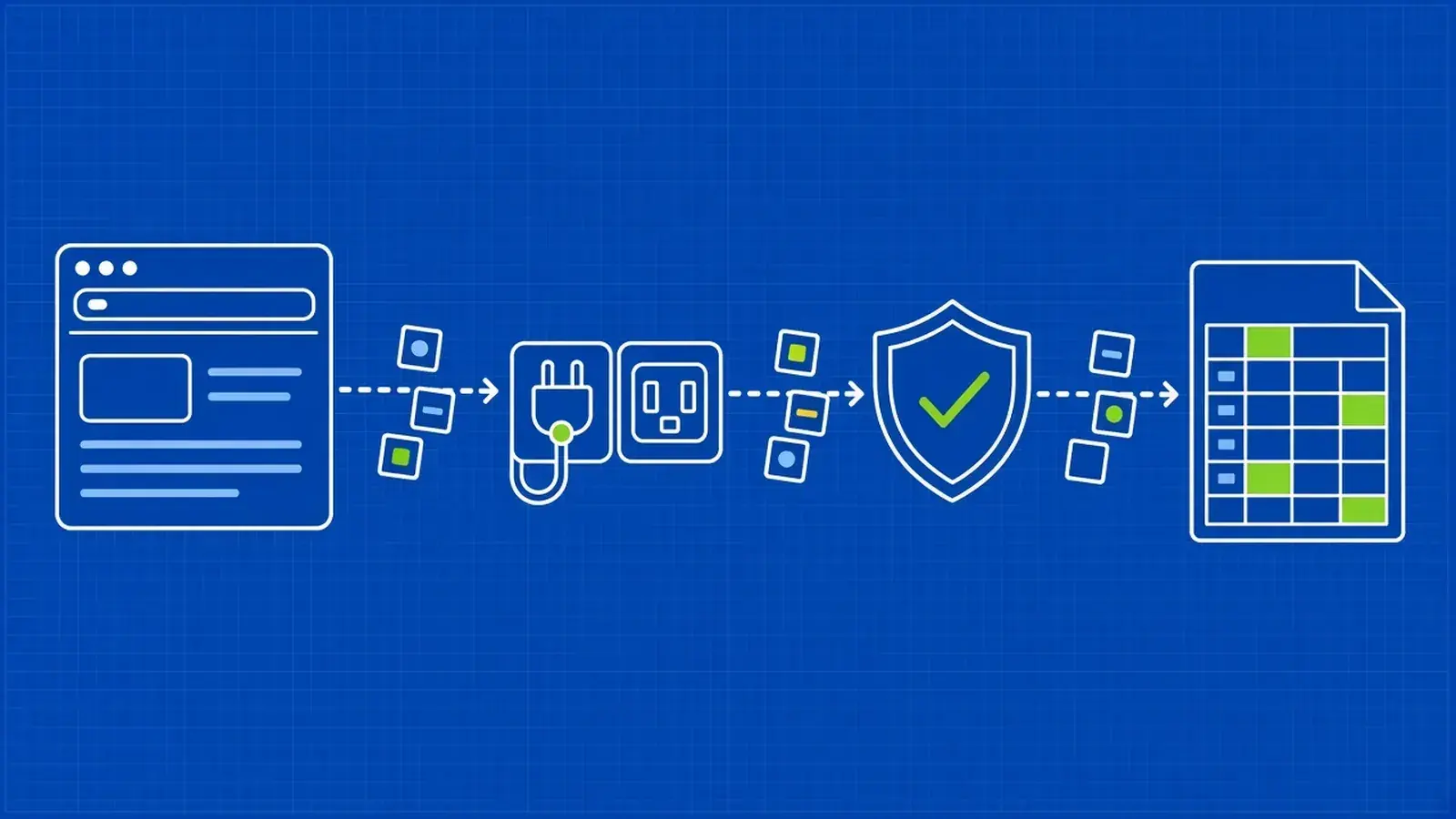
Start from the target and workflow, not the brand. Does the site accept datacenter traffic? Does the job need the same IP across requests? How precise must the location be? Those answers give you a type, session mode, and billing model; then shortlist providers selling that setup.

Scraping job

Start with

Session mode

Billing that fits

Shortlist

Switch when…

Open public pages at high volume (docs, catalogs, news, open data)

Shared datacenter

Rotating

Per GB or per IP

Webshare, Decodo, Oxylabs

Block rate rises → residential

Prices, stock, or search results that change by city or ZIP

Residential with state/city/ZIP targeting

Rotating, or sticky per location

Per GB

Bright Data, WebScrapingAPI, IPRoyal

You only need country-level results → cheaper type

Sites that block datacenter networks (ASN-based blocking)

Residential (or ISP if you need fewer IPs)

Rotating

Per GB

Bright Data, Oxylabs, Decodo — for deeper residential plan comparisons, see our ranking of rotating residential proxy providers

Volume is huge and the site accepts ISP → ISP

Logged-in, cart, or multi-page flows that need the same IP

ISP (static residential) or dedicated datacenter

Sticky or static

Per IP

Bright Data, Oxylabs, Rayobyte — compare shared and dedicated proxy providers if you need a fixed pool

The site accepts rotating residential with short sticky windows

Mobile-first sites and app endpoints

Mobile

Sticky with a controlled rotation interval

Per GB or per port

Oxylabs, IPRoyal, Decodo — our list of the best mobile proxy services for web scraping goes provider by provider (WebScrapingAPI does not sell mobile)

Desktop HTML works with residential

Search engines (Google, Bing)

Residential or ISP with country/city targeting, or a SERP API

Rotating

Per GB, or per result with an API

Bright Data, Oxylabs, WebScrapingAPI

You need structured SERP at scale → SERP API

Heavily protected sites (JS challenges, CAPTCHAs, fingerprinting)

Unblocker, hosted browser, or scraping API

Provider-managed

Per successful request

Bright Data, Oxylabs, Decodo unblockers; WebScrapingAPI Scraper API

See When proxies aren't enough

Small jobs, prototypes, and learning

Free tier or a small datacenter plan

Rotating

Per IP or small packs

Webshare (free tier), Oxylabs ($5 welcome credit), DataImpulse intro packs

You put credentials or customer data through free public lists — don't

Very large crawls on a budget

Datacenter first, residential fallback on failure (tiered routing)

Mixed

Mixed

Decodo, Rayobyte, DataImpulse, Webshare

Cost per success stays high → fix page weight and retries before buying more GB

Want the mechanics first? Our guide to web scraping proxy types covers protocols, IPv4 vs IPv6, and how each type works.

Collecting free proxy addresses is a different job; see our review of free proxy lists for web scraping and their limits—we don't recommend them in production.

Do you need proxies for web scraping?

Not always. A few hundred polite requests to an open site often work from one IP. You need proxies when a site rate-limits or blocks your IP, when content changes by location, or when volume outgrows one address—and more than proxies when sites challenge browsers.

Watch for:

  • HTTP 429 Too Many Requests responses, especially with a Retry-After header
  • 403 responses after a burst of successful requests
  • CAPTCHA or "verify you are human" pages (often still HTTP 200)
  • Content, prices, or availability that change by country or city

Sites classify automated traffic by IP reputation and ASN, request rate, and browser and TLS fingerprints. OWASP's catalog of automated threats includes scraping (OAT-011) among the patterns defenders look for. Datacenter ranges get identified quickly on some targets because the ASN is easy to label, even when each request uses a different IP from the same pool.

Datacenter, ISP, residential or mobile: which type does your job need?

Datacenter IPs are fast and cheap but easy to identify. ISP IPs are static addresses registered to consumer ISPs. Residential IPs come from home connections and usually rotate. Mobile IPs come from carrier networks. Pay for more trust only when the target demands it.

Type

How targets see it

Typical billing

Good for

Weak at

Datacenter

Cloud or hosting ASN

Per IP or per GB

Open sites, high volume, low cost

Sites that block hosting networks

ISP (static residential)

Consumer ISP ASN on datacenter hardware; ISP proxies are static residential IPs hosted in data centers

Per IP

Logins, carts, long sticky sessions, private USA pools

Cheapest bulk crawls

Residential

Home broadband IPs, often rotating

Per GB

Stricter sites, city/ZIP targeting

Light HTML at huge volume (bandwidth adds up)

Mobile

Carrier 4G/5G IPs

Per GB or per port

Mobile-first apps and sites

Budget volume on open pages

Rotating or sticky sessions: which does your scraper need?

Rotating sessions give each request a new IP—fit for independent page fetches at volume. Sticky sessions keep one IP for a set time—fit for pagination, carts, logins, or any flow where the site ties state to your IP. Static IPs suit long-lived sessions.

Workflow

Session mode

What to ask the provider for

Independent product or article pages

Rotating

Default rotation behavior; concurrency limits

Pagination, cart, login, multi-step checkout

Sticky

Maximum sticky duration; how sessions are keyed; whether the IP can change mid-session

Long-lived account or monitoring from one address

Static / dedicated

Lease length; allowlisting; bandwidth caps

On WebScrapingAPI residential proxies, country, session, and rotation options go in the username. A sticky example looks like:

username=<USER>+country=us+session=1+rotation=600

That pattern keeps one residential IP for up to the documented sticky window (the product page documents sticky sessions of 3, 5, or 10 minutes; the maximum documented sticky window is 10 minutes). Omit session and rotation for rotating requests. See the residential proxy setup docs for every option, and how IP rotation works for web scraping for the general mechanics.

How we chose and compared these proxy providers

Every provider here sells proxies under its own brand. Prices and features come from each vendor's public pages. Pool sizes and success rates stay out: vendors measure them differently, and you can't verify them from outside. WebScrapingAPI is ours. NetNut isn't included because its domains were seized by US authorities in July 2026.

Best proxy providers for web scraping compared

Provider

Best for

Types (DC / ISP / Res / Mobile)

Residential entry

Datacenter / ISP entry

Mobile

Billing units

Free trial / credit / free tier

Sessions

Targeting

Unblocker or scraping API

WebScrapingAPI (our product)

Residential + scraping APIs from one vendor

✓ / ✓ / ✓ / ✗

Pay as you go $8.50/GB; monthly from $52 for 8 GB

Quote

Not sold

Per GB (res); quote (DC/ISP)

Scraper API trial (5,000 requests)—not a proxy trial

Rotating, sticky

Country, state, city, ZIP, ASN where available

Scraping APIs (Scraper, SERP, Browser, Crawl, Data)

Bright Data

Broad catalog across all four types

✓ / ✓ / ✓ / ✓

Pay as you go list $8/GB (promo discounts appear on the page)

Shared DC from $1.40/IP (10 IPs); shared ISP from $1.80/IP (10 IPs)

Sold

Per GB, per IP

"Start free trial"; first deposit matched up to $500

Rotating, sticky, static options

Country, state, city, ZIP, ASN

Yes

Oxylabs

One subscription across proxy types + unblocker

✓ / ✓ / ✓ / ✓

From $6/GB (falls by tier)

Per IP from $1/IP; per GB from $0.60/GB; dedicated DC from $2/IP; ISP from $1.50/IP

From $7.50/GB

Per GB, per IP; subscription from $30/mo

$5 welcome credit

Rotating, sticky, static

Country (and more by product)

Yes

Decodo

Self-serve residential with small monthly plans

✓ / ✓ / ✓ / ✓

Pay as you go $4/GB; monthly from $3.75/GB (3 GB)

Shared DC from $0.60/GB or $0.10/IP; dedicated DC from $2.50/IP; ISP from $2/IP or $1.30/GB

From about $2.25/GB (promotional tiles may show lower)

Per GB, per IP

Free trial buttons; DC page lists 14-day money-back

Rotating, sticky

Country and finer geo by product

Yes

SOAX

Residential and mobile under one per-GB model

— / — / ✓ / ✓

Sandbox pay-as-you-go (no subscription fee); monthly from $200

Not listed on public pricing

Same model as residential

Per GB (credits); + VAT

Sandbox (not a free trial; buy top-ups)

Sticky and rotating

Country; finer geo on higher plans

—

IPRoyal

Small residential packs and short ISP tests

✓ / ✓ / ✓ / ✓

Pay as you go from $7.35/GB (1 GB); subscription from $7.00/GB

DC from $1.57/proxy (30 days); ISP from $1.80/proxy (24 hours)

Rotating from $6.80/GB (2 GB); dedicated ports from $10.11/day

Per GB, per proxy, per port

No free trial listed

Rotating, sticky

Country and city on residential

—

DataImpulse

Lowest published pay-as-you-go per-GB rates

✓ / ✗ / ✓ / ✓

$1/GB pay as you go; intro $5 for 5 GB

$0.50/GB

$2/GB

Per GB; traffic that does not expire

$5 intro pack for new users

Sticky sessions available

Country targeting included

—

Rayobyte

Many product lines including residential and DC

✓ / ✓ / ✓ / ✓

Premium Residential pay as you go from $3.50/GB

Per-IP and per-GB lines on the pricing page

Sold on monthly plans

Per GB, per IP

Free trial on most products; no credit card

Rotating, sticky

Country coverage by product

Scraping API / unblocker-style products

Webshare

Prototypes and open targets on cheap DC

✓ / — / ✓ / —

Static and rotating residential sold

10 proxies free; 100 proxies $2.99/mo ($0.0299/proxy)

—

Per proxy; bandwidth tiers on DC

10 free proxies

Rotating and static options

Country mix on DC plans

—

Figures above are list prices in USD from each provider's pricing pages. Several pages add VAT; Bright Data and Decodo also show temporary coupons—plan from the list price, not the discounted tile.

The 9 best proxy providers for web scraping, reviewed

WebScrapingAPI (our product)

WebScrapingAPI sells residential, datacenter, and ISP proxies, plus Scraper, SERP, Browser, Crawl, and Data APIs when raw proxies stop being enough—built for teams that want both under one vendor.

Residential pay as you go is $8.50/GB (up to 50 GB); residential proxy plans start at $52 a month for 8 GB, with Grow at $150 for 25 GB, Business at $280 for 50 GB, and Pro at $520 for 100 GB. Every residential plan lists unlimited concurrent sessions, country and city targeting, sticky and rotating sessions, and premium support; Business and Pro add an account manager. The proxies product page documents a 195-country footprint, with state, city, ZIP, and ASN targeting where available. Residential endpoints support Host:port, HTTP, HTTPS, and SOCKS5 output, with credentials or IP allowlisting.

Test sticky windows of 3, 5, or 10 minutes on a multi-step flow, and country or city targeting on a geo-sensitive page. Watch the higher published per-GB residential rates versus several budget providers: no mobile proxies, datacenter and ISP are quote-only, and no published free proxy trial (the 5,000-request trial is for the Scraper API).

Bright Data

Bright Data covers residential, datacenter, ISP, and mobile, with unlocker and scraping products alongside. Residential pay as you go lists at $8/GB; monthly residential plans start around $499 for 141 GB. Shared datacenter starts at 10 IPs for $1.40/IP ($14/mo); shared ISP at 10 IPs for $1.80/IP ($18/mo). Plan from list price, not the temporary percentage-off coupons. Deposit-match and free-trial buttons appear; confirm what the trial covers. Check city/ZIP geo on a price page and shared vs dedicated tabs for concurrency. Plans skew toward larger commitments; local-currency displays are estimates—USD is binding.

Oxylabs

At Oxylabs, one subscription spends across residential, mobile, ISP, datacenter, and an unblocker. Starter subscriptions begin at $30/mo (VAT may apply), with a $5 welcome credit. Residential starts at $6/GB and falls by volume; mobile at $7.50/GB; datacenter has per-IP and per-GB options; ISP starts at $1.50/IP. Confirm your targets aren't on their restricted list, and measure sticky length for cart flows. Entry tiers cost the most per unit; volume improves the rate.

Decodo

Decodo is self-serve residential with small monthly packs and flexible datacenter billing. Residential pay as you go is $4/GB; monthly starts at $3.75/GB for 3 GB and falls toward $2.75/GB at 100 GB. Datacenter and ISP bill per GB, per IP, or as dedicated IPs. Mobile has a low headline rate and occasional site discounts. Prices are plus VAT; the datacenter page lists a 14-day money-back guarantee. Compare wallet pay-as-you-go with a monthly allowance and check VAT on your invoice; treat promo tiles as temporary.

SOAX

SOAX puts residential and mobile on one credit-based, per-GB model. Sandbox has no subscription fee and no included credits—buy top-ups to test. Monthly plans start at Builder ($200/mo + VAT) and scale up. Per-GB rates vary by plan and egress country, so price your actual target countries on Sandbox first; VAT and geo-based rates change effective cost.

IPRoyal

IPRoyal targets small residential packs and short ISP tests. Residential pay as you go starts at $7.35/GB for 1 GB (subscription pricing is slightly lower). Traffic is described as never expiring. Datacenter starts around $1.57/proxy for 30 days; ISP has a 24-hour option from $1.80/proxy. Mobile is sold per GB or as dedicated ports. Try a 24-hour ISP lease on a login flow and city targeting on a local results page. Dedicated mobile ports get expensive fast if you only need short bursts.

DataImpulse

DataImpulse has the lowest published pay-as-you-go per-GB prices here: residential $1/GB with an intro pack at $5 for 5 GB; datacenter $0.50/GB; mobile $2/GB. Traffic does not expire. ISP is not sold on their public pricing pages. Measure usable success on your hard targets—low price per GB only helps if pages come back clean—and skip vendor pool and rating claims.

Rayobyte

Rayobyte offers several residential and datacenter product lines in one account. Premium Residential pay as you go starts at $3.50/GB and falls by volume band. The pricing page also lists other residential and rotating lines; read plan conditions before relying on any high-volume monthly rate. Free trials on most products without a credit card. Run Premium Residential on a representative URL set and confirm concurrency rules—similar names can bill differently, so match the SKU to the job.

Webshare

Webshare is aimed at prototypes and open targets on inexpensive datacenter proxies. The Proxy Server line includes 10 free proxies and paid plans from 100 proxies at $2.99/mo ($0.0299/proxy), with bandwidth tiers from 250 GB toward unlimited on higher plans. Static and rotating residential are separate tabs—confirm those rates on the live pricing page. Check whether targets accept datacenter ASNs at your planned concurrency. Free and cheap datacenter pools are shared; a poor fit for hardened targets.

How much do web scraping proxies really cost?

Published pay-as-you-go residential prices in this guide run from about $1 to $8.50 per GB; datacenter or ISP IPs often bill from cents to a few dollars each month. Actual spend depends on page weight, success rate, and retries—compare cost per successful request.

Formula: cost per 1,000 successful pages ≈ price per GB × average transfer per attempt (GB) × 1.15 (a 15% overhead for headers, TLS, and redirects) × attempts per success × 1,000. Attempts per success is 1 ÷ success rate, because failed attempts still use bandwidth.

Worked example (illustrative page sizes and success rates, WebScrapingAPI's $8.50/GB list price):

  • A 100 KB HTML page at 95% usable success costs about $1.03 per 1,000 successful pages.
  • A 2 MB rendered page (images and fonts loaded) at 70% usable success costs about $27.93 per 1,000 successful pages—roughly 27× more at the same price per GB.

Usually cheaper than hunting a lower GB rate: block images and fonts, fetch the JSON or HTML API behind the page, and skip full browser rendering when you don't need it.

Per-IP vs per-GB break-even: dedicated datacenter or ISP IPs win for many light requests on sites that accept them; per-GB residential wins for spread-out, location-specific requests.

Hidden costs to budget for

  • Expiring traffic on some monthly plans (DataImpulse and IPRoyal advertise traffic that does not expire; check others)
  • Retries that multiply bandwidth—use timeouts, retries, and backoff with jitter instead of tight retry loops
  • VAT
  • Minimum commitments
  • Engineering time on rotation and ban handling
"""Estimate what a scraping proxy really costs per 1,000 successful pages."""


def cost_per_1k_per_gb(price_per_gb: float, avg_page_kb: float, success_rate: float,
                       overhead: float = 1.15) -> float:
    """Bandwidth-billed proxies (residential, mobile, some datacenter).

    avg_page_kb: average transfer per attempt, including assets you actually load.
    success_rate: share of attempts that return usable content (0-1).
    overhead: headers, TLS and redirects that the provider also bills (assumption).
    Failed attempts still consume traffic, so we divide by success_rate.
    """
    gb_per_attempt = avg_page_kb * overhead / 1_000_000
    attempts_per_success = 1 / success_rate
    return round(price_per_gb * gb_per_attempt * attempts_per_success * 1000, 4)


def cost_per_1k_per_ip(monthly_price_per_ip: float, ips: int,
                       successful_pages_per_month: int) -> float:
    """IP-billed proxies (dedicated datacenter or ISP): fixed monthly cost."""
    return round(monthly_price_per_ip * ips / successful_pages_per_month * 1000, 4)


if __name__ == "__main__":
    # Example inputs for illustration — not a vendor quote or benchmark.
    scenarios = [
        ("Light HTML page, easy target", 10.0, 80, 0.98),
        ("Same page, protected target", 10.0, 80, 0.60),
        ("Rendered page with assets", 10.0, 1500, 0.90),
    ]
    for name, price, kb, ok in scenarios:
        print(f"{name:32} ${cost_per_1k_per_gb(price, kb, ok):>8} per 1,000 successful pages")
    print(
        f"{'20 dedicated IPs, 400k pages/mo':32} "
        f"${cost_per_1k_per_ip(2.0, 20, 400_000):>8} per 1,000 successful pages"
    )

How to test a proxy provider before you buy

Take 50 to 200 real URLs per target type, run them through each shortlisted provider with identical settings, and count success only when the content you need is present. Record usable-success rate, latency, and bandwidth, then cost per 1,000 usable pages.

  1. Build a targets.csv with columns url,must_contain.
  2. Set PROXY_URL to the provider endpoint (unset it to dry-run on a direct connection).
  3. Run the harness below.
  4. Repeat on a second day at production concurrency.
  5. Compare your numbers against the provider's own usage meter.

A quick connectivity check:

curl -x "$PROXY_URL" https://httpbin.org/ip

See using curl with a proxy and six practical ways to test proxies, from IP checks to target trials.

A 200 status is not success: block pages often return 200 with a CAPTCHA body. The HTTP semantics standard (RFC 9110) describes what status codes mean for the exchange—not whether the HTML is the content you came for.

For WebScrapingAPI residential proxies, an example PROXY_URL shape is:

export PROXY_URL='http://username=<USER>+country=us:<PASS>@pr.webscrapingapi.com:7777'
"""Test a proxy endpoint on your own targets before you buy.

Usage:
  export PROXY_URL='http://user:pass@host:port'   # unset to test a direct connection
  python proxy_test.py targets.csv --workers 5 --price-per-gb 10

targets.csv columns: url,must_contain
"""
import argparse
import csv
import os
import statistics
import time
from concurrent.futures import ThreadPoolExecutor

import requests

BLOCK_MARKERS = ("captcha", "access denied", "verify you are human", "unusual traffic")
RETRY_STATUSES = {429, 500, 502, 503, 504}


def fetch(url: str, must_contain: str, proxy_url: str | None, max_retries: int = 2) -> dict:
    proxies = {"http": proxy_url, "https": proxy_url} if proxy_url else None
    attempts, total_bytes = 0, 0
    for attempt in range(max_retries + 1):
        attempts += 1
        start = time.perf_counter()
        try:
            r = requests.get(
                url,
                proxies=proxies,
                timeout=30,
                headers={"User-Agent": "Mozilla/5.0 (proxy-evaluation)"},
            )
        except requests.RequestException as exc:
            result = {"status": type(exc).__name__, "latency": None}
            if attempt < max_retries:
                time.sleep(2 ** attempt)
                continue
            break
        latency = time.perf_counter() - start
        body = r.text.lower()
        total_bytes += len(r.content) + sum(len(k) + len(v) for k, v in r.headers.items())
        blocked = any(m in body for m in BLOCK_MARKERS)
        usable = r.status_code == 200 and must_contain.lower() in body and not blocked
        result = {
            "status": r.status_code,
            "latency": latency,
            "usable": usable,
            "blocked": blocked,
        }
        if r.status_code == 407:  # bad proxy credentials: retrying won't help
            break
        if r.status_code in RETRY_STATUSES and attempt < max_retries:
            wait = r.headers.get("Retry-After")
            time.sleep(int(wait) if wait and wait.isdigit() else 2 ** attempt)
            continue
        break
    result.update({"url": url, "attempts": attempts, "bytes": total_bytes})
    result.setdefault("usable", False)
    return result


def main() -> None:
    ap = argparse.ArgumentParser()
    ap.add_argument("targets")
    ap.add_argument("--workers", type=int, default=5)
    ap.add_argument("--price-per-gb", type=float, default=0.0)
    args = ap.parse_args()
    proxy_url = os.environ.get("PROXY_URL")
    with open(args.targets, newline="") as f:
        rows = list(csv.DictReader(f))
    with ThreadPoolExecutor(max_workers=args.workers) as pool:
        results = list(pool.map(lambda r: fetch(r["url"], r["must_contain"], proxy_url), rows))

    usable = [r for r in results if r["usable"]]
    latencies = sorted(r["latency"] for r in usable if r["latency"])
    gb = sum(r["bytes"] for r in results) / 1_000_000_000
    for r in results:
        print(
            f'{str(r["status"]):>20}  usable={r["usable"]!s:5}  '
            f'attempts={r["attempts"]}  {r["url"]}'
        )
    print(f"\nUsable: {len(usable)}/{len(results)} ({len(usable) / len(results):.0%})")
    if latencies:
        p95 = latencies[min(len(latencies) - 1, int(len(latencies) * 0.95))]
        print(f"Latency p50 {statistics.median(latencies):.2f}s, p95 {p95:.2f}s")
    print(f"Measured transfer: {gb * 1000:.3f} MB (your provider's meter will read higher)")
    if args.price_per_gb and usable:
        print(f"Cost per 1,000 usable pages: ${args.price_per_gb * gb / len(usable) * 1000:.4f}")


if __name__ == "__main__":
    main()

Example targets.csv:

url,must_contain
https://example.com/,Example Domain
https://httpbin.org/html,Herman Melville
https://books.toscrape.com/,Books to Scrape
https://httpbin.org/status/429,anything

Proxy errors you'll hit and what they mean

Most proxy failures fall into a few groups: authentication (407), blocks (403 or a CAPTCHA page), rate limits (429), upstream failures (5xx), and timeouts. Each needs a different fix; only some should be retried.

Code

Usually means

Fix

Retry?

407 Proxy Authentication Required

Wrong proxy credentials, or an IP that isn't allowlisted

Fix the credentials or the allowlist

No

403

The target refused this IP or fingerprint

Rotate, or move to a stronger proxy type

After changing something

429

Rate limit

Slow down and honor Retry-After

Yes, with backoff

5xx (502/504)

Upstream or proxy failure

Retry with backoff

Yes

Timeout

Too much concurrency, or a distant location

Lower concurrency; check the geo setting

Yes, a bounded number of times

Our guide to diagnosing proxy status errors walks through each failed hop.

How to check where residential and mobile IPs come from

Ask how the provider gets its IPs, whether device owners consent and are paid, how they can opt out, and how it screens customers. Prefer providers that document this publicly. IPs from compromised or unaware devices are an ethical and legal risk.

Checklist:

  1. Sourcing model — SDK, app partnership, or ISP contracts?
  2. Consent and opt-out — Can device owners leave, and how?
  3. Compensation — Are owners paid for bandwidth?
  4. Customer KYC and banned use cases — What will they refuse?
  5. Resale — Does the network resell other providers' IPs?
  6. Abuse handling — How are complaints investigated?

Google's July 2026 disruption report is why this diligence matters: residential networks built on compromised devices were used to hide attacks, and some brands resell other networks' capacity—a general industry risk, not a claim about any provider listed here.

When proxies aren't enough: unblockers and scraping APIs

When blocks, CAPTCHAs, and browser fingerprints take more time than collecting data, move those targets to an unblocker or scraping API. You pay per successful request instead of per GB; the provider handles rotation, retries, and rendering. Keep plain proxies for targets that already work. We compare options in our guide to the best web scraping APIs.

Option

Who handles rotation, retries, rendering

Typical billing

Best for

Raw proxies

You

Per GB or per IP

Targets that already accept the proxy type

Unblocker-style proxy endpoint

Provider

Often per successful request or premium GB

Harder sites without rewriting your client

Scraping API

Provider

Per successful request

Structured extraction and JS-heavy pages

Hosted browser

Provider

Per session or compute time

Full browser workflows you control

Bought datasets

Vendor

Per dataset or subscription

When you need the data, not the crawl

Bright Data, Oxylabs, and Decodo sell unblockers; Zyte and others sell scraping APIs. On our side, the Scraper API handles rotation, rendering, and retries for you. Our playbook for scraping without getting blocked covers each defense layer.

Using proxies is legal in most countries. What matters is what you collect and how. Scrape public data, respect site terms and the Robots Exclusion Protocol (RFC 9309), don't get around logins or access controls, handle personal data under the law that applies, and buy from providers that obtain IPs with consent. This is not legal advice—check the rules in your jurisdiction.

Frequently asked questions

What are the best proxies for web scraping?

They're the cheapest type your targets accept: datacenter for open sites at volume, ISP for logged-in or multi-step flows, residential for stricter or location-specific targets, and mobile for mobile-first sites. Then test shortlisted providers on your URLs.

Which proxy type is best for web scraping?

None is universally best. Start with datacenter (fast and cheap); move to residential when sites block datacenter networks or you need city-level targeting; use ISP when one stable IP must persist; mobile only when targets trust carrier networks most.

Are residential proxies better than datacenter proxies for scraping?

Residential IPs belong to home connections, so they're harder to block, but cost more and usually bill per gigabyte. Datacenter is faster and cheaper, though some sites block those networks outright. Use datacenter where it works.

Should I use rotating or sticky proxies for web scraping?

Use rotating proxies (a new IP per request) for independent page fetches at scale, and sticky sessions (one IP for a set time) for pagination, carts, logins, or flows where the site ties state to your IP. Check each provider's maximum sticky duration first.

How much do web scraping proxies cost?

Pay-as-you-go entry prices run from about $1 to $8.50/GB for residential, and from cents to a few dollars per datacenter or ISP IP each month. Page weight, success rate, and retries decide real cost—compare cost per 1,000 successful pages.

How many proxies do I need for web scraping?

Size the pool by request rate per target, not total volume: estimate requests per minute one IP can send before rate limits, then divide your target rate by that. Rotating residential gateways handle this; with dedicated datacenter or ISP IPs, size the pool yourself.

Are free proxies safe for web scraping?

No. Free public proxies are often slow, short-lived, already blocked, or run by unknown operators who can see or alter unencrypted traffic. Fine for learning; never send credentials or customer data through them. Production needs a paid provider with clear sourcing, support, and terms.

Do I need anonymous or elite proxies for web scraping?

Yes. Transparent proxies pass your real IP in headers. Anonymous and elite (high-anonymity) proxies hide it; elite also avoid revealing that a proxy is in use. Commercial scraping proxies are normally elite—check request headers once when you test.

What are the best proxies for scraping Google?

Search engines rate-limit aggressively and vary results by location, so use residential or ISP proxies with country and city targeting, keep rates low, and rotate. For many queries or structured results, a SERP API is often cheaper per successful result.

How do I know if a residential proxy provider is ethically sourced?

Ask how it obtains IPs, whether device owners give informed consent and can opt out, whether they're compensated, and how customers are vetted. Prefer providers that publish this. At the time of writing, public actions against residential networks linked to compromised devices make sourcing part of your own risk review.

When should I use a scraping API instead of proxies?

Switch when blocks, CAPTCHAs, and fingerprinting cost more engineering time than collecting data, or when you need JavaScript rendering at scale. A scraping API handles rotation, retries, and rendering, billed per successful request. Keep plain proxies where they already work.

In most countries, yes. What matters is the data you collect and how: stick to public data, respect site terms and robots.txt, don't bypass logins or access controls, and handle personal data lawfully. This isn't legal advice; check your jurisdiction.

Choose by job, then prove the cost

Start from the scraping job, not the brand list. Pick the cheapest proxy type your targets accept, compare cost per successful request, and run a content-level test before you buy a large plan.

Need residential proxies, or ready to hand hard targets to an API? See WebScrapingAPI's residential plans, or try the Scraper API free with 5,000 requests.

About the Author

Robert Munceanu, Full-Stack Developer @ WebScrapingAPI

Robert Munceanu

Full-Stack Developer

Robert Munceanu is a Full Stack Developer at WebScrapingAPI, contributing across the product and helping build reliable tools and features that support the platform.

Nodriver Python Tutorial: Stealth Browser Scraping From First Script to Production
Science of Web Scraping

Nodriver Python Tutorial: Stealth Browser Scraping From First Script to Production

TL;DR: Nodriver is an async Python library that drives Chromium over the Chrome DevTools Protocol, with no Selenium or chromedriver binary. Use it when a self-hosted stealth browser closer to a real Chrome session beats a WebDriver stack, but know it doesn't remove IP, TLS, or behavioral risk on its own. This tutorial goes from a first script to containerized production and a hosted Browser API.

Suciu Dan11 min read
Read Article
How to Handle Google /goto Redirect URLs and CAES Tokens in a SERP Scraper
Science of Web Scraping

How to Handle Google /goto Redirect URLs and CAES Tokens in a SERP Scraper

TL;DR: Google /goto URLs with a CAES token, and older /url wrappers, are redirect layers, not destinations, so a SERP scraper that treats every href as final breaks rank tracking and link stores. Prefer a structured SERP API when it returns destination links. When you must parse HTML, classify every href, dedupe redirects, and resolve them with a plain GET. Do not decrypt CAES.

Suciu Dan11 min read
Read Article
HTTP Response Headers in cURL: Every Flag and Recipe
Science of Web Scraping

HTTP Response Headers in cURL: Every Flag and Recipe

TL;DR: cURL hides response headers by default. Use -i to see headers alongside the body, -I for a HEAD request that returns headers only, -v for full request/response debugging, and -D to save headers to a file. For modern scripting, cURL 7.83+ lets you extract individual headers or dump all of them as JSON with the -w write-out option.

Suciu Dan11 min read
Read Article

Start Building

Ready to Scale Your Data Collection?

Join 2,000+ companies using WebScrapingAPI to extract web data at enterprise scale with zero infrastructure overhead.