Skip to content
Start free
Back to Blog

How to Parse JSON in Python: From API Responses to JSON Hidden in Web Pages

Suciu DanLast updated on 11 min read
How to Parse JSON in Python: From API Responses to JSON Hidden in Web Pages
TL;DR: To parse JSON in Python, use the built-in json module: json.loads() for a string or bytes, json.load() for a file, and Requests' response.json() for an HTTP response. Check the HTTP status and JSON validity separately, because a 200 response can still be HTML. This guide also covers decode errors, nested access, validation, large files, and JSON hidden inside web pages.

Python's built-in json module parses JSON. Use json.loads() for a string or bytes, json.load() for a file, and Requests' response.json() for an HTTP response. This guide covers decode errors, safe nested access, validation, large files, number precision, and JSON hidden inside web pages.

Key takeaways

  • Prefer json.loads for strings/bytes and json.load for files; open files with UTF-8 (or utf-8-sig when a BOM is present).
  • Treat HTTP status and JSON validity as separate checks: a 200 response can still be HTML.
  • Navigate messy nested data with .get() chains or a small dig() helper; validate with Pydantic or JSON Schema after parsing.
  • Stream huge arrays with ijson, append scrape runs as JSON Lines, and measure orjson on your own payloads.
  • Prefer JSON embedded in the page (JSON-LD, __NEXT_DATA__) or a scraping API's structured fields over brittle CSS selectors when the HTML layout changes often.

How do you parse a JSON string in Python?

Call json.loads() on a str or bytes value. It returns a Python object—usually a dict or list—that mirrors the JSON structure.

import json

raw = """
{
  "sku": "WSA-BOTTLE-750",
  "title": "Insulated Steel Water Bottle 750ml",
  "price": 19.99,
  "currency": "USD",
  "in_stock": true,
  "variants": [
    {"color": "matte black", "capacity_ml": 750},
    {"color": "ocean blue", "capacity_ml": 750}
  ],
  "seller": {
    "name": "TrailGear Co",
    "rating": 4.8,
    "country": "US"
  }
}
"""

product = json.loads(raw)
print(product["sku"], product["variants"][0]["color"])
# WSA-BOTTLE-750 matte black

# bytes work the same way
product_from_bytes = json.loads(raw.encode("utf-8"))
assert product_from_bytes["title"] == product["title"]

The same product listing shows up throughout, so each example builds on one scraped-style record.

How do you read a JSON file in Python?

Open the file with UTF-8 encoding and pass the file object to json.load().

import json
from pathlib import Path

path = Path("product.json")
with path.open(encoding="utf-8") as f:
    product = json.load(f)

print(product["currency"])  # USD

What to do when a JSON file starts with a BOM

Some editors save UTF-8 with a byte-order mark (EF BB BF). That invisible character sits before the first { and breaks a normal decode. Open the file with encoding="utf-8-sig" so Python strips the BOM before json.load runs. If you already have bytes, decode them with utf-8-sig and then call json.loads.

import json
from pathlib import Path

bom_path = Path("product_bom.json")
with bom_path.open(encoding="utf-8-sig") as f:
    product = json.load(f)

# Or from bytes:
product = json.loads(bom_path.read_bytes().decode("utf-8-sig"))

How JSON types map to Python types

JSON types map to Python types as defined by the JSON grammar on json.org and the standard library:

JSON

Python (json.loads)

Python → JSON (json.dumps)

object

dict

dict

array

list

list / tuple

string

str

str

number (int)

int

int

number (real)

float

float / int

true / false

True / False

bool

null

None

None

Why your keys and tuples change after a round trip

JSON object names are always strings. Integer dictionary keys become strings after dumps → loads. Tuples become lists because JSON has only arrays. Sets are not serializable and raise TypeError.

import json

print(json.loads(json.dumps({1: "a", 2: "b"})))
# {'1': 'a', '2': 'b'}

print(json.loads(json.dumps({"coords": (10, 20)})))
# {'coords': [10, 20]}

try:
    json.dumps({"tags": {"refillable", "bpa-free"}})
except TypeError as e:
    print(e)
# Object of type set is not JSON serializable

How do you parse a JSON response from an API?

Call response.raise_for_status() for HTTP errors, then response.json() to decode the body. Status codes and JSON validity are separate: a successful status does not guarantee a JSON body.

import requests

resp = requests.get("https://httpbin.org/json", timeout=15)
resp.raise_for_status()
data = resp.json()
print(type(data), list(data)[:3])

When a 200 response isn't JSON

Block and challenge pages often return HTML with HTTP 200. Check Content-Type, catch decode failures, and surface a short, safe preview of the body:

import json
from typing import Any

import requests


def get_json(url: str, timeout: float = 15.0) -> Any:
    resp = requests.get(url, timeout=timeout)
    resp.raise_for_status()
    content_type = resp.headers.get("Content-Type", "")
    if "json" not in content_type.lower() and "javascript" not in content_type.lower():
        preview = resp.text[:120].replace("\n", " ")
        raise ValueError(
            f"Expected JSON Content-Type, got {content_type!r}. "
            f"Body starts: {preview!r}"
        )
    try:
        return resp.json()
    except json.JSONDecodeError as e:
        preview = resp.text[:120].replace("\n", " ")
        raise ValueError(
            f"JSON decode failed at pos {e.pos}: {e.msg}. "
            f"Body starts: {preview!r}"
        ) from e


product_feed = get_json("https://httpbin.org/json")
# get_json("https://httpbin.org/html")  # raises ValueError

An HTML page with a 200 status is often a block page, which our guide to scraping without getting blocked explains how to avoid.

How do you fix a JSONDecodeError?

JSONDecodeError means the input is not valid JSON: empty body, truncated payload, HTML, single quotes, a trailing comma, or similar. Read e.msg, e.lineno, e.colno, and e.pos, then print the text around pos so you can see the break. Full attribute and hook details live in the Python json module documentation.

import json


def locate_decode_error(text: str) -> None:
    try:
        json.loads(text)
    except json.JSONDecodeError as e:
        start = max(0, e.pos - 20)
        end = min(len(text), e.pos + 20)
        print(f"{e.msg} at line {e.lineno}, col {e.colno}, pos {e.pos}")
        print(f"Around error: {text[start:end]!r}")


locate_decode_error('{"sku": "WSA-BOTTLE-750", "price":')
# Expecting value at line 1, col 36, pos 35

Common causes and what each one looks like

Symptom (message fragment)

Likely cause

Fix

Expecting value at pos 0

Empty body or HTML/undefined

Check the transport; confirm you fetched JSON

Expecting value mid-string

Truncated response

Retry, raise timeouts, or stream with length checks

Expecting property name enclosed in double quotes

Single-quoted keys or trailing comma

Fix the producer; don't "repair" with eval

Extra data

Two JSON values in one string

Split JSON Lines, or parse one value at a time

HTML tags in the preview

Soft block or login page

Fix headers, cookies, or rendering; see the blocking guide above

How do you safely access nested JSON?

Hard indexing (data["seller"]["rating"]) raises KeyError when a key is missing. .get() chains return a default, but they get noisy on deep paths. A small typed dig() helper walks dict keys and list indexes, and it treats a missing path differently from an explicit null.

from typing import Any


def dig(data: Any, *path: str | int, default: Any = None) -> Any:
    cur: Any = data
    for key in path:
        if isinstance(cur, dict):
            if key not in cur:
                return default
            cur = cur[key]
        elif isinstance(cur, list) and isinstance(key, int):
            if key < 0 or key >= len(cur):
                return default
            cur = cur[key]
        else:
            return default
    return cur


product = {
    "variants": [{"color": "matte black", "capacity_ml": 750}],
    "seller": {"name": "TrailGear Co", "rating": 4.8},
}

print(dig(product, "seller", "rating"))                 # 4.8
print(dig(product, "variants", 0, "color"))             # matte black
print(dig(product, "variants", 9, "color", default="?"))  # ?
print(dig({"seller": {"rating": None}}, "seller", "rating", default="missing"))
# None  — key exists, value is null
print(dig({"seller": {}}, "seller", "rating", default="missing"))
# missing — key absent

How do you validate JSON data in Python?

Parsing only proves syntax. After loads, check types and required fields with Pydantic or JSON Schema.

from decimal import Decimal

from pydantic import BaseModel, ValidationError


class Variant(BaseModel):
    color: str
    capacity_ml: int


class Seller(BaseModel):
    name: str
    rating: float
    country: str


class Product(BaseModel):
    sku: str
    title: str
    price: Decimal
    currency: str
    in_stock: bool
    variants: list[Variant]
    seller: Seller
    notes: str | None = None


product = Product.model_validate(
    {
        "sku": "WSA-BOTTLE-750",
        "title": "Insulated Steel Water Bottle 750ml",
        "price": 19.99,
        "currency": "USD",
        "in_stock": True,
        "variants": [{"color": "matte black", "capacity_ml": 750}],
        "seller": {"name": "TrailGear Co", "rating": 4.8, "country": "US"},
    }
)
print(product.price)  # 19.99

try:
    Product.model_validate(
        {
            "sku": "WSA-BOTTLE-750",
            "title": "Insulated Steel Water Bottle 750ml",
            "price": "cheap",
            "currency": "USD",
            "in_stock": True,
            "variants": [],
            "seller": {"name": "TrailGear Co", "rating": 4.8, "country": "US"},
        }
    )
except ValidationError as e:
    print(e.error_count(), "validation error(s)")

The same shape as a JSON Schema, validated with the jsonschema package (see also Understanding JSON Schema):

import jsonschema

schema = {
    "type": "object",
    "required": ["sku", "title", "price", "currency", "in_stock", "variants", "seller"],
    "properties": {
        "sku": {"type": "string"},
        "title": {"type": "string"},
        "price": {"type": "number"},
        "currency": {"type": "string", "minLength": 3, "maxLength": 3},
        "in_stock": {"type": "boolean"},
        "variants": {
            "type": "array",
            "items": {
                "type": "object",
                "required": ["color", "capacity_ml"],
                "properties": {
                    "color": {"type": "string"},
                    "capacity_ml": {"type": "integer"},
                },
            },
        },
        "seller": {
            "type": "object",
            "required": ["name", "rating", "country"],
            "properties": {
                "name": {"type": "string"},
                "rating": {"type": "number"},
                "country": {"type": "string"},
            },
        },
    },
}

jsonschema.validate(
    {
        "sku": "WSA-BOTTLE-750",
        "title": "Insulated Steel Water Bottle 750ml",
        "price": 19.99,
        "currency": "USD",
        "in_stock": True,
        "variants": [{"color": "matte black", "capacity_ml": 750}],
        "seller": {"name": "TrailGear Co", "rating": 4.8, "country": "US"},
    },
    schema,
)

How do you write JSON to a string or file?

Use json.dumps for a string and json.dump for a file. indent pretty-prints, sort_keys=True stabilizes diffs, and separators=(",", ":") shrinks payloads.

import json
from pathlib import Path

product = {
    "sku": "WSA-BOTTLE-750",
    "title": "Insulated Steel Water Bottle 750ml",
    "price": 19.99,
    "currency": "USD",
    "in_stock": True,
}

print(json.dumps(product, indent=2, sort_keys=True))
print(json.dumps(product, separators=(",", ":")))

with Path("product_out.json").open("w", encoding="utf-8") as f:
    json.dump(product, f, ensure_ascii=False, indent=2)

Writing non-English text without escape sequences

By default dumps escapes non-ASCII characters as \uXXXX. Pass ensure_ascii=False when you want readable UTF-8 in files and logs.

import json

title = {"title": "Bouteille d'eau 750ml — acier"}
print(json.dumps(title))
# {"title": "Bouteille d'eau 750ml \u2014 acier"}
print(json.dumps(title, ensure_ascii=False))
# {"title": "Bouteille d'eau 750ml — acier"}

Serializing datetime, Decimal, and dataclasses

Pass a default= function for types the encoder does not know. You can also subclass json.JSONEncoder when you need a reusable encoder class.

import json
from dataclasses import asdict, dataclass
from datetime import datetime, timezone
from decimal import Decimal
from typing import Any


def default_encoder(obj: Any) -> Any:
    if isinstance(obj, datetime):
        return obj.isoformat()
    if isinstance(obj, Decimal):
        return str(obj)
    if hasattr(obj, "__dataclass_fields__"):
        return asdict(obj)
    raise TypeError(f"Object of type {type(obj).__name__} is not JSON serializable")


@dataclass
class Offer:
    sku: str
    price: Decimal
    listed_at: datetime


offer = Offer(
    sku="WSA-BOTTLE-750",
    price=Decimal("19.99"),
    listed_at=datetime(2026, 10, 6, 12, 0, tzinfo=timezone.utc),
)
print(json.dumps(offer, default=default_encoder))
# {"sku": "WSA-BOTTLE-750", "price": "19.99", "listed_at": "2026-10-06T12:00:00+00:00"}

How do you keep prices and large numbers precise?

Use parse_float=Decimal so values like 19.99 stay exact as decimals instead of binary floats. RFC 8259, the JSON standard does not allow NaN or Infinity. After parsing, Python's decimal module is the usual place for money-safe values.

import json
from decimal import Decimal

data = json.loads('{"price": 19.99}', parse_float=Decimal)
print(data["price"], type(data["price"]))
# 19.99 <class 'decimal.Decimal'>

# Reject NaN / Infinity when encoding
try:
    json.dumps({"price": float("nan")}, allow_nan=False)
except ValueError as e:
    print(e)

Python's decoder accepts NaN and Infinity by default as an extension. Pass a parse_constant that raises if you want to reject them on input.

How do you detect duplicate keys in JSON?

RFC 8259, the JSON standard says object names should be unique, but json.loads keeps the last value silently. An object_pairs_hook can raise instead.

import json
from typing import Any


def detect_duplicates(pairs: list[tuple[str, Any]]) -> dict[str, Any]:
    seen: set[str] = set()
    out: dict[str, Any] = {}
    for key, value in pairs:
        if key in seen:
            raise ValueError(f"Duplicate key: {key!r}")
        seen.add(key)
        out[key] = value
    return out


text = '{"sku": "A", "sku": "B", "price": 1}'
print(json.loads(text)["sku"])  # B — last value wins

try:
    json.loads(text, object_pairs_hook=detect_duplicates)
except ValueError as e:
    print(e)  # Duplicate key: 'sku'

How do you work with JSON Lines files?

The JSON Lines format stores one JSON value per line. Append a record after each scrape, then read line by line, skip blanks, and report the line number when a record fails to decode.

import json
from pathlib import Path

path = Path("products.jsonl")

# Append during a run
with path.open("a", encoding="utf-8") as f:
    for rec in (
        {"sku": "WSA-BOTTLE-750", "price": 19.99},
        {"sku": "WSA-LID-01", "price": 4.5},
    ):
        f.write(json.dumps(rec, ensure_ascii=False) + "\n")

# Read with line numbers
records = []
with path.open(encoding="utf-8") as f:
    for lineno, line in enumerate(f, start=1):
        line = line.strip()
        if not line:
            continue
        try:
            records.append(json.loads(line))
        except json.JSONDecodeError as e:
            raise ValueError(f"Invalid JSON on line {lineno}: {e.msg}") from e

print(len(records), "records")

How do you parse a JSON file that's too big for memory?

Stream with ijson on PyPI: iterate items under a path instead of loading the whole document. Use use_float=True only where binary float precision is acceptable.

import json
from decimal import Decimal
from pathlib import Path

import ijson

# Build a sample file so the example runs anywhere
large = Path("large_products.json")
items = [{"sku": f"SKU-{i}", "price": i * 1.5} for i in range(5_000)]
large.write_text(json.dumps({"items": items}), encoding="utf-8")

count = 0
total = Decimal("0")
with large.open("rb") as f:
    for item in ijson.items(f, "items.item"):
        count += 1
        total += Decimal(str(item["price"]))

print(count, "items; sum", total)

Is orjson faster than the json module?

Often yes, but measure on your own data. orjson's documentation on PyPI notes the API differences that matter in practice: dumps returns bytes, options are flags instead of keyword arguments, and indentation uses OPT_INDENT_2 rather than an indent integer.

import json
import timeit

import orjson

payload = {
    "sku": "WSA-BOTTLE-750",
    "title": "Insulated Steel Water Bottle 750ml",
    "price": 19.99,
    "variants": [{"color": "matte black", "capacity_ml": 750}],
}

encoded = orjson.dumps(payload)
assert isinstance(encoded, bytes)
decoded = orjson.loads(encoded)
pretty = orjson.dumps(payload, option=orjson.OPT_INDENT_2)

def harness() -> None:
    orjson.dumps(payload)
    json.dumps(payload)

print(timeit.timeit(harness, number=5_000))
# Run locally and compare; numbers vary by machine and payload.

How do you extract JSON hidden inside a web page?

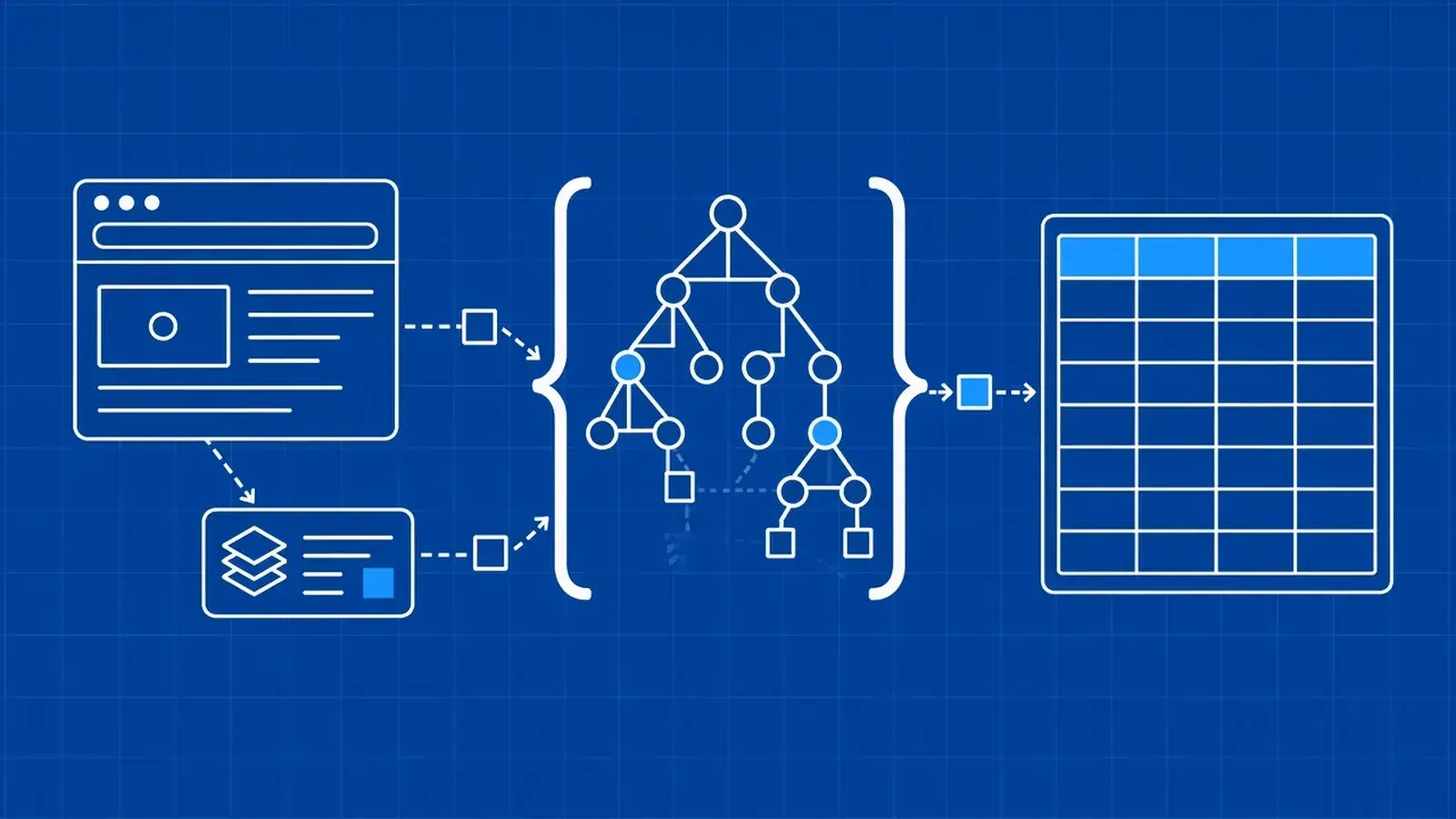
Many pages carry their data as JSON in <script> tags, which is often more stable than CSS selectors on rendered HTML. Parse that JSON, then walk it with the same tools you use for API responses.

Reading JSON-LD structured data

JSON-LD lives in script[type="application/ld+json"] blocks. A page may emit a single object, a list, or an @graph wrapper. Filter by @type == "Product" (or whichever type you need):

import json
from typing import Any

from bs4 import BeautifulSoup

html = """
<!DOCTYPE html>
<html><head>
<script type="application/ld+json">
{
  "@context": "https://schema.org",
  "@type": "Product",
  "name": "Insulated Steel Water Bottle 750ml",
  "sku": "WSA-BOTTLE-750",
  "offers": {"@type": "Offer", "price": "19.99", "priceCurrency": "USD"}
}
</script>
<script type="application/ld+json">
[
  {"@type": "BreadcrumbList", "itemListElement": []},
  {"@type": "Product", "name": "Spare Lid", "sku": "WSA-LID-01"}
]
</script>
<script type="application/ld+json">
{
  "@context": "https://schema.org",
  "@graph": [
    {"@type": "Organization", "name": "TrailGear Co"},
    {"@type": "Product", "name": "Bottle Bundle", "sku": "WSA-BUNDLE"}
  ]
}
</script>
</head><body></body></html>
"""


def extract_json_ld_products(page_html: str) -> list[dict[str, Any]]:
    soup = BeautifulSoup(page_html, "html.parser")
    products: list[dict[str, Any]] = []

    def collect(node: Any) -> None:
        if isinstance(node, list):
            for item in node:
                collect(item)
            return
        if not isinstance(node, dict):
            return
        if node.get("@type") == "Product":
            products.append(node)
        graph = node.get("@graph")
        if isinstance(graph, list):
            collect(graph)

    for tag in soup.select('script[type="application/ld+json"]'):
        if not tag.string:
            continue
        collect(json.loads(tag.string))
    return products


for product in extract_json_ld_products(html):
    print(product["sku"], product["name"])

When a page injects its JSON-LD with JavaScript, a hosted browser that renders the page before returning it gets you the final HTML.

Reading __NEXT_DATA__ and other framework state

__NEXT_DATA__ and other framework state

Next.js and similar frameworks embed the page props in a script#__NEXT_DATA__ tag. Parse the tag text, then walk it with dig(). For a full retail walkthrough, see our Walmart scraping guide, which parses the product record from __NEXT_DATA__.

import json
from typing import Any

from bs4 import BeautifulSoup


def dig(data: Any, *path: str | int, default: Any = None) -> Any:
    cur: Any = data
    for key in path:
        if isinstance(cur, dict):
            if key not in cur:
                return default
            cur = cur[key]
        elif isinstance(cur, list) and isinstance(key, int):
            if key < 0 or key >= len(cur):
                return default
            cur = cur[key]
        else:
            return default
    return cur


html = """
<!DOCTYPE html>
<html><body>
<script id="__NEXT_DATA__" type="application/json">
{
  "props": {
    "pageProps": {
      "product": {
        "sku": "WSA-BOTTLE-750",
        "title": "Insulated Steel Water Bottle 750ml",
        "price": 19.99
      }
    }
  }
}
</script>
</body></html>
"""

soup = BeautifulSoup(html, "html.parser")
tag = soup.find("script", id="__NEXT_DATA__")
next_data = json.loads(tag.string)
print(dig(next_data, "props", "pageProps", "product", "sku"))
# WSA-BOTTLE-750

Calling the JSON endpoint a page loads behind the scenes

Open DevTools → Network, reload the page, and filter by Fetch/XHR. Many product and listing UIs load a JSON URL the browser already calls. If that endpoint is publicly reachable under the site's terms, you can request it directly with the same headers the page uses and parse it with response.json(). Prefer documented or clearly public APIs when they exist. Check the site's terms and our principles for responsible web data before calling internal endpoints.

How do you parse JSON from WebScrapingAPI?

The Scraper API can return selected fields as JSON instead of raw HTML. Use extract_rules for named fields, json_response=1 for the full envelope (including JSON-LD metadata), or decode a JSON target from envelope["body"]. Keep the key in WSA_API_KEY.

Getting named fields back with extract_rules

Pass a JSON-stringified extract_rules object to /v2. The response contains one property per rule key. Nested rules walk repeated cards; table_json turns HTML tables into row objects.

import json
import os

import requests

api_key = os.environ["WSA_API_KEY"]

extract_rules = {
    "title": {"selector": "h1", "output": "text"},
    "results": {
        "selector": "article.product_pod",
        "all": 1,
        "output": {
            "name": {"selector": "h3 a", "output": "@title"},
            "url": {"selector": "h3 a", "output": "@href"},
            "price": {"selector": "p.price_color", "output": "text"},
        },
    },
}

resp = requests.get(
    "https://api.webscrapingapi.com/v2",
    params={
        "api_key": api_key,
        "url": "https://books.toscrape.com/",
        "extract_rules": json.dumps(extract_rules),
    },
    timeout=60,
)
resp.raise_for_status()
fields = resp.json()
print(fields["title"])
# All products
print(fields["results"][:2])
# [{'name': 'A Light in the Attic', 'url': 'catalogue/a-light-in-the-attic_1000/index.html', 'price': '£51.77'}, {'name': 'Tipping the Velvet', 'url': 'catalogue/tipping-the-velvet_999/index.html', 'price': '£53.74'}]

The extraction rules reference lists every output type, including table_json.

Reading the full JSON response envelope

Set json_response=1 to wrap the scrape in a JSON object with headers, cost, initial-status-code, body, type, and metadata. The metadata object includes extracted microdata and JSON-LD, so metadata["json-ld"] is a shortcut when you only need structured data from the page.

import os

import requests

api_key = os.environ["WSA_API_KEY"]

resp = requests.get(
    "https://api.webscrapingapi.com/v2",
    params={
        "api_key": api_key,
        "url": "https://example.com",
        "json_response": 1,
    },
    timeout=60,
)
resp.raise_for_status()
envelope = resp.json()

print(envelope["initial-status-code"], envelope["type"], envelope["cost"])
body = envelope["body"]          # page content as a string
json_ld = envelope.get("metadata", {}).get("json-ld", [])
print(type(body), len(json_ld))

The full JSON response docs describe each envelope field.

Parsing a JSON body inside the envelope

When the target URL itself returns JSON, the envelope still puts that payload in body as a string. Check type (for example "json") and decode with json.loads(envelope["body"]) before you walk the fields.

import json
import os

import requests

api_key = os.environ["WSA_API_KEY"]

resp = requests.get(
    "https://api.webscrapingapi.com/v2",
    params={
        "api_key": api_key,
        "url": "https://httpbin.org/json",
        "json_response": 1,
    },
    timeout=60,
)
resp.raise_for_status()
envelope = resp.json()

if envelope.get("type") == "json":
    payload = json.loads(envelope["body"])
else:
    # HTML or other types still arrive as a string in body
    payload = envelope["body"]

print(type(payload))

For search results, a SERP API that returns results as structured JSON skips HTML parsing entirely.

Which JSON parsing method should you use?

Match the input to the tool: standard library for strings and files, ijson for huge arrays, a script parse for HTML-embedded data, and a scraping API when you want fields or an envelope instead of raw HTML.

What you have

What to use

JSON string or bytes

json.loads

JSON file (UTF-8)

json.load with encoding="utf-8"

File that starts with a BOM

encoding="utf-8-sig" then json.load / json.loads

Requests / HTTP response

raise_for_status() + Content-Type check + response.json()

Need defaults on nested paths

.get() chain or dig()

Need types / required fields

Pydantic model or JSON Schema after parsing

Money or precise decimals

parse_float=Decimal

Duplicate keys must fail

object_pairs_hook detector

One record per scrape line

JSON Lines (*.jsonl)

Array too large for RAM

ijson streaming

Throughput-critical encode/decode

orjson (measure on your payload)

Data embedded in HTML

JSON-LD / __NEXT_DATA__ / other script JSON

Selected fields from a page via API

WebScrapingAPI extract_rules

Need headers, cost, JSON-LD metadata

json_response=1 envelope

Target URL returns JSON through the API

json.loads(envelope["body"]) when type is json

Frequently asked questions

What is the difference between json.load and json.loads?

json.loads parses a JSON string or bytes already in memory. json.load reads from a file-like object and parses that stream. Use loads for API bodies and in-memory text; use load for files opened with the right encoding. Both return the same Python types for the same JSON.

How do I parse a JSON response from an API in Python?

Send the request with Requests (or another HTTP client), call raise_for_status(), confirm the Content-Type looks like JSON, then call response.json() or json.loads(response.text). Treat a 200 HTML block page as a transport problem, not a JSON syntax problem, and inspect a short body preview when decoding fails.

Why do I get "JSONDecodeError: Expecting value"?

The decoder hit a spot where a JSON value should start and found nothing valid—empty body, truncated JSON, HTML, or a token like undefined. Print e.pos and the surrounding characters. Fix the upstream response or transport; don't swallow it with a broad except.

How do I safely get a nested value from JSON in Python?

Avoid chained data["a"]["b"] when keys may be absent. Use .get("a", {}).get("b") for shallow paths, or a small dig(data, "a", "b", default=None) helper that also accepts list indexes. Remember that a missing key and an explicit JSON null are different outcomes.

How do I validate JSON data in Python?

Parsing only checks syntax. After loads, validate with a Pydantic model (types, optionals, nested models) or a JSON Schema document via the jsonschema package. Keep money fields as Decimal in the model when float rounding would be wrong, and surface validation errors to the caller.

How do I keep decimal prices exact when parsing JSON?

Pass parse_float=Decimal to json.loads or json.load so numeric prices become decimal.Decimal instead of float. When encoding, serialize decimals as strings (or integers of minor units) with a default= hook, and keep allow_nan=False so non-JSON numeric constants cannot slip into output.

How do I read a very large JSON file in Python?

Do not call json.load on multi-gigabyte arrays. Use ijson to iterate items under a path such as "items.item" while the file stays on disk. Prefer JSON Lines when you control the producer, because each line is an independent record you can stream and recover per line.

What is JSON Lines and when should I use it?

JSON Lines (application/jsonl) stores one JSON value per newline-delimited row. It fits scraping and logging workflows where you append records as they arrive and read them later without loading the whole file. Skip blank lines and report the failing line number when a row does not decode.

Is orjson a drop-in replacement for json?

Not entirely. orjson is usually faster, but dumps returns bytes, option flags replace many keyword arguments, and indentation uses OPT_INDENT_2. If a library expects a str from dumps, add .decode(). Measure both on your payload before you switch production code.

How do I extract JSON-LD or __NEXT_DATA__ from a web page with Python?

__NEXT_DATA__ from a web page with Python?

Parse the HTML with BeautifulSoup, select script[type="application/ld+json"] or script#__NEXT_DATA__, and run json.loads on the tag text. Handle JSON-LD as an object, a list, or an @graph list, then filter by @type. Walk nested props with dig(). For client-rendered tags, fetch rendered HTML before parsing.

How do I pretty-print JSON in Python?

Call json.dumps(data, indent=2, sort_keys=True) for a stable, readable string, or json.dump(..., indent=2) when writing a file to disk. Add ensure_ascii=False for non-English text so characters stay unescaped. With orjson, pass option=orjson.OPT_INDENT_2 and decode the returned bytes if you need a string.

Get structured JSON from any page

If you'd rather get named fields than maintain CSS selectors, Scraper API's extract_rules and json_response options return JSON you can feed straight into json.loads and the helpers above. Set WSA_API_KEY, start from the Scraper API product page, and keep validation next to every parse.

About the Author

Suciu Dan, Co-founder @ WebScrapingAPI

Suciu Dan

Co-founder

Suciu Dan is the co-founder of WebScrapingAPI and writes practical, developer-focused guides on Python web scraping, Ruby web scraping, and proxy infrastructure.

Start Building

Ready to Scale Your Data Collection?

Join 2,000+ companies using WebScrapingAPI to extract web data at enterprise scale with zero infrastructure overhead.